From the Numbers section in Engage, you can check the quality of your WhatsApp lines and verify the connection status of your registered SMS channel for sending messages.
When you access the section, you will see your numbers listed in a table displaying the following fields:
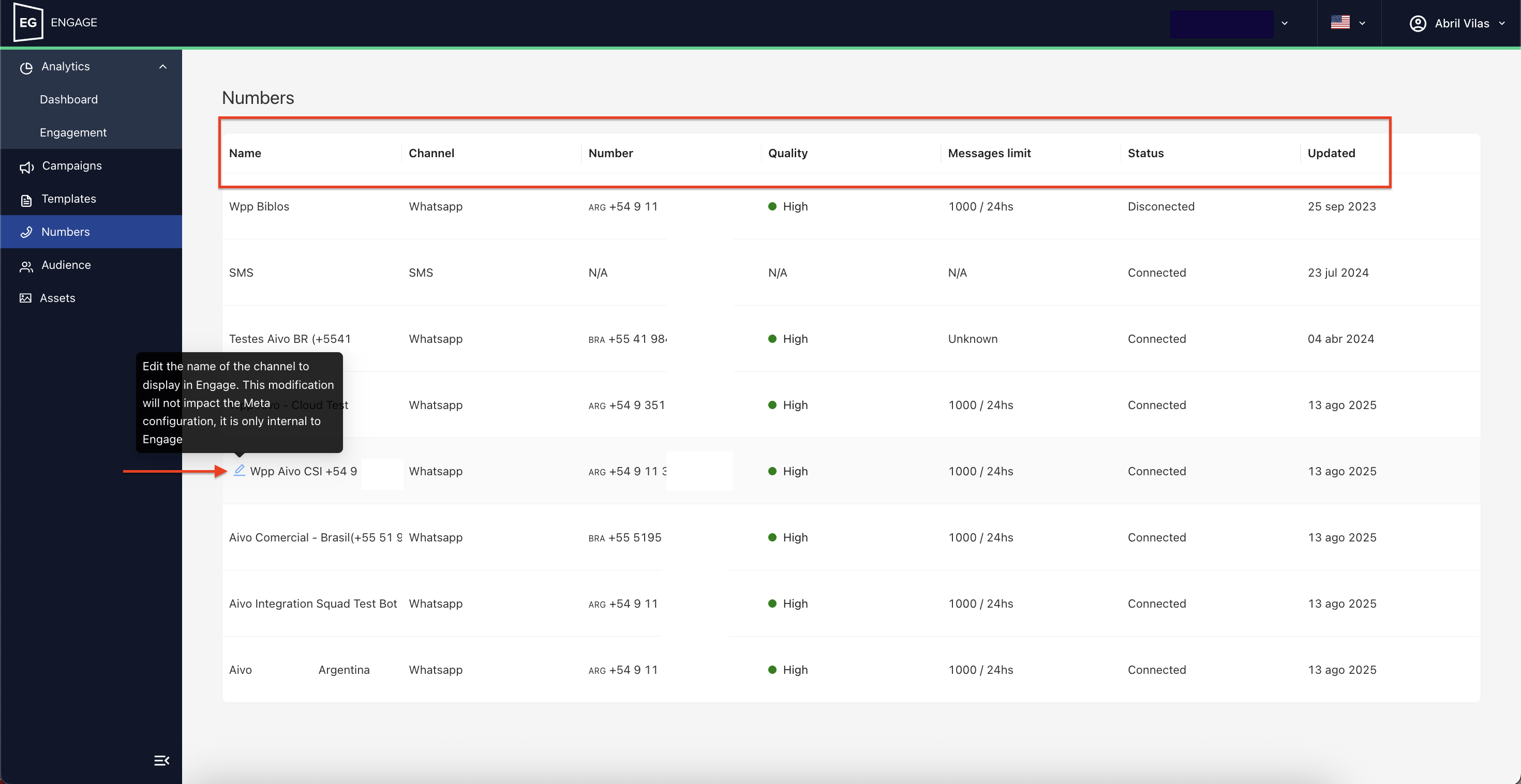
Name: Displays the assigned name for each channel. You can edit it from this section. In the case of WhatsApp, this change will not affect the Meta configuration, only Engage.
Channel: Indicates whether the line corresponds to WhatsApp or SMS.
Number: Lists each WhatsApp number you have registered.
Quality: Shows the category of the WhatsApp line according to Meta’s expected standards, which can be:
- High: Line in proper working condition.
- Medium: You should pay attention to how you are sending your messages to prevent the quality from dropping further or the line from being blocked by Meta.
- Low: Meta may temporarily block the line, as it has been rated with low quality based on the templates you have sent. It is recommended to review the Opt-in and Opt-out policies to avoid being considered spam by your users.
- Unknown: If your number has not had any activity or is inactive, it will show this quality.
Message limit: Shows the number of messages you can send within 24 hours according to the Tier you are in, based on WhatsApp policies.
Status:
- Connected: The line is operational.
- Disconnected: The line is inactive, has not yet been used, or in the case of WhatsApp, there is not enough information from Meta to classify it.
Last update: Displays the date of the last data update. Information updates automatically when changes occur.