From the Autogenerated Knowledge section, you can search for links or PDFs using URLs so they can be scraped, and then incorporate the resulting content as a knowledge base to be used when you enable autogenerated knowledge via Generative AI.
 You can perform a single-item search, that is, search for a single item, or search for that item and all related items found during the process.
 For both options, enter the source URL.
 You can check the “Search only this URL” box and then click “Search Links” to return only the result for the link entered in the search bar.
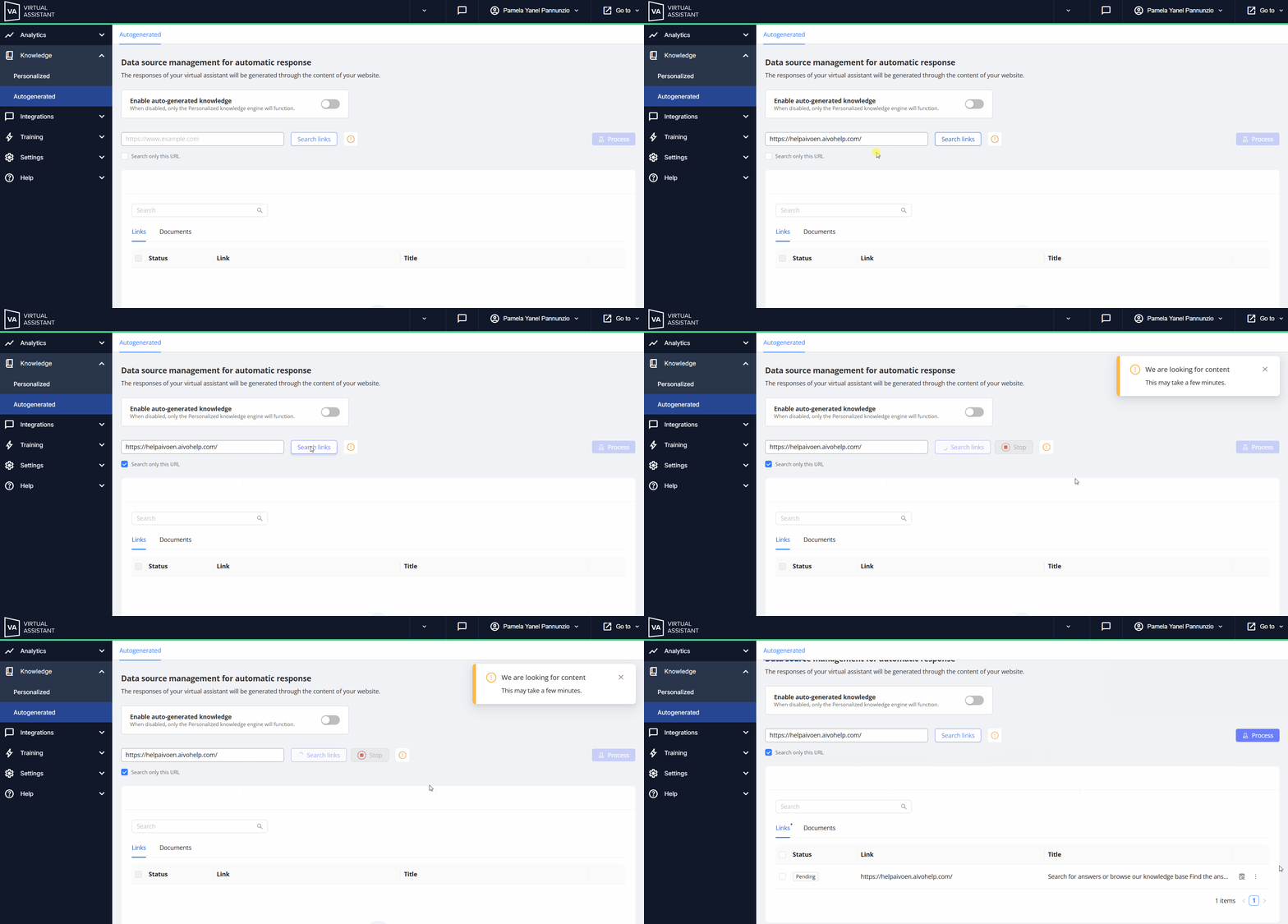
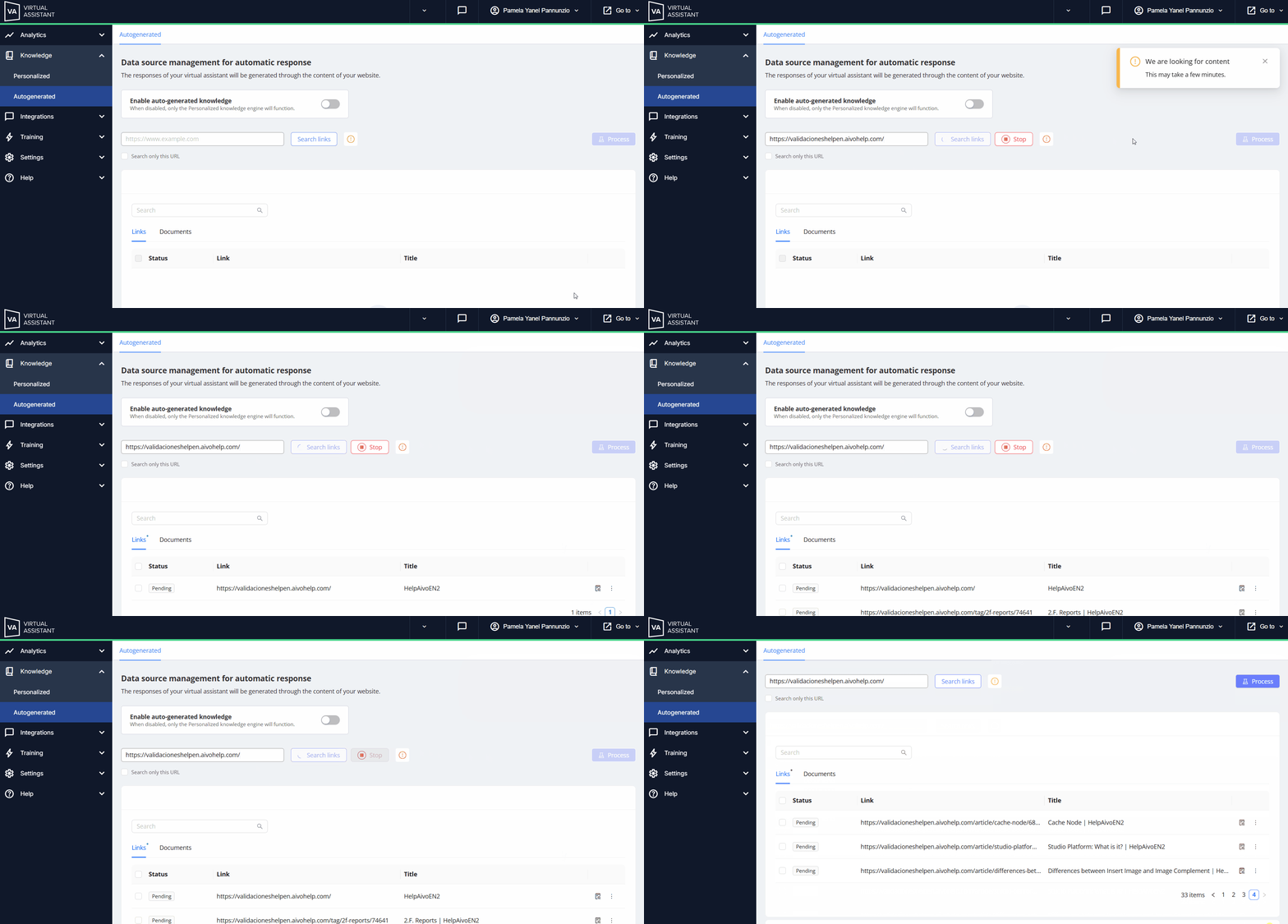
Or click “Search Links” directly to add the main link you entered and all related links it finds.
|
|
 Key Information