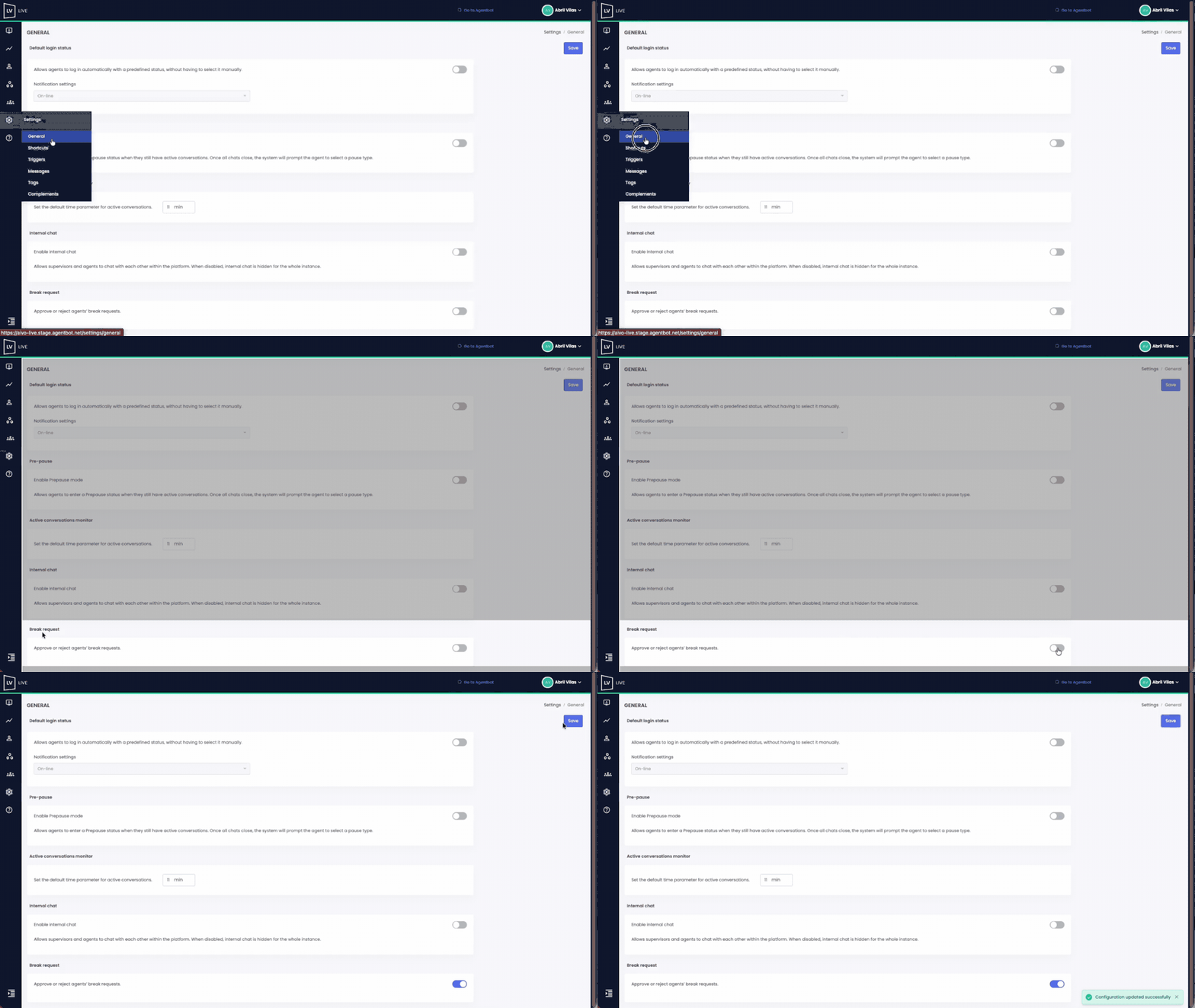
This feature allows you to control the flow of Agents’ pause and pre-pause requests, giving users with the Supervisor or Supervisor Agent role the ability to approve or reject them from the Break Requests panel in the Monitor section.
 Key details:
- The request is sent in real time to all online Supervisors.
- The Agent will not be able to activate the pause until it is approved.
- If the request is rejected, the Agent will remain available.
- The request is resolved when the first Supervisor approves or rejects it; the rest will automatically see the updated status.
 This feature can be enabled or disabled using a switch in Settings → General by a user with an Administrator role. If the switch is turned off, pause control will not apply, and Agents will be able to enter pause or pre-pause freely.
 Watch the example below to see the complete setup process: