Find the answer you are looking for

Find out where to find a channel token

The channel token is used to authenticate an existing channel in My Aivo. This electronic key is unique and may be necessary at certain times, for example when you want to add the bot in an app.

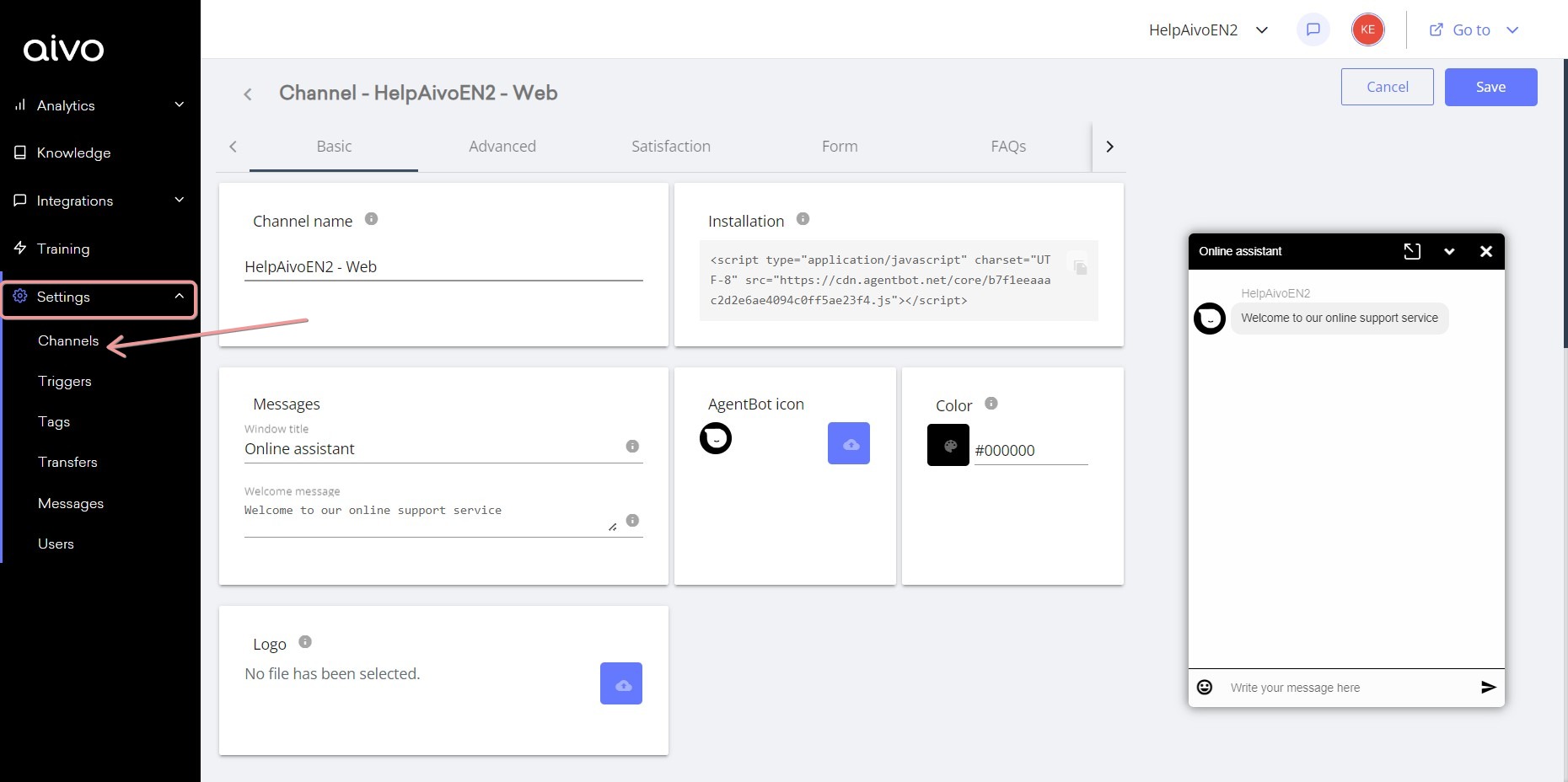
To obtain it, go to Settings and then Channels.
Choose a channel and access the editing pencil.
In the UR
L of the channel you chose is the token. For example: https://my.aivo.co/channels/edit/f82f1b949688deb9914cb512ddc96d28

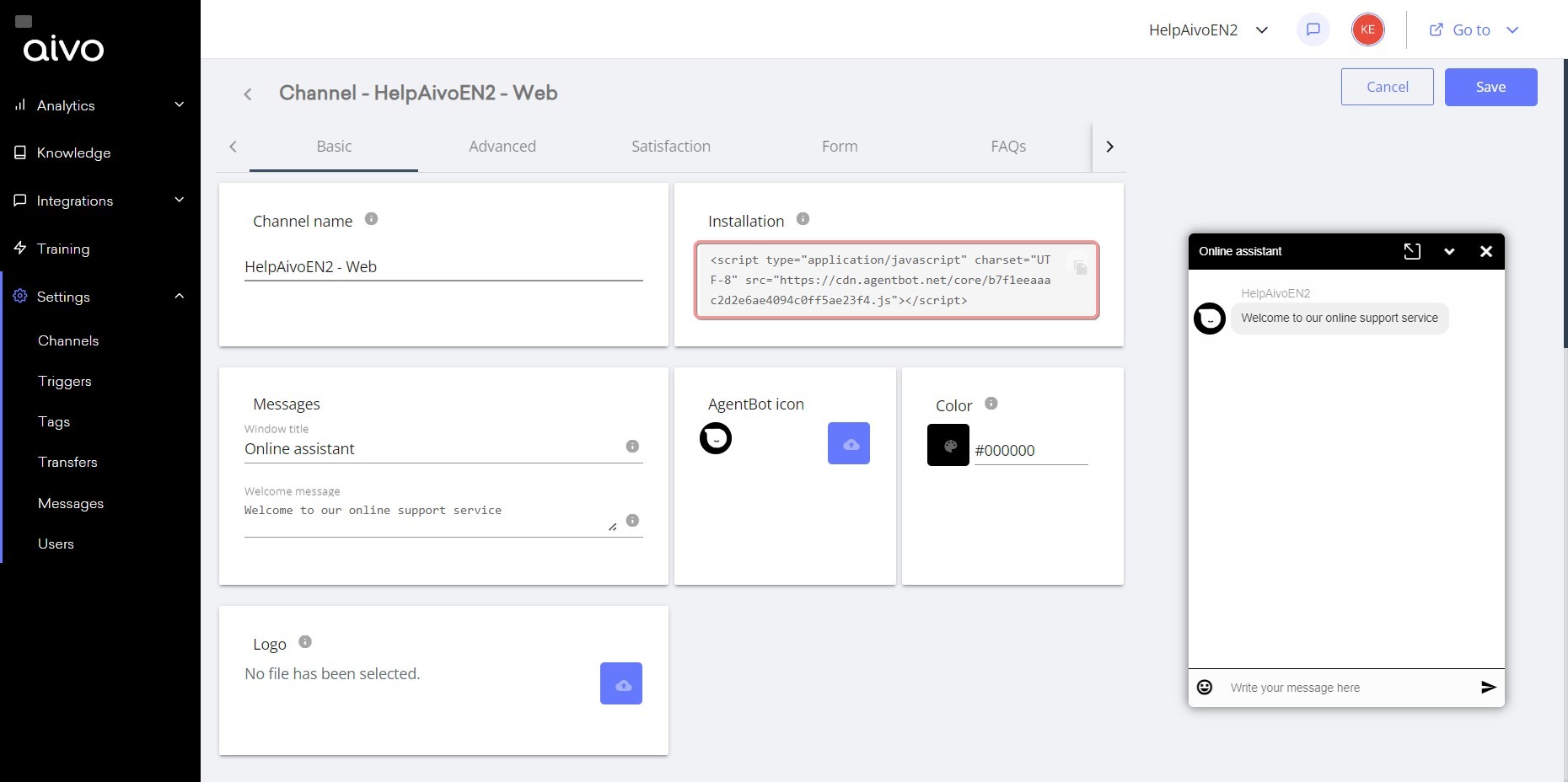
In case it is a Web channel, it is also in the installation script. For example: <script type="application/javascript" charset="UTF-8" src="https://cdn.agentbot.net/core/f82f1b949688deb9914cb512ddc96d28.js"></script>
This website stores cookies on your computer. These cookies are used to collect information about how you interact with our website and allow us to remember you. We use this information in order to improve and customize your browsing experience and for analytics and metrics about our visitors both on this website and other media. To find out more about the cookies we use, see our Privacy Policy.

If you decline, your information won’t be tracked when you visit this website. A single cookie will be used in your browser to remember your preference not to be tracked.