Once you have defined the number of concurrent conversations for each agent in the user profile settings, the platform will perform an automatic calculation based on the handling capacity assigned to each agent. This setting can be managed by Supervisors, Administrators, or Agent Supervisors directly from the Live platform, within each internal user’s profile.
 The number of concurrent conversations you assign to each agent is relative and will depend on the service model defined by your organization.
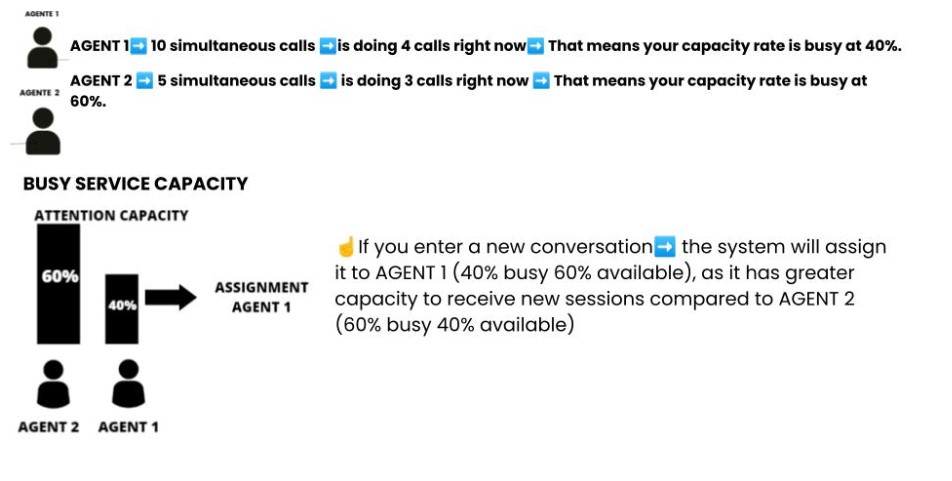
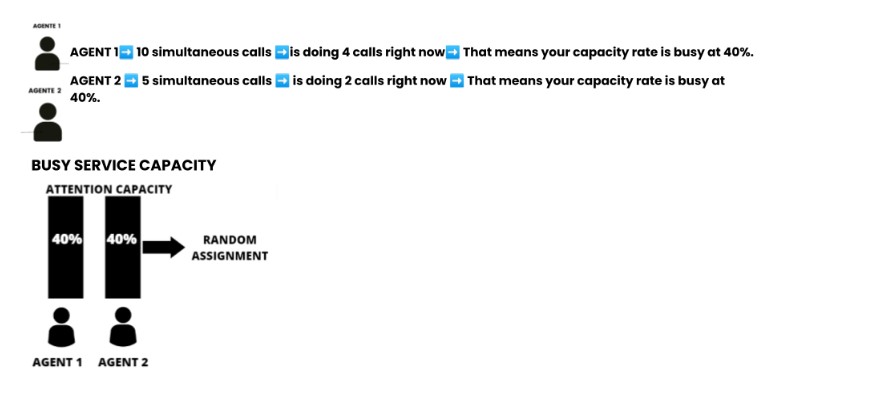
The system calculates the percentage of capacity each agent is using in real time and assigns the new conversation to the agent who is least busy. For example

If two agents are operating at the same capacity level, the next conversation will be assigned randomly.
 If your agent group has different numbers of concurrent conversations assigned, distribution will still be based on service capacity percentage.
This means that new conversations will always be sent to the agent with the highest availability.
☝ In addition, you can use the agent report to analyze whether the number of assigned conversations is appropriate for the team or if it needs to be adjusted, either by increasing or decreasing that number, always to provide a better experience for your users.
 In the tour below, you’ll see step-by-step instructions for configuring this, and in this article, you’ll find all the additional assignment types available for configuration.