Find the answer you are looking for

Configure the SLA of your Live groups

The SLA (Service Level Agreement) is a service level agreement that specifies the conditions of the service provided, the responsibilities of each of the parties, or the scope of the service offered.

In the case of group settings, the SLA can be configured to establish the maximum time a customer can be waiting to be served.

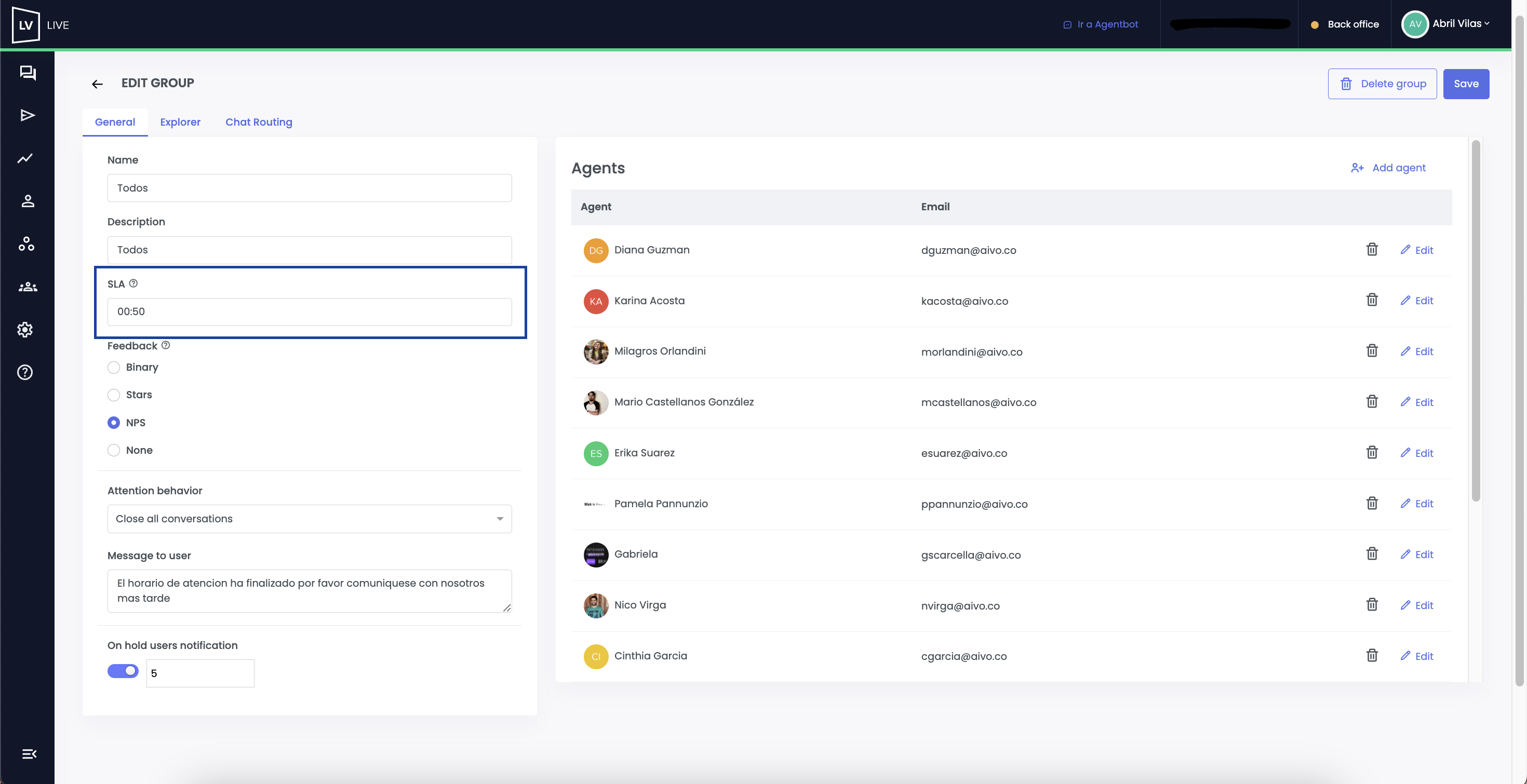
To set the waiting time limit per group, access from the side panel and click on Edit a Group.

From the SLA option, set the time in minutes and seconds that the user can remain in the waiting queue until being assisted by an agent.

This data will be reflected in the Dashboard, to show the service performance and optimize the customer experience.
undefined

This website stores cookies on your computer. These cookies are used to collect information about how you interact with our website and allow us to remember you. We use this information in order to improve and customize your browsing experience and for analytics and metrics about our visitors both on this website and other media. To find out more about the cookies we use, see our Privacy Policy.

If you decline, your information won’t be tracked when you visit this website. A single cookie will be used in your browser to remember your preference not to be tracked.