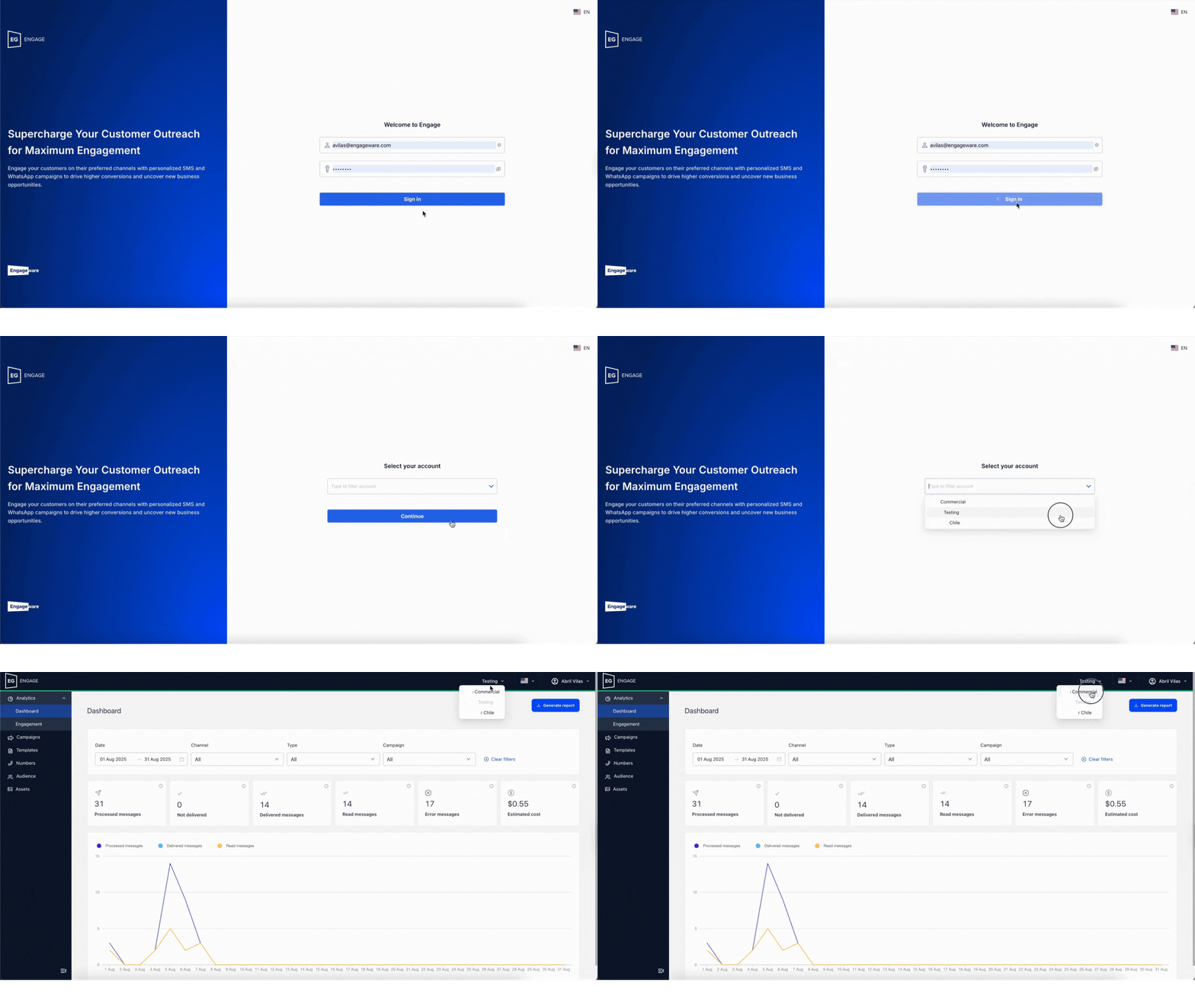
To access Engage, the instance will be generated automatically if you create the WhatsApp channel from the Virtual Assistant platform.
If you only implement the SMS channel, you will request it via service request in the Aivo Support Center.
Please note that any user email you intend to add to Engage must have prior access to the Virtual Assistant platform and have logged in at least once. Read here how to manage the users section of Engage.
 If you have more than one Engage account, you can search for the one you need from the multibot selector after logging in.
Alternatively, once you're inside the Engage account, you can switch to another from the dropdown next to the account name.
*If you log in via Virtual Assistant, you will see the multibot option directly.
*If the user has only one account, they will immediately access it without seeing the multibot.