Once you’ve implemented Autogenerated Knowledge in Virtual Assistant, you’ll be able to download the content that the platform extracted and saved from the following sources in a . txt file format:
- Website URLs
- PDF files uploaded or linked
 The main goal of this feature is to provide greater autonomy and scope in managing Autogenerated knowledge.
☝How do you do it?
- After searching for links or documents in the “Autogenerated” section, you’ll see a list of results in each tab.
- At the end of each row, you’ll see various action icons.
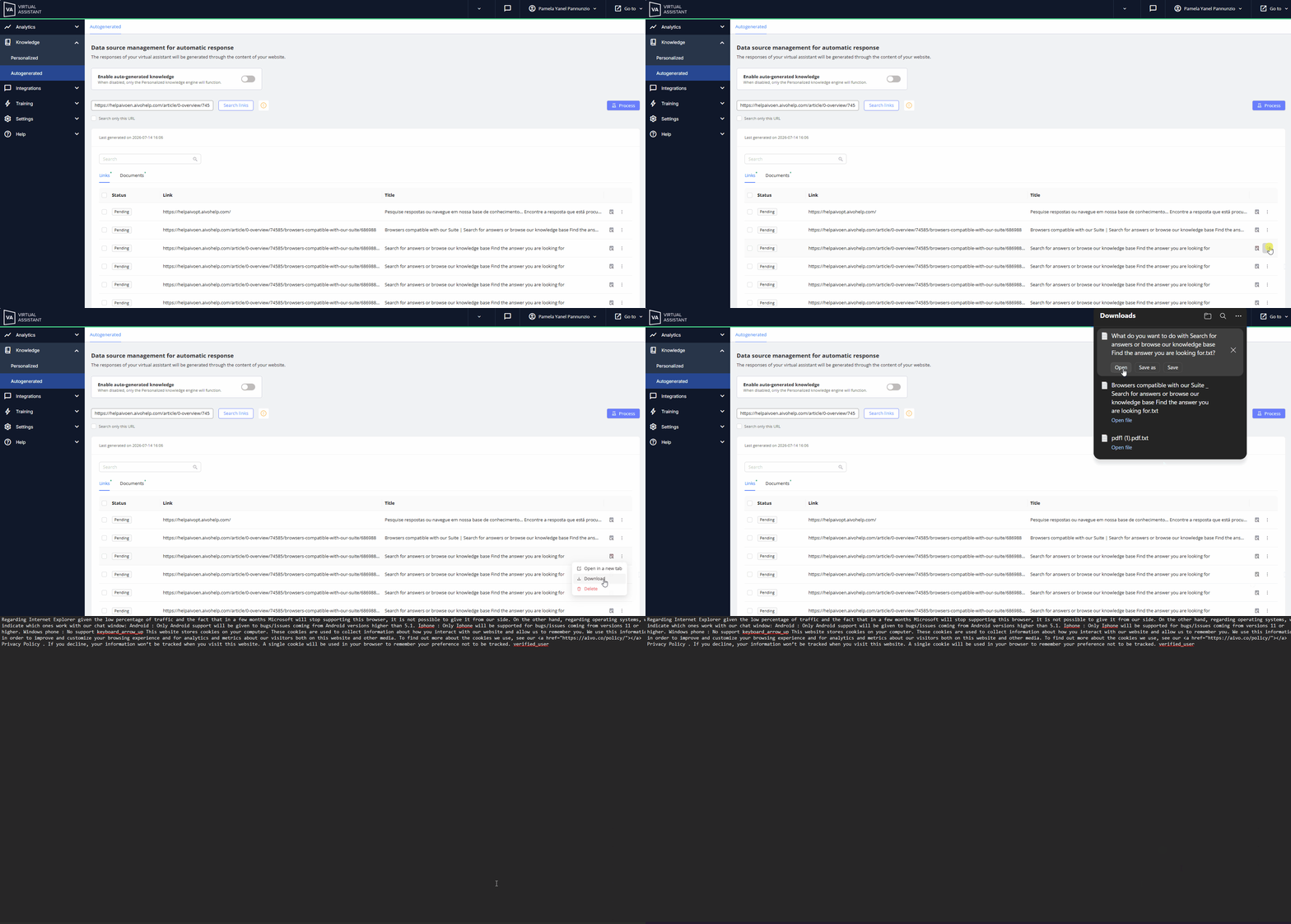
- In the Links tab, you’ll find a drop-down menu containing the option to download extracted text.
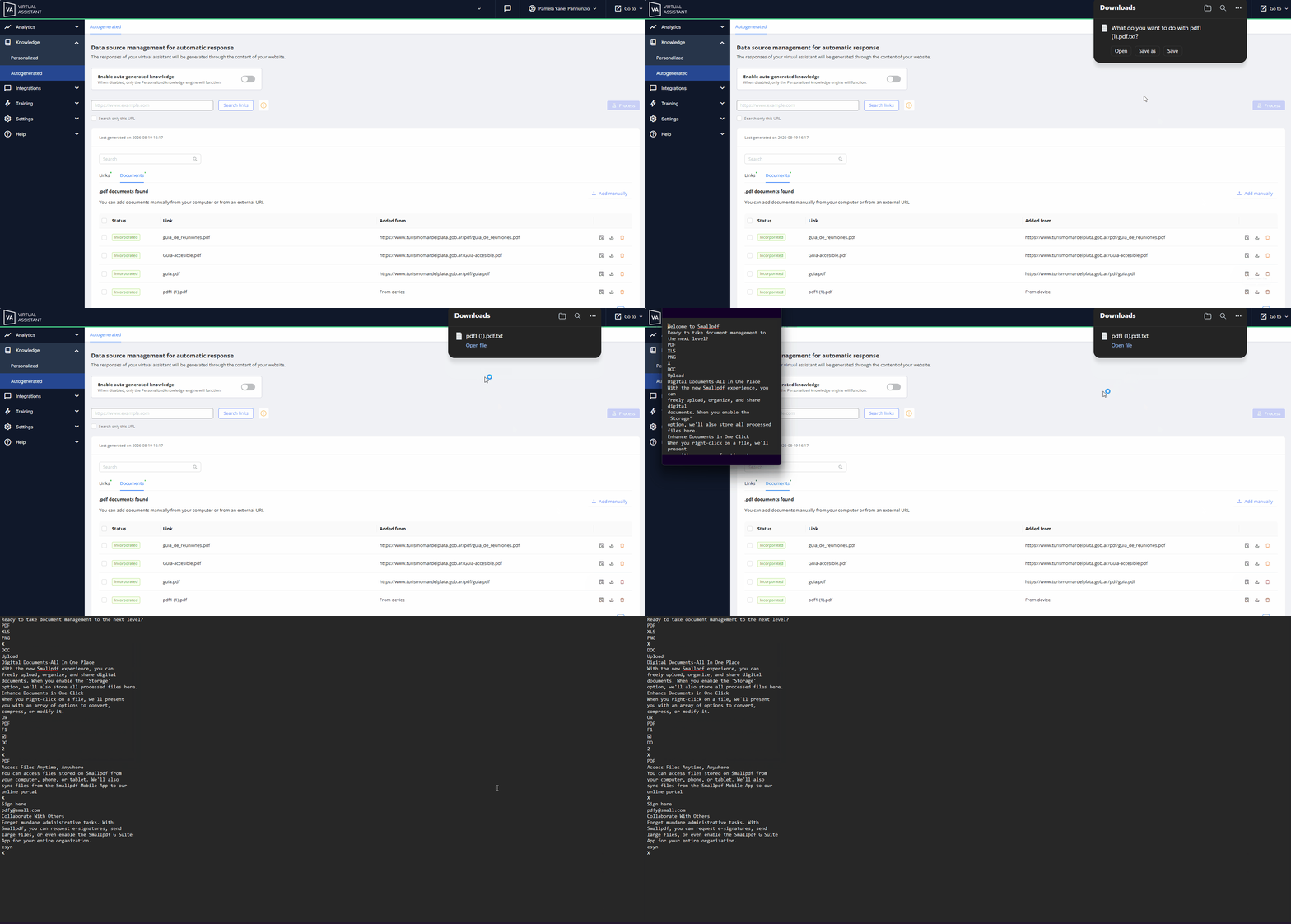
- When you click it, a document in .txt format will be downloaded. You’ll see the content in plain text (unformatted):
- No bold text.
- No styles.
- Tables may appear as text (depending on the extraction).
 The text obtained from links and documents will be displayed in the original language it was in when the extraction was performed. The text obtained from links and documents will be displayed in the original language it was in when the extraction was performed.
|
 Key points:
• For links, you can download the extracted text as soon as the search is complete, that is, before processing.
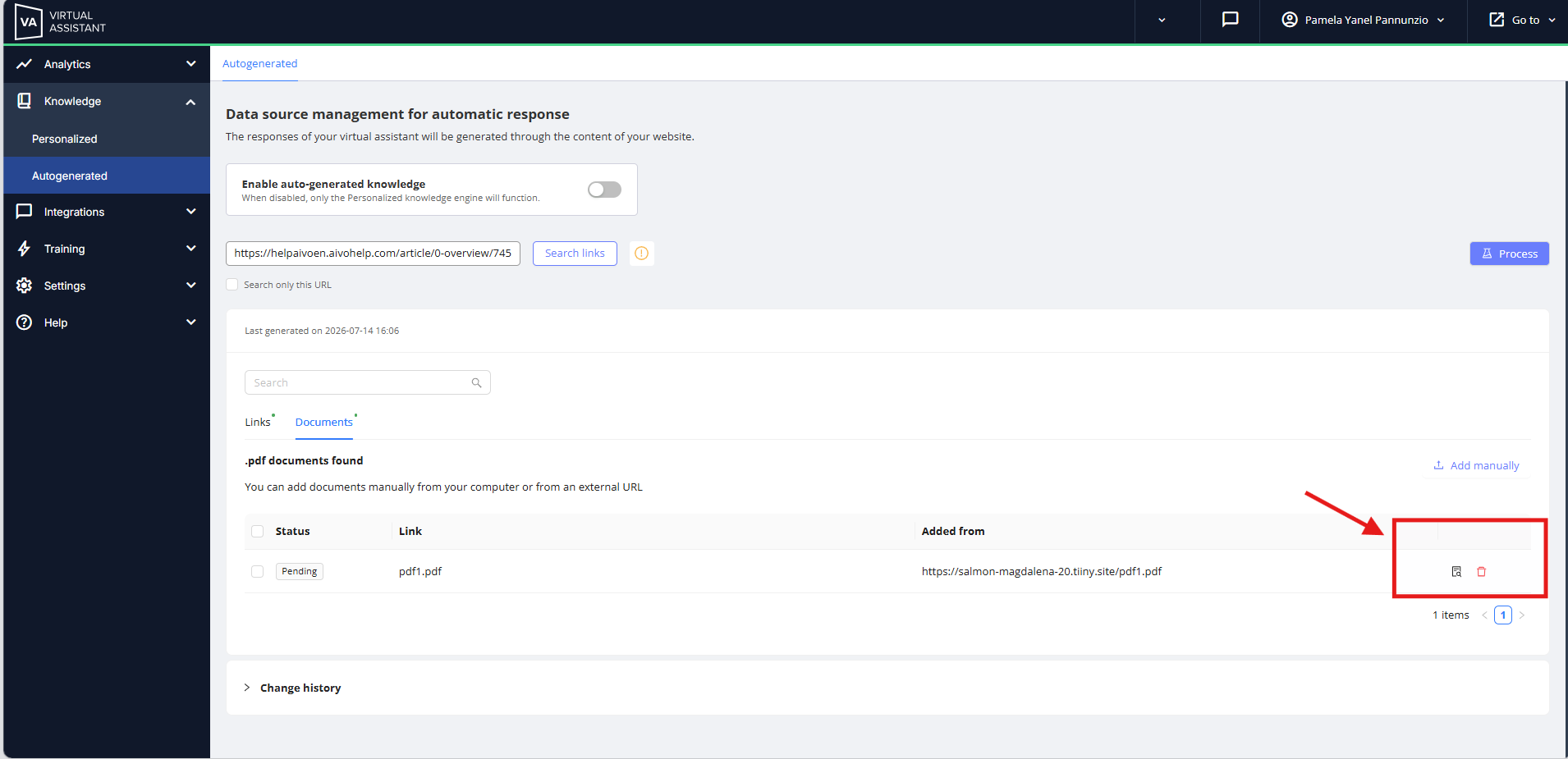
• However, for PDFs, you’ll only see the action icon after clicking the Process button.
• Before that, it won’t be available.
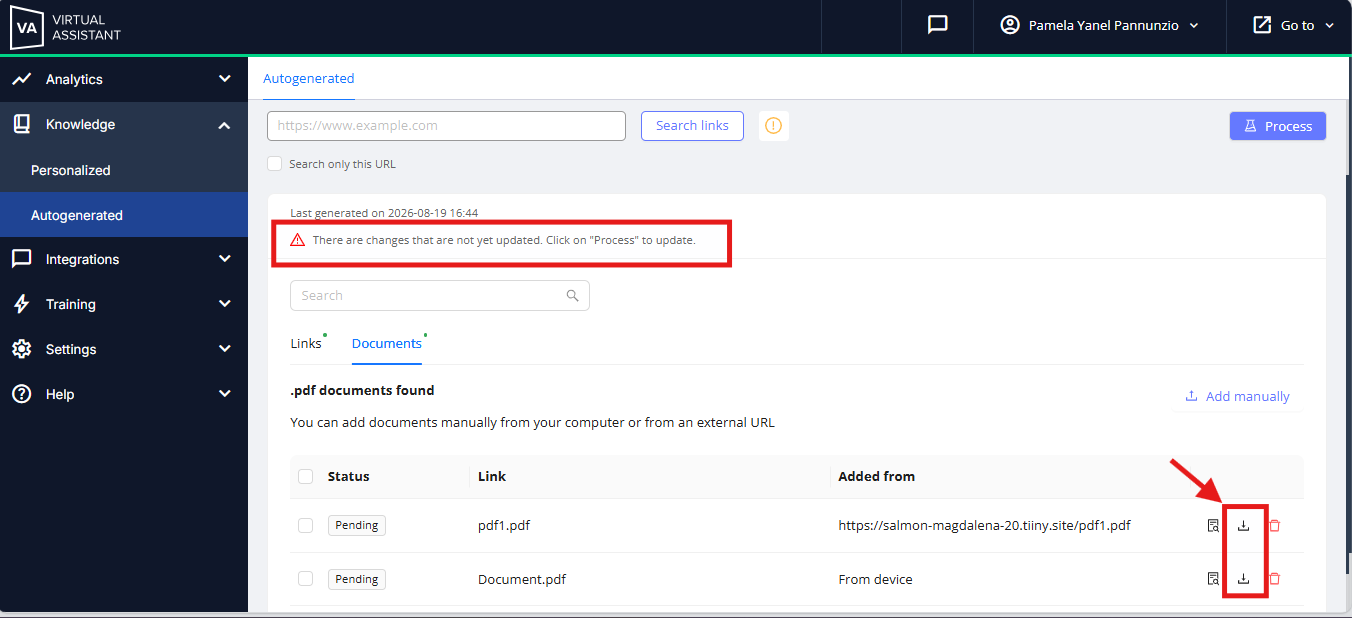
• Unless you process new links or documents. In that case, you will see the icon on the Documents tab, but it will show the last extracted version before the new information was processed.
|
|
 Learn more in the following articles: