It is recommended that you upload several ways to ask (FDP) per intention. This will help the bot understand the query in various contexts and written in different ways.
 Check
Check
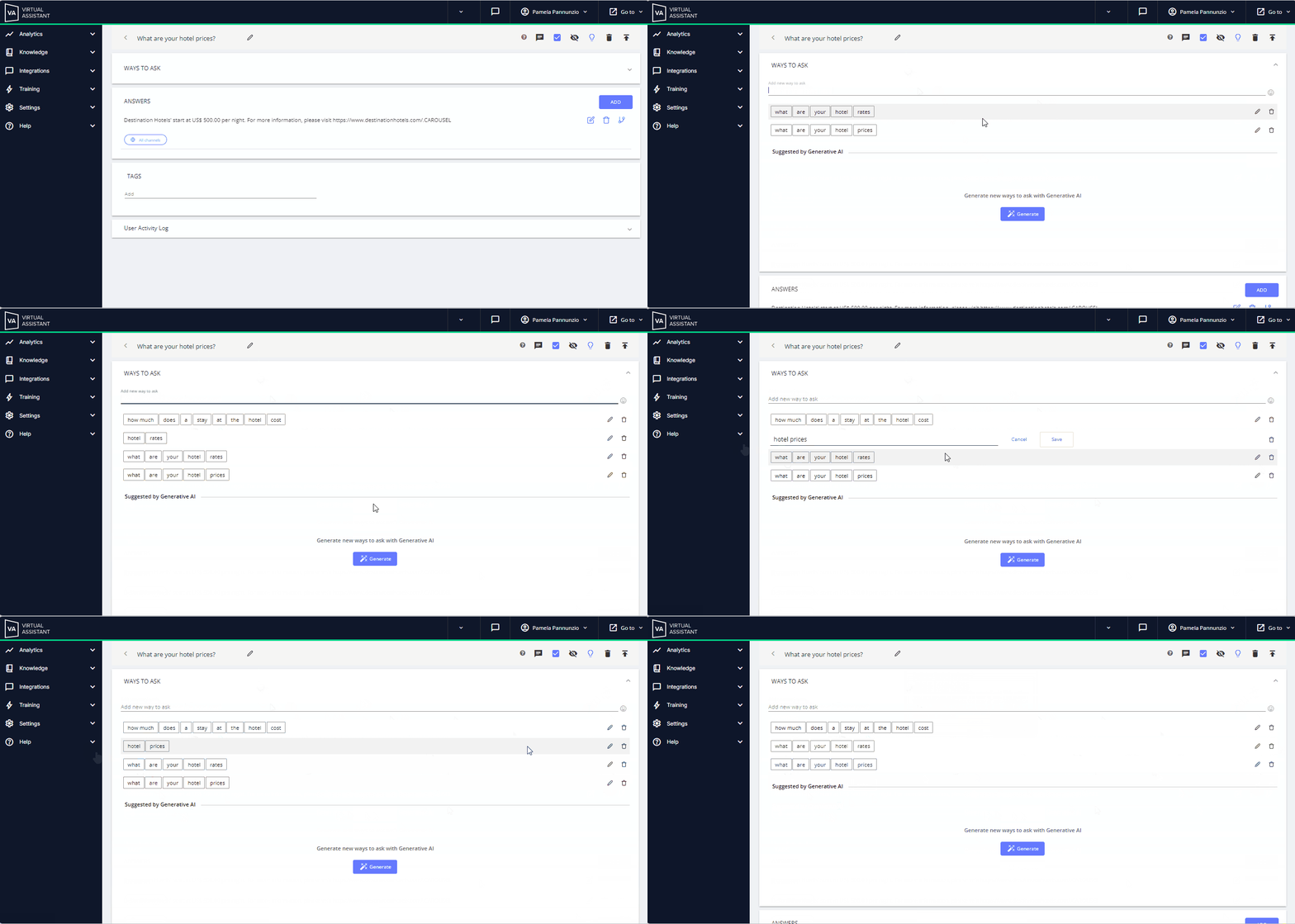
 To add ways to ask
- Creates or accesses an intention.
- Click on the WAYS TO ASK space.
- Write the way to ask
- Confirm by pressing enter.
- Repeat the process to add new ones.
- Edit your WTA from the pencil icon on the right side of each form.
- Delete them using the trash can icon.
See the steps below:
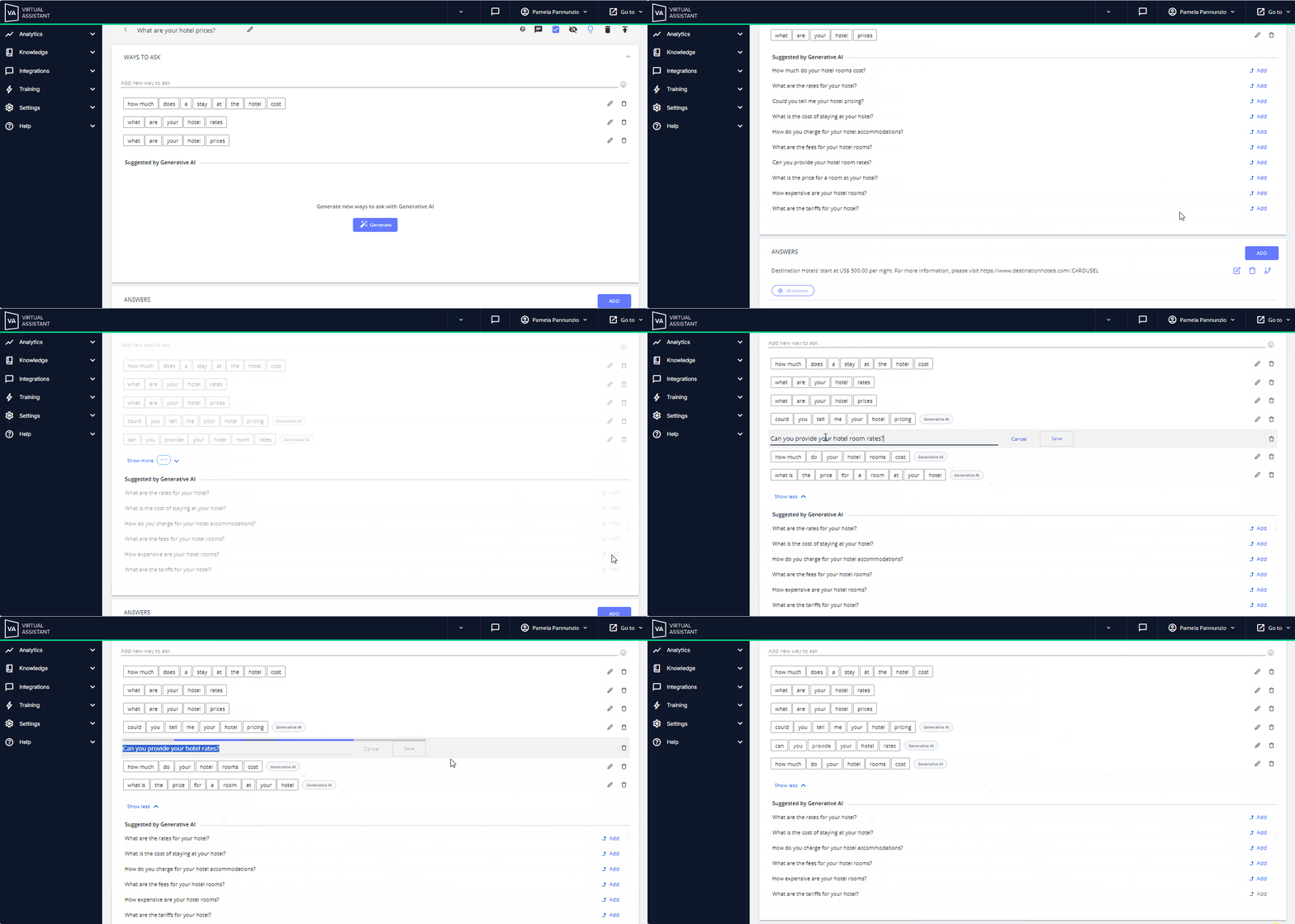
You also have the option to use Generative AI: this action will help guide you, facilitating the process of generating WTA quickly and automatically, while also giving you the possibility to customize them according to the needs of your content.
See the steps below
- In the same WTA space within the intention, click on the Generate button, located in the Suggested by Generative AI segment.
- After you click, alternatives will be listed for you to choose the ones that best suit your content.
- Click on add, to the right of the options that were generated.
- Once added you can edit or delete it, just as you would with those you upload manually.
- After the first time you generate WTA with Generative AI, you can repeat the process from the Generate button.
Next to each WTA with Generative AI. you will see a label that identifies it.
See the steps below: