In FB you can configure the Start button, which will be useful to give the welcome message you want to the user when he/she starts the chat session.
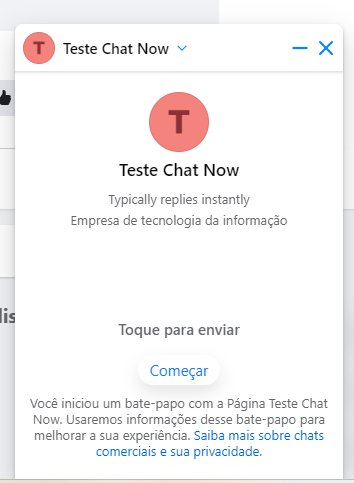
This will be displayed the first time you chat with the bot, or if you delete the previous conversation.
- To do this you must add an intention called "Calltoaction" and in the response write the message.
- Then, through a request in Aivo Support Center, you will have to request the configuration of the 'Get Started' button on your Facebook.
- When the user clicks on the button, the intent you attached to your content (Calltoaction) will be activated.
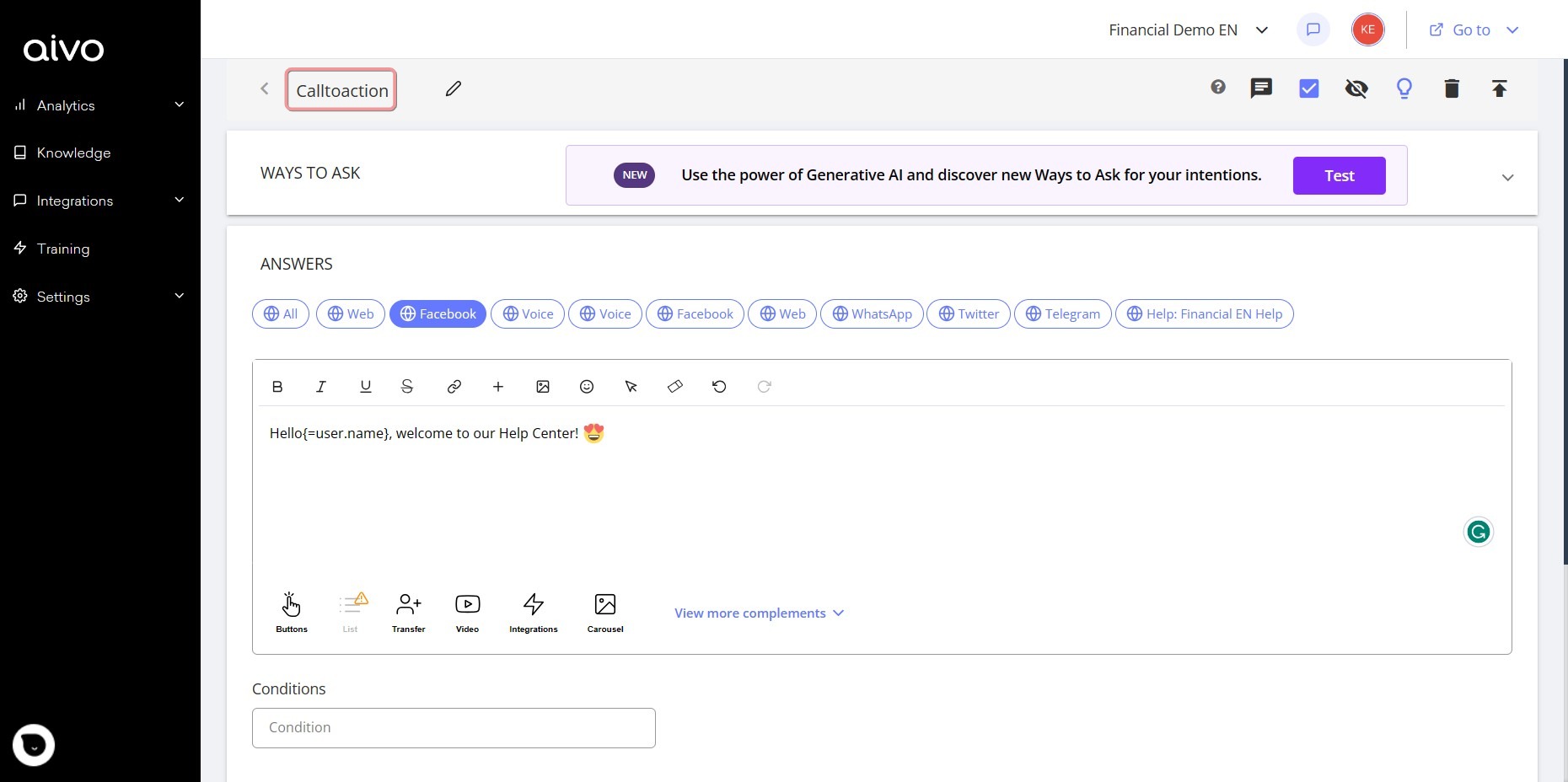
Also, if you wish, you can configure the virtual assistant to recognize the user as he/she is identified in his/her Facebook profile (it is not possible to change the user's name).
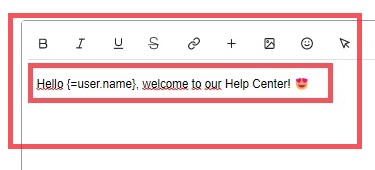
- To do this, add in the initial greeting response the tag: as shown in the response box in the image.
- Subsequently, you must also request in Aivo Support Center, the configuration of this element.
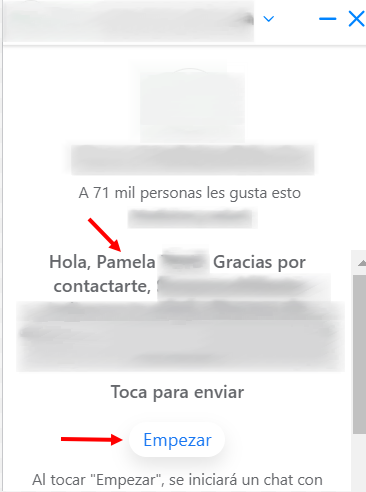
You can configure only the Start button, only the user recognition or both alternatives together as you choose.