This node is part of the Aivo node category and allows temporary data to be stored in the cache, so that it can be retrieved later, at any point in the integration. That is, the stored data persists to a flow and remains available once the step close is reached.
Additionally, it can be configured so that the stored values are specific to a session or shared by all sessions.
 In the video we tell you the parameters to configure it:
 Download the flow with the examples in this link.
Below find the description of the fields that you will use in the process, as we show in the video 
- Name: custom name given to the node and will be visible from the Studio workspace.
- Key (Required):name of the key that will be stored in the cache and then used to retrieve the saved value.
 This field supports the {{varExample}} syntax, which is used to access properties of the MSG object, for example, msg.varExample.
 - Global: you will select false to indicate that the saved value is exclusively linked only to the specific session of a user and true if the value is required to be saved globally for all existing sessions in the instance.
- Method: lists the 4 methods used for cache operations GET/ SET/INCREMENT/ DELETE.
- GET: used to access cached information. If this value does not exist, “null” will be returned. If the data to be retrieved was previously saved with the Global parameter selected:
- True: It will be available for all sessions, as if it was a public bot.
- False: it will be available in the session where the cache was recorded, as if it was a session-specific cache.
- Output: name of the variable where the value retrieved from the cache will be stored, it can be an existing or new variable.
- Decrypt: decrypts cached data that has been previously encrypted.
- SET: it is used to store information in cache, using a key, to retrieve it later.
- Input: name of the message variable, string or JSON to store in the cache.
- Expires: indicates the amount of time in minutes that the data will be cached. By default, data is stored for 60 minutes. The time can be at least one minute and at most 1440 minutes, which is equivalent to one day.
- Encrypt: encrypts the data that you want to cache. If we encrypt the stored data, we must activate decrypt to be able to read it. That is, if you save data and place encrypt, then to recover it you must do the reverse process. The difference is that internally the data is stored in the cache in an unreadable, encrypted form.
- INCREMENT: it is applied as a counter, with each execution the value is increased by 1 (one), if the variable does not exist prior to the entry of the node, it will be initialized with the value 1. In this method, the Output is completed, as in GET.
- DELETE: it is implemented to delete the stored key and value (previously saved with the cache node), from a key specified in the Key field. When a cached data expires or is deleted, its value becomes null. If the data was saved with the Global variable set to True, the node configured with the DELETE method must have the same property. The same concept applies to the case where the Global property was set to False when the data was saved.
- GET: used to access cached information.
|
 Key data: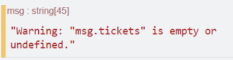
| c. For any of the available methods to be selected in the node (GET, DELETE, INCREMENT and SET), in case the “Global” parameter setting is “False”, if the agentbot user id does not exist when the node receives the request, the warning message "The agentbot user id is not present in the msg object and global is false. Stored data may be unreachable" will be displayed in the Studio debug window. In this scenario, the variable will be saved, but in a “Global” way and the data must be retrieved in the same way (“Global“). |

d. If you use the cache node, in conjunction with an http in node, you must set the ID manually. In this case, you can do so on one of these properties in the following order of precedence:
|
 Any cache nodes already configured will continue to function normally and you will not need to perform any action on the new cache nodes you configure, even when using an http request node or any other node that rewrites the payload. Any cache nodes already configured will continue to function normally and you will not need to perform any action on the new cache nodes you configure, even when using an http request node or any other node that rewrites the payload. |