Find the answer you are looking for

Configure the SLA of your Live groups

An SLA (Service Level Agreement) is an agreement that specifies the terms of the service provided, the responsibilities of each party, and the scope of the service offered. 

When configuring groups, you can set the SLA to specify the maximum amount of time a customer can wait to be assisted.

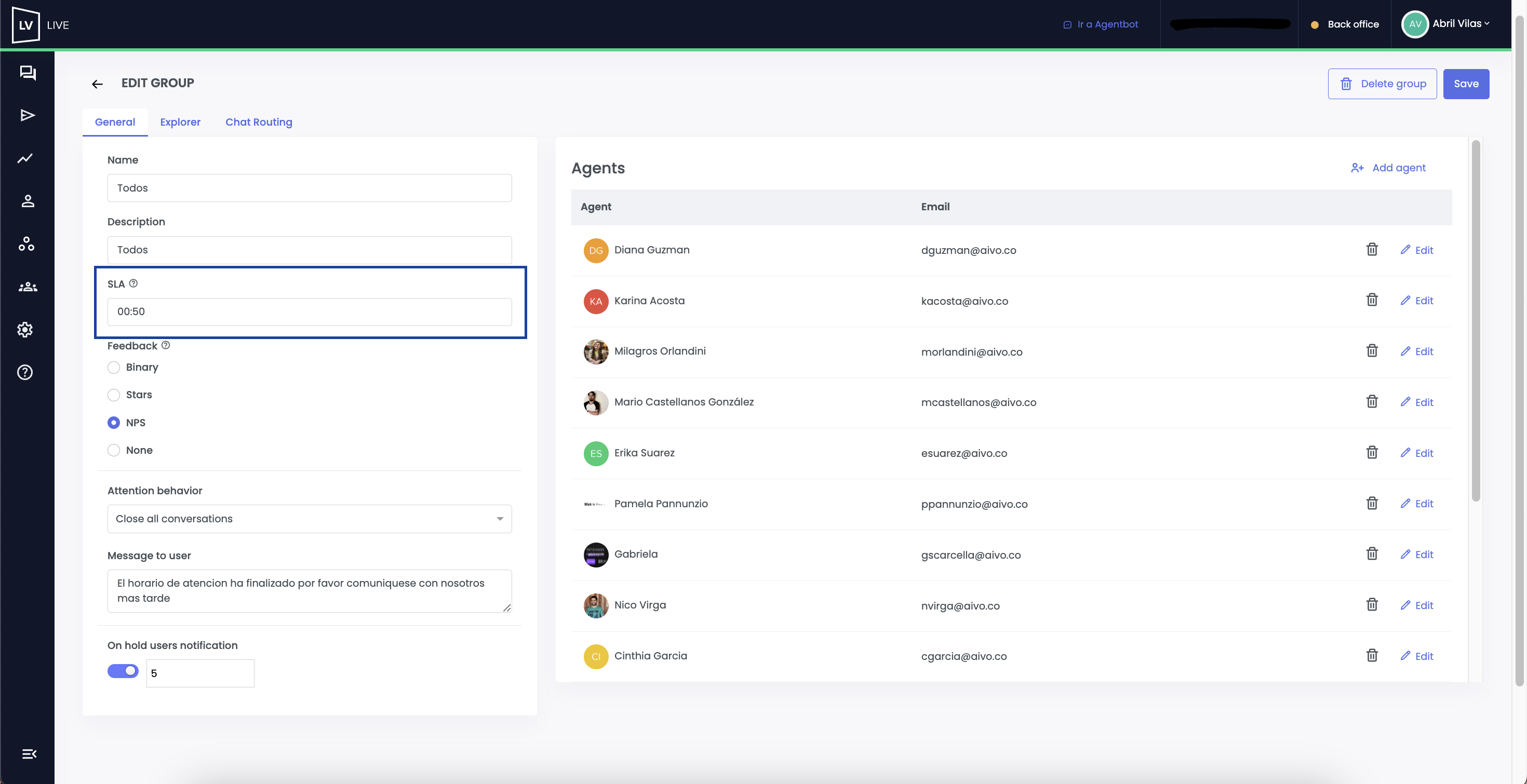
To set the wait time limit for a group, go to the side panel and click “Edit Group.” 

Under the “SLA” option, you can set the time in minutes and seconds that a user can remain in the queue before being assisted by an agent.

This information will be displayed on the Dashboard to show service performance and optimize the customer experience.

undefined


This website stores cookies on your computer. These cookies are used to collect information about how you interact with our website and allow us to remember you. We use this information in order to improve and customize your browsing experience and for analytics and metrics about our visitors both on this website and other media. To find out more about the cookies we use, see our Privacy Policy.

If you decline, your information won’t be tracked when you visit this website. A single cookie will be used in your browser to remember your preference not to be tracked.