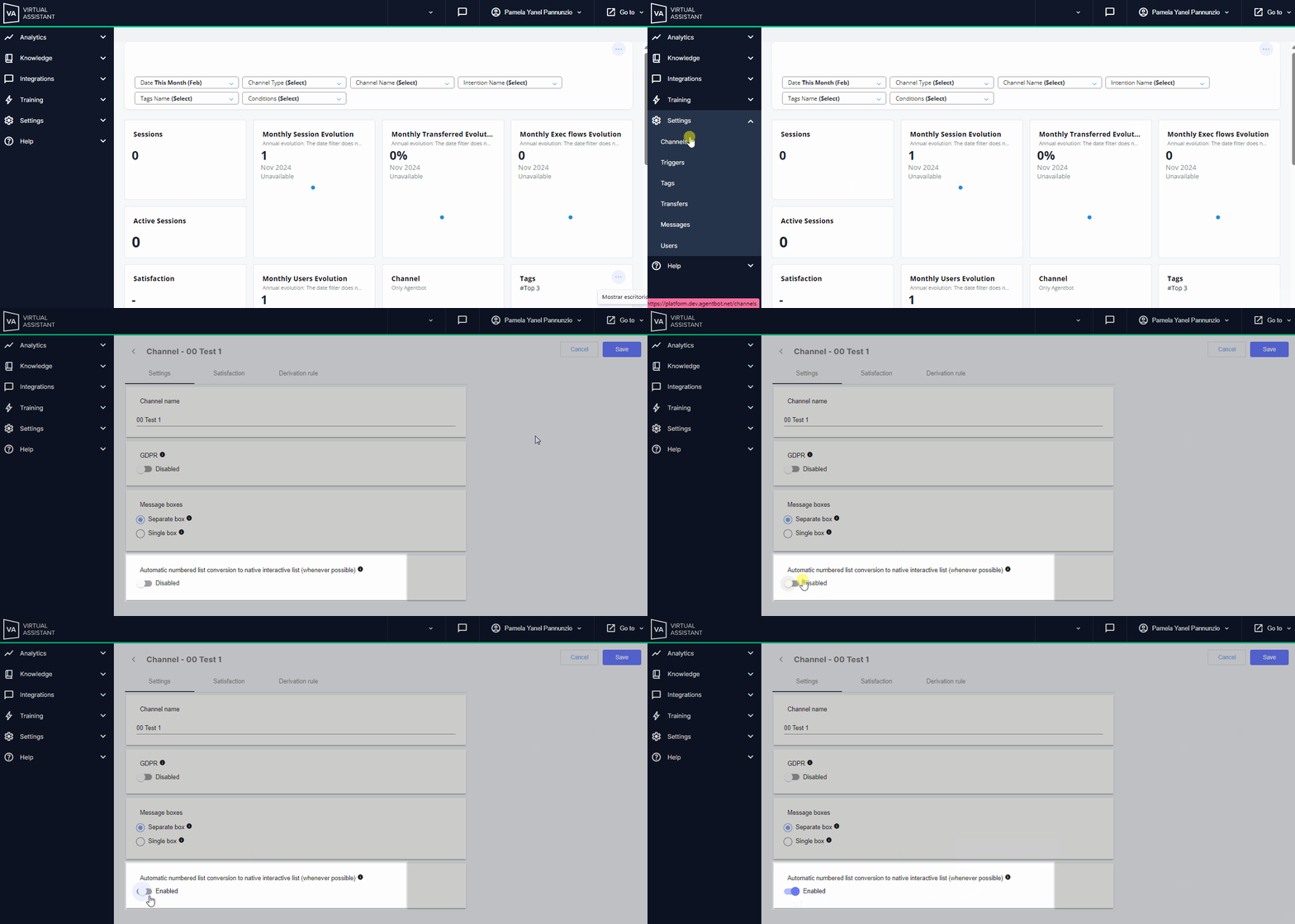
In your WhatsApp channel settings, you can enable and disable the automatic conversion of numbered lists to interactive lists, as long as they meet the requirements set by Meta.
 Key Fact: On WhatsApp, you can add buttons and interactive Lists as part of responses. Key Fact: On WhatsApp, you can add buttons and interactive Lists as part of responses.
|
 Requirements for Interactive Lists on WhatsApp
- Maximum number of rows (options): Up to 10 rows per list.
- Row title: Up to 24 characters.
- Message body (mandatory): Up to 1024 characters.
- Action button text (mandatory): Up to 20 characters.
- Total character limit: The complete list, including all characters in the message, must not exceed 4096 characters.
How It Works
- The setting is general, so it does not apply to individually implementing specific intentions that display buttons as numbered lists in the complement.
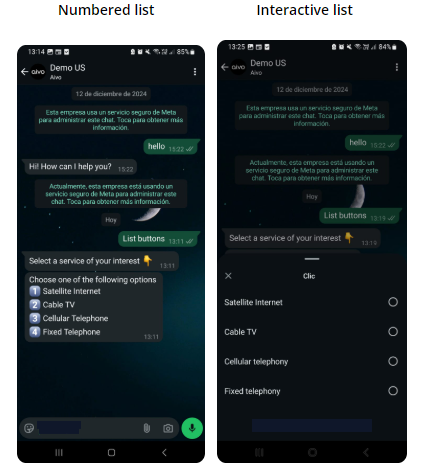
- When you activate this option from your WhatsApp channel settings, the system will automatically convert all buttons displayed as numbered lists into interactive lists, provided they meet the above requirements.
- Buttons that do not meet the requirements will remain in their original format of numbered options.
- The change will be visible directly in the WhatsApp conversation window with the user but will not affect the configuration in the intention where the complement was set.
- All buttons displayed as numbered options and converted into an interactive list will appear in a single section.
- By default, the list title will be Menu, but you can change it to whatever you prefer from Settings > Messages in the Menu option. This change will apply to all lists converted during the process.
 Important Important
|
 Suggestion: After applying the automatic change, review the descriptions and fields included in the list to ensure the experience aligns with your goals for the WhatsApp channel. Suggestion: After applying the automatic change, review the descriptions and fields included in the list to ensure the experience aligns with your goals for the WhatsApp channel. |