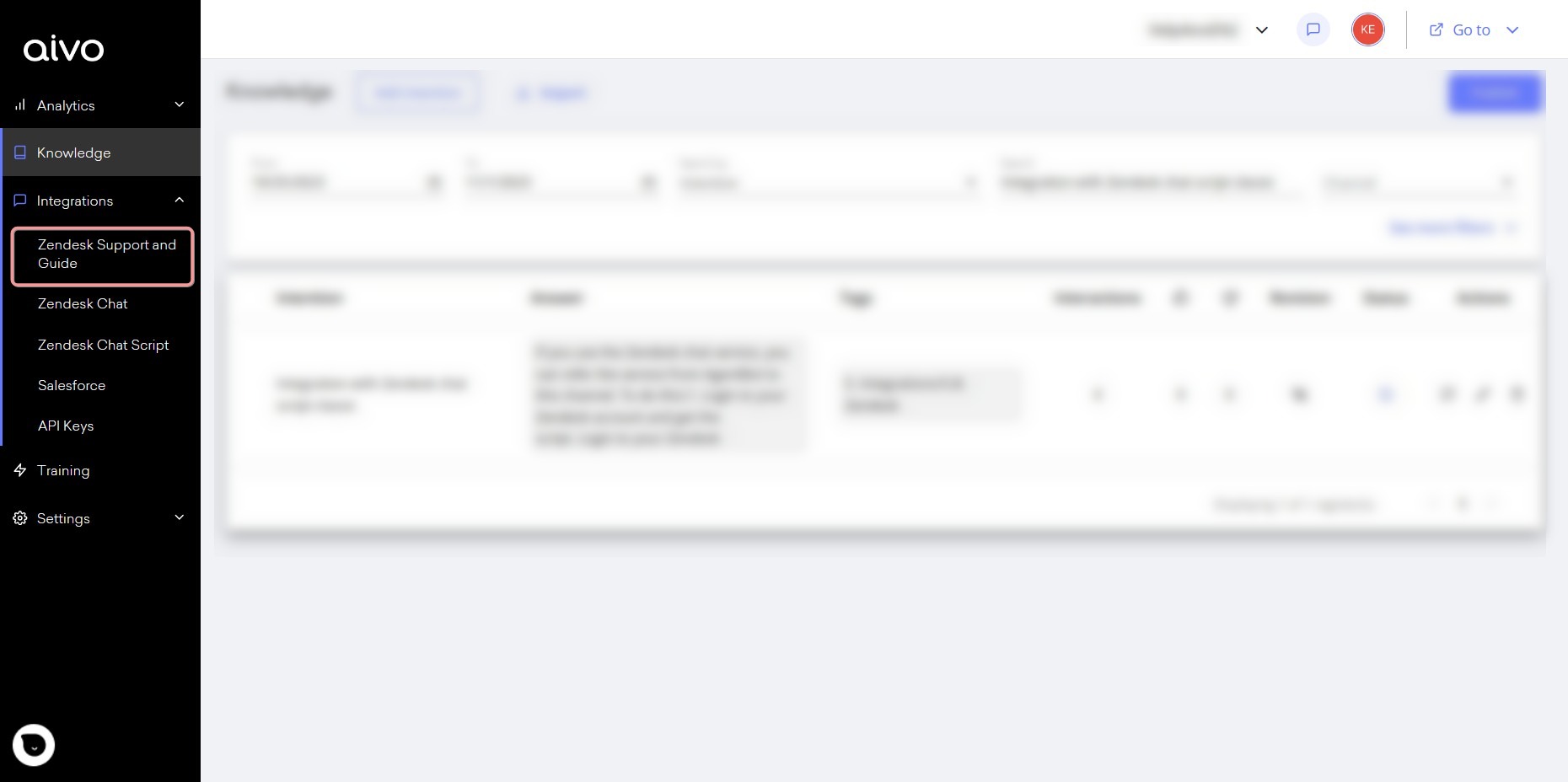
1. From the My Aivo platform, click on the Integrations section in the left panel of the screen and choose the "Zendesk" option.
2. Once there, enter your Zendesk data:
* Email: the email to be entered must be from a user with permission to edit forms.
* Zendesk token:
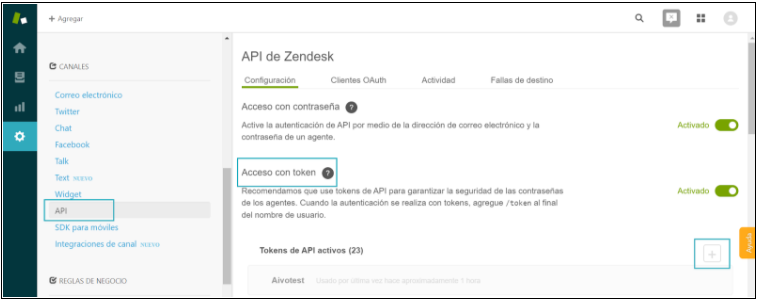
a. To obtain your Zendesk Support security token, you must access your Zendesk account settings.
b. There look for the channel specifications and click on the API option. In this instance, it will be necessary to add a new token.
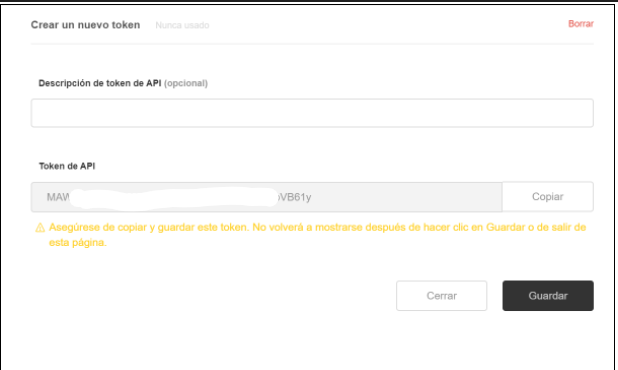
c. Copy the token you added and insert it into the Aivo platform to finalize the integration.
d. It is important that you save it, since, for security reasons, it is only shown the first time and then it is encrypted.
* Zendesk URL
 If after setting up the integration with your data, you change the token or password in Zendesk, you must also change them in the My Aivo platform. Otherwise, the integration will stop working.
Then, by using the Zendesk form plug-in in Agentbot responses, you can automatically generate tickets that will be displayed in your Zendesk account and give your customers a tracking code to check the status of their query at any time.
1. Enter your Zendesk account details