Flows is designed for form-based use cases, personalizing conversational journeys and offering interactive experiences, which seek to increase conversion or business monetization opportunities, so it is possible to create flows to achieve a variety of tasks with your clients, such as:
● Lead generation
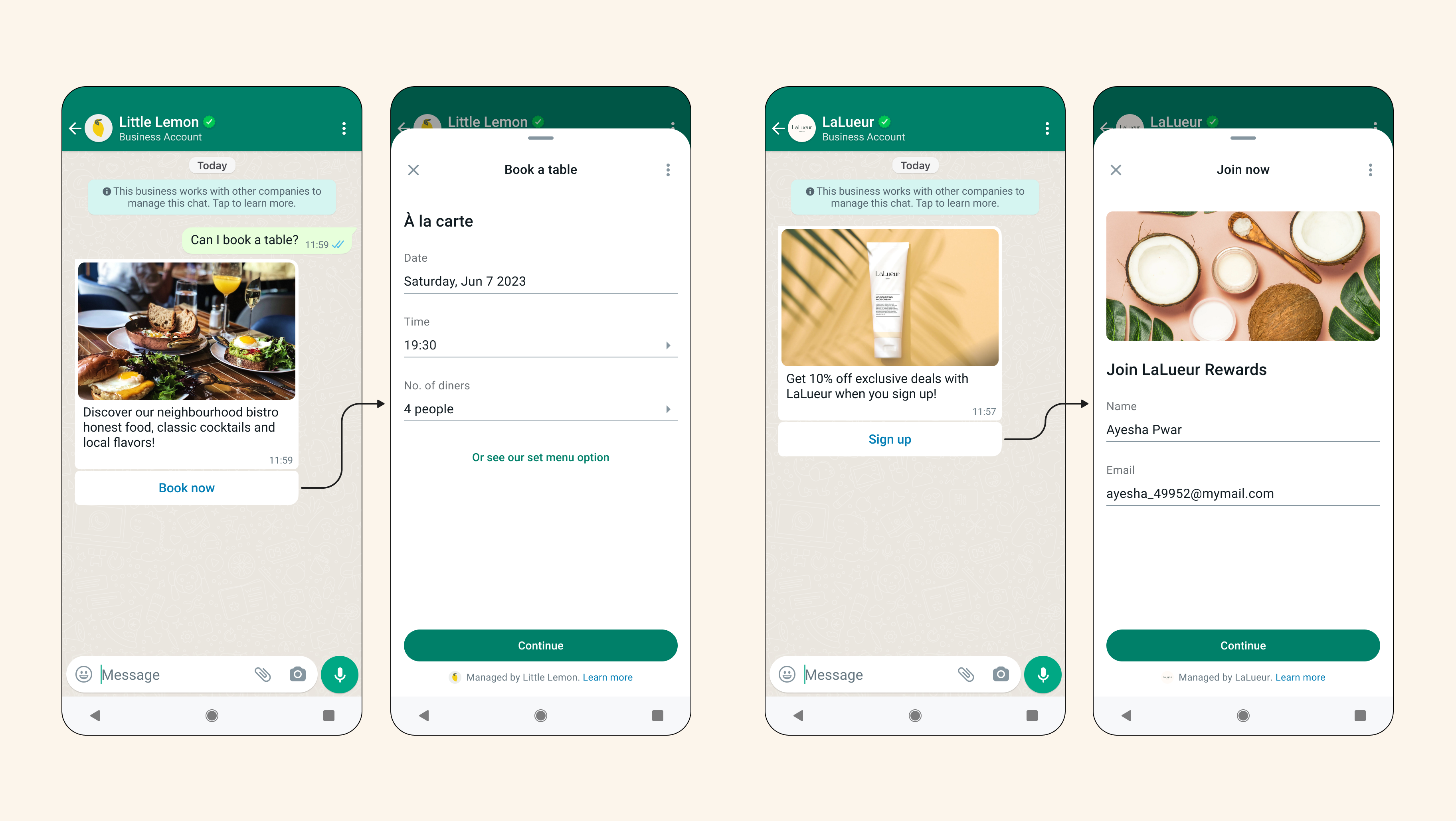
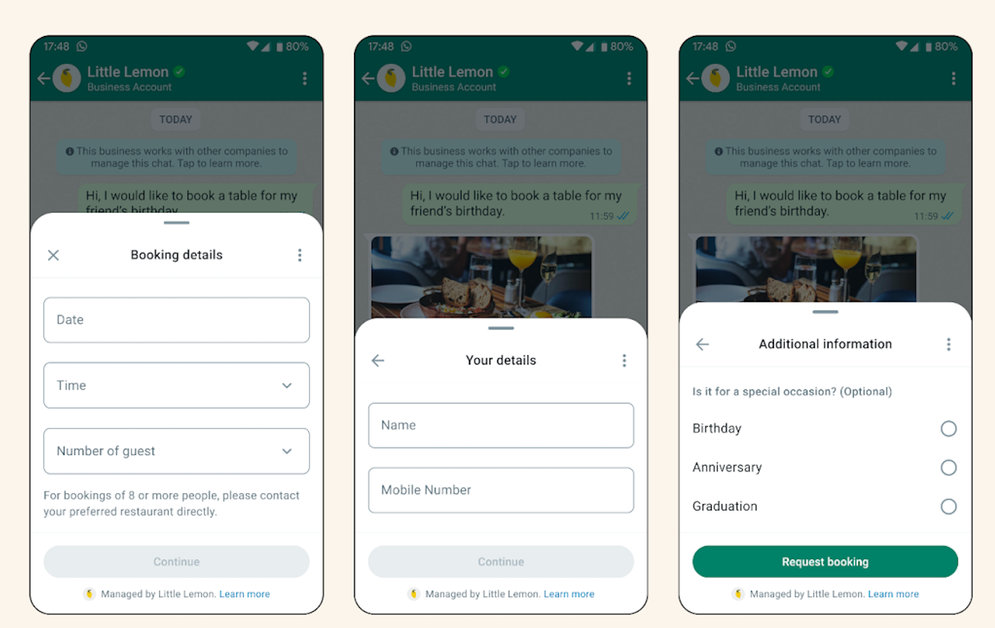
● Appointment booking
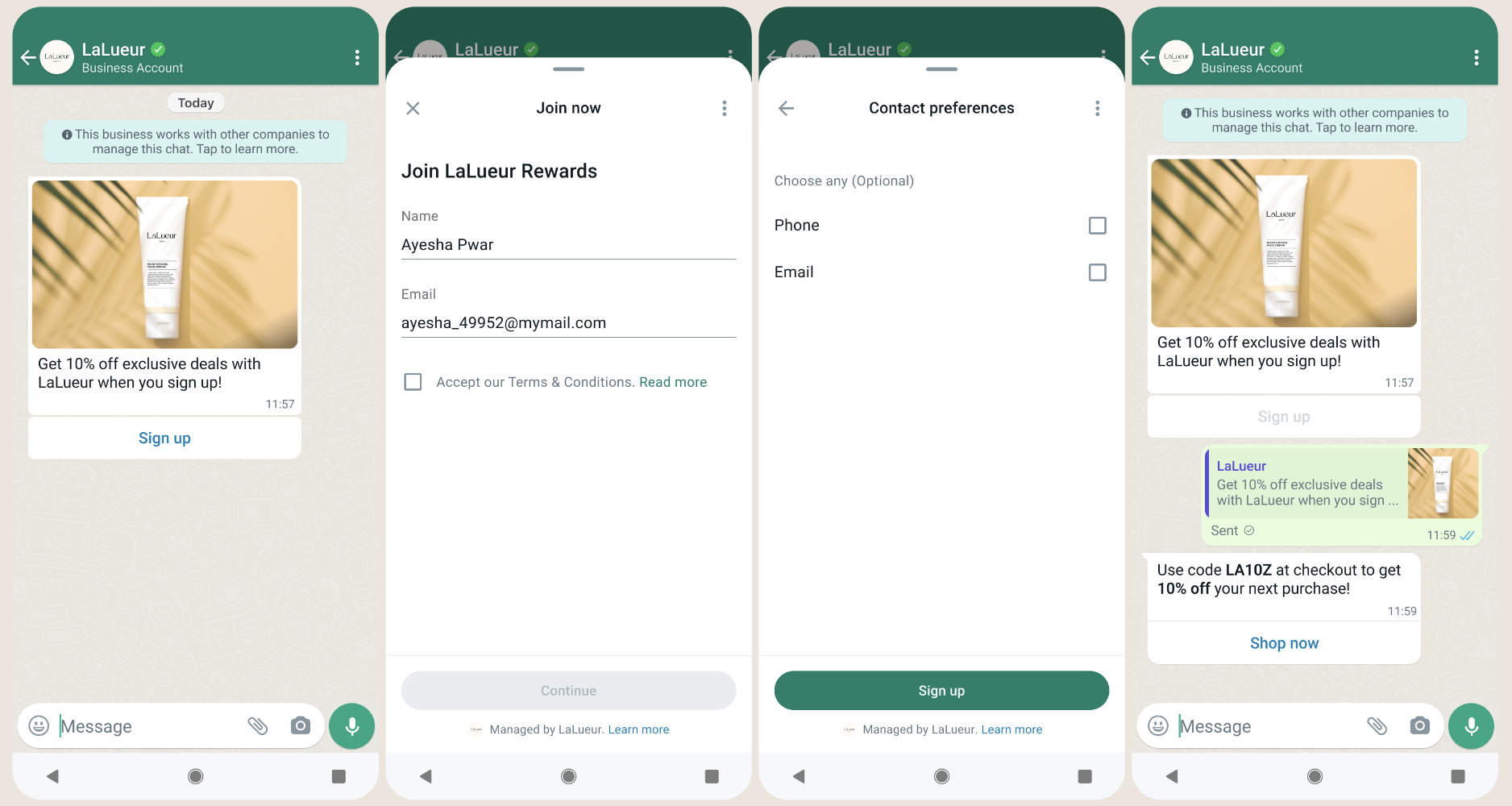
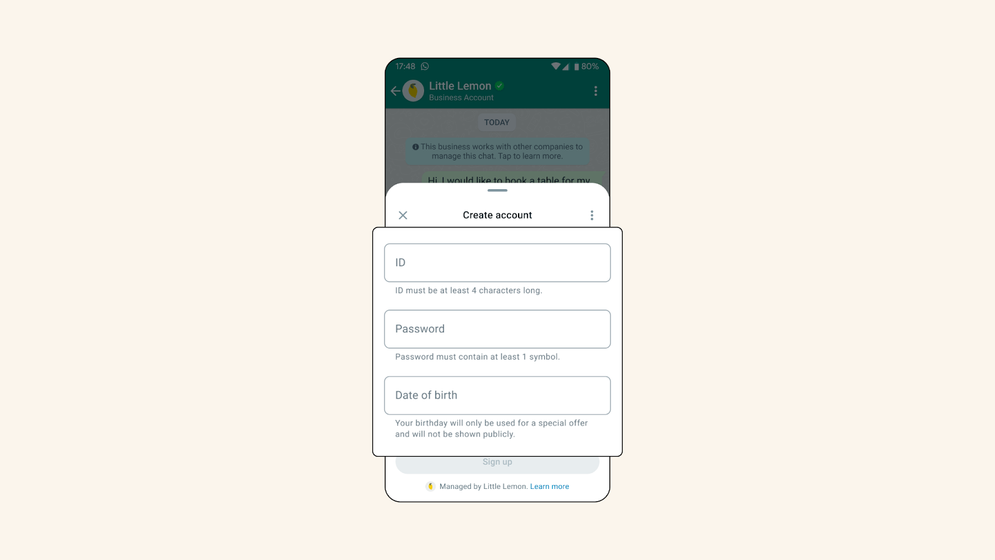
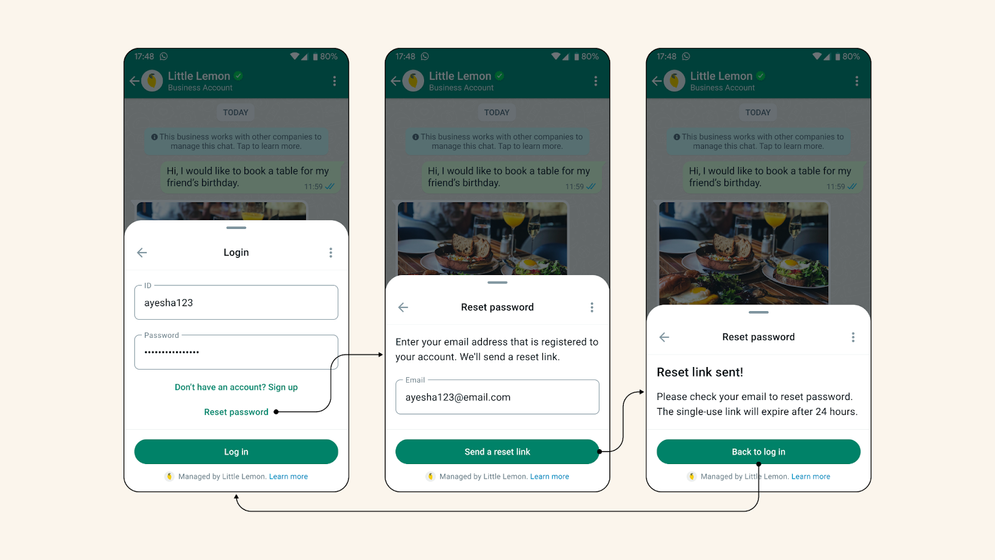
● Authentication (Sign-Up & Sign-In) and Registration (events, newsletters, etc.)
● Customer support and feedback
From Aivo, you can operationalize this functionality as a complement within your custom integrations, requesting it both in new developments and in adjustments, of which you have already made in the WhatsApp channel.
 Learn here about the process for developing custom integrations from the Professional Services portal.
The operation is simple, since the flows are linked from a CTA within a message and is composed of:
Screens: by touching the CTA of the flow in a message, the user will access the initial screen of the message. The user can then interact with the flow to move through multiple screens until it is completed.Layouts: define how components are presented within a flow, providing a structured appearance.Components: can be used to display information and create input fields for your users. Also embed text, images, and links or create input fields for your users to fill out using text input, drop-down menus, checkboxes, radio buttons, opt-in, and date pickers. In this META link you will find more information.It is important to note that WhatsApp flows are currently supported on Android v23.19 and iOS v23.19 and cannot be opened on complementary devices (for example, WhatsApp Web).
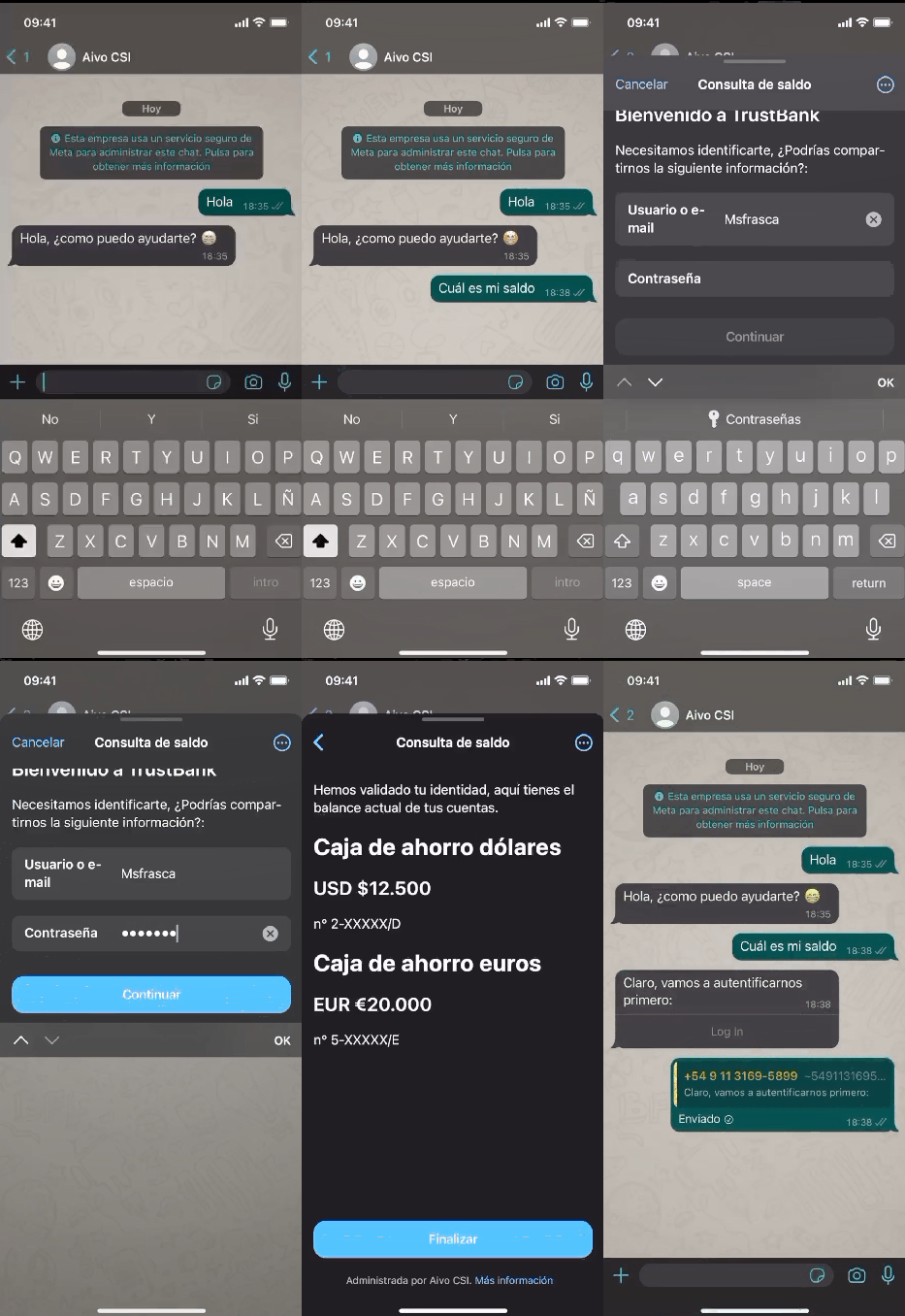
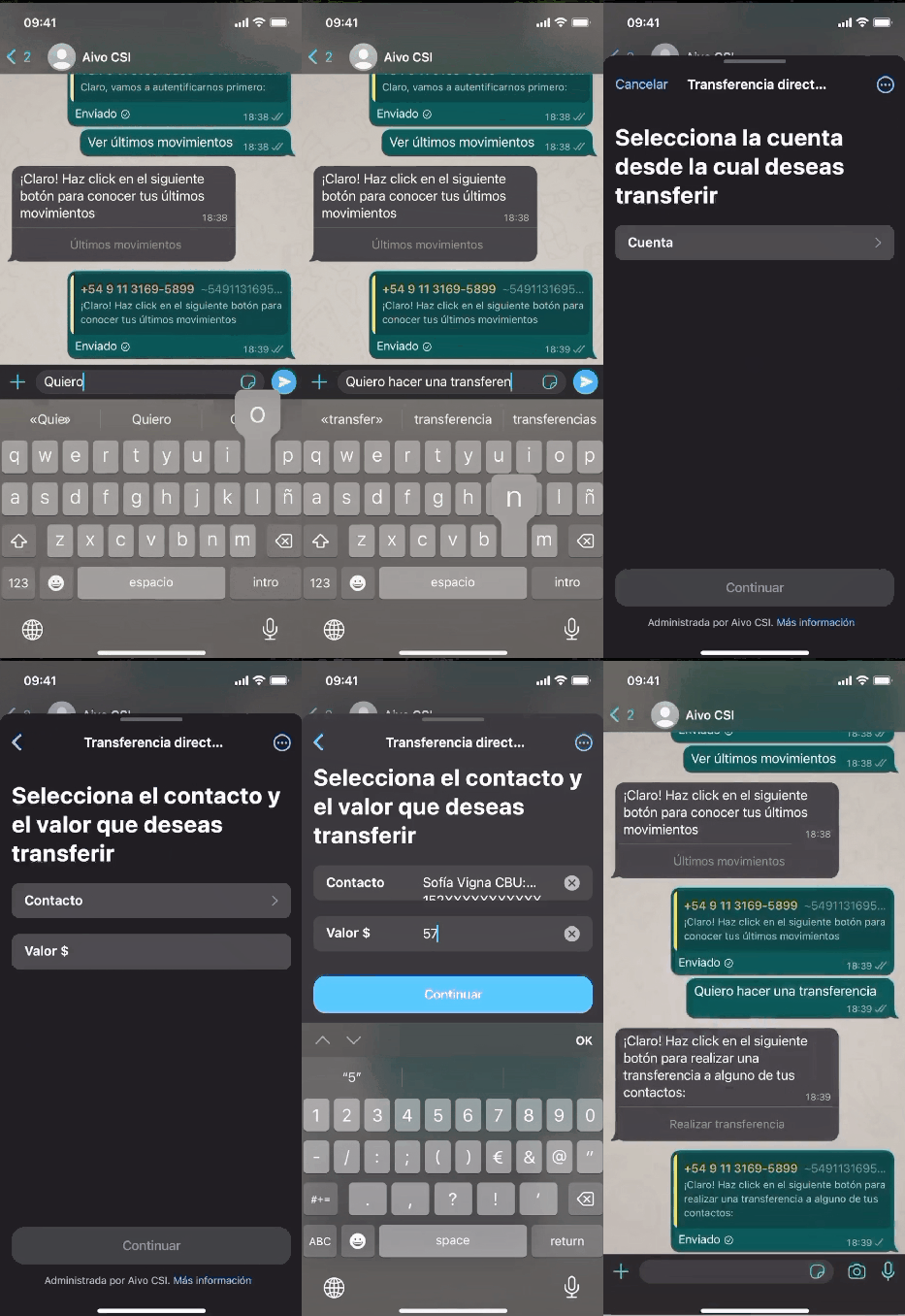
See below some use cases

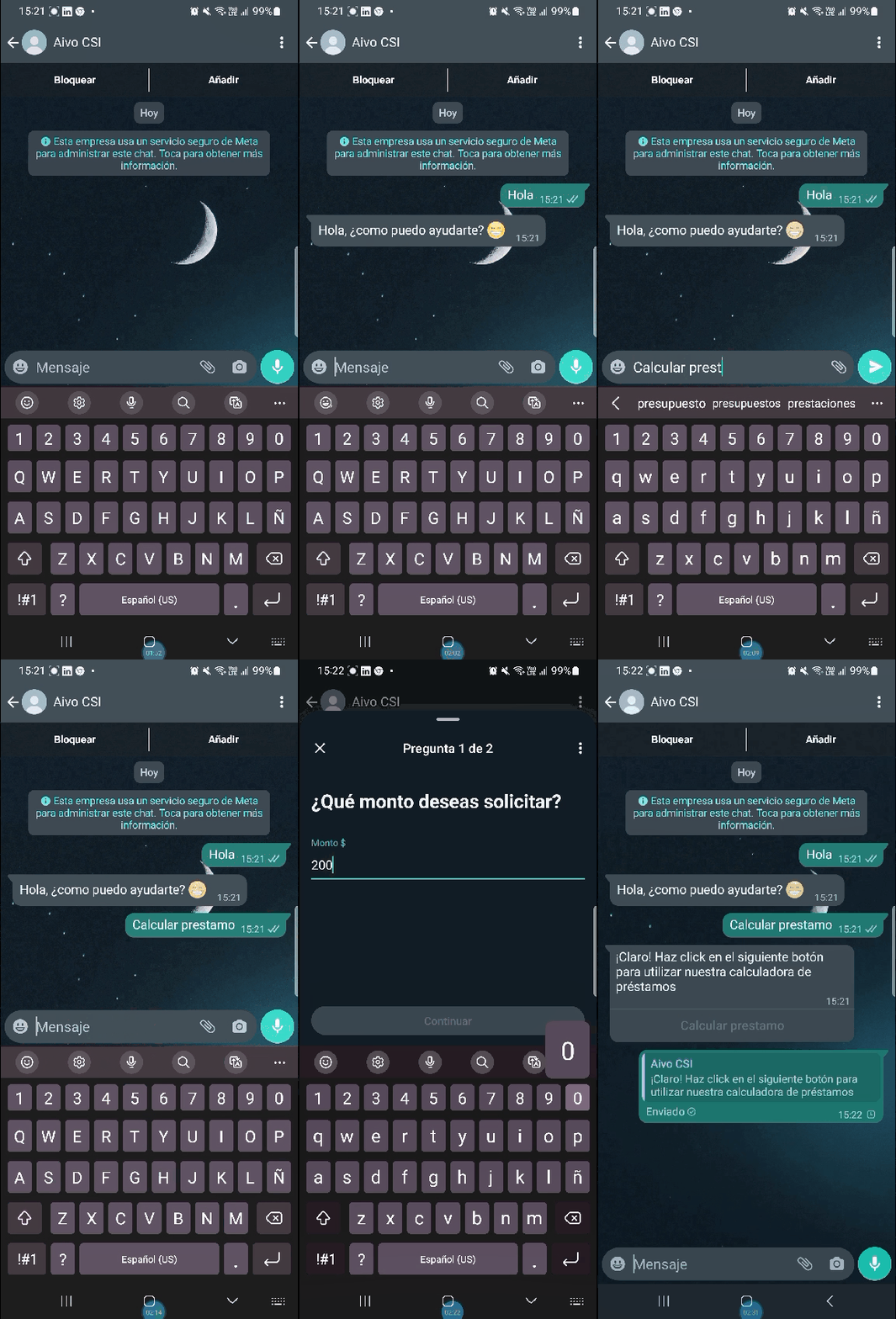
Example of interaction flow to calculate a loan