 If you've configured single sign-on to log in using the Security Assertion Markup Language (SAML) standard, changing or resetting your password cannot be managed on the platform or by the Aivo team. You'll need to request it from your company's system administrator.
 Important: you have three consecutive attempts to enter your password when logging in. If you exceed this limit, your account will be locked.
To unlock it or reset your password, follow these steps:
 Select Forgot your password?
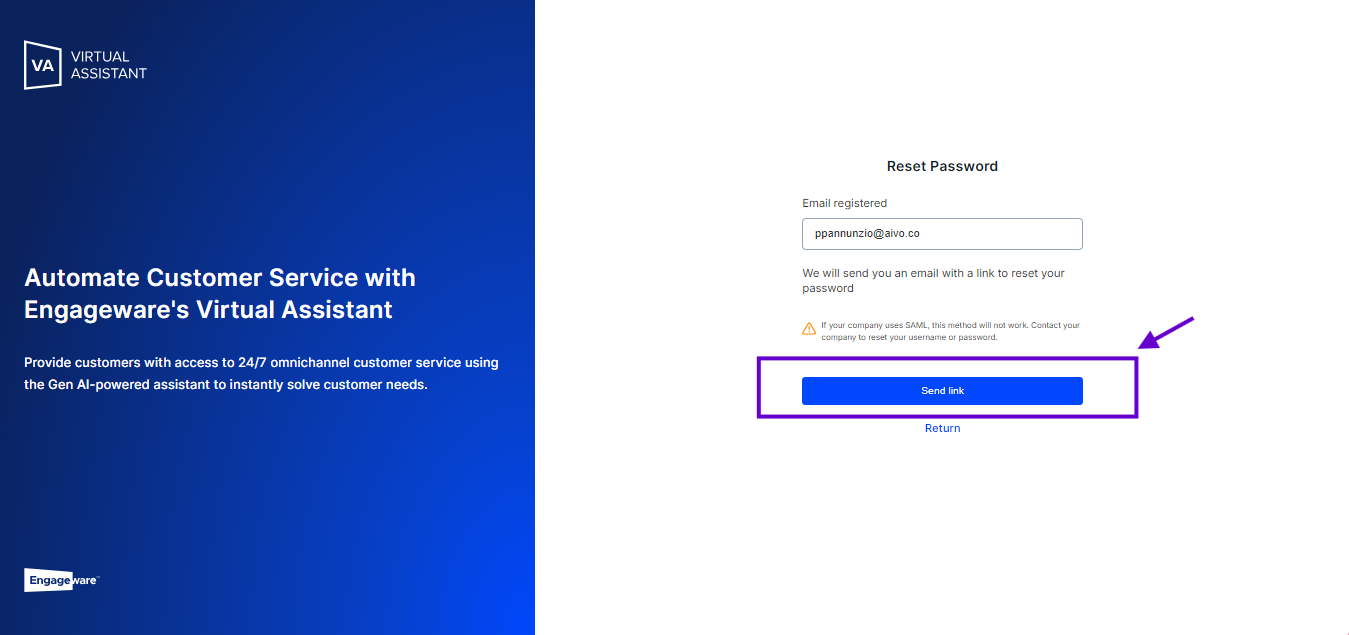
 Enter the email address you registered with.
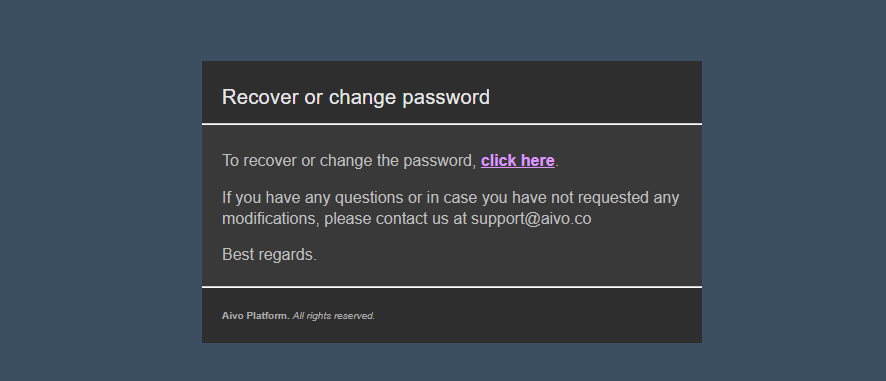
 You will receive an email with a link to reset your password. Please check your spam folder if it is not in your inbox.
The recovery URL will be available for five days. You will be able to use it once. If it expires, you will need to submit a new request.
Password Requirements:
✓ Minimum of 8 characters.
✓ At least one number.
✓ At least one uppercase letter.
If you reset your password while logged in on another browser, that session will be automatically closed with the message: You requested a password change. Please log in with your new password.If you're already logged in and want to change your password:
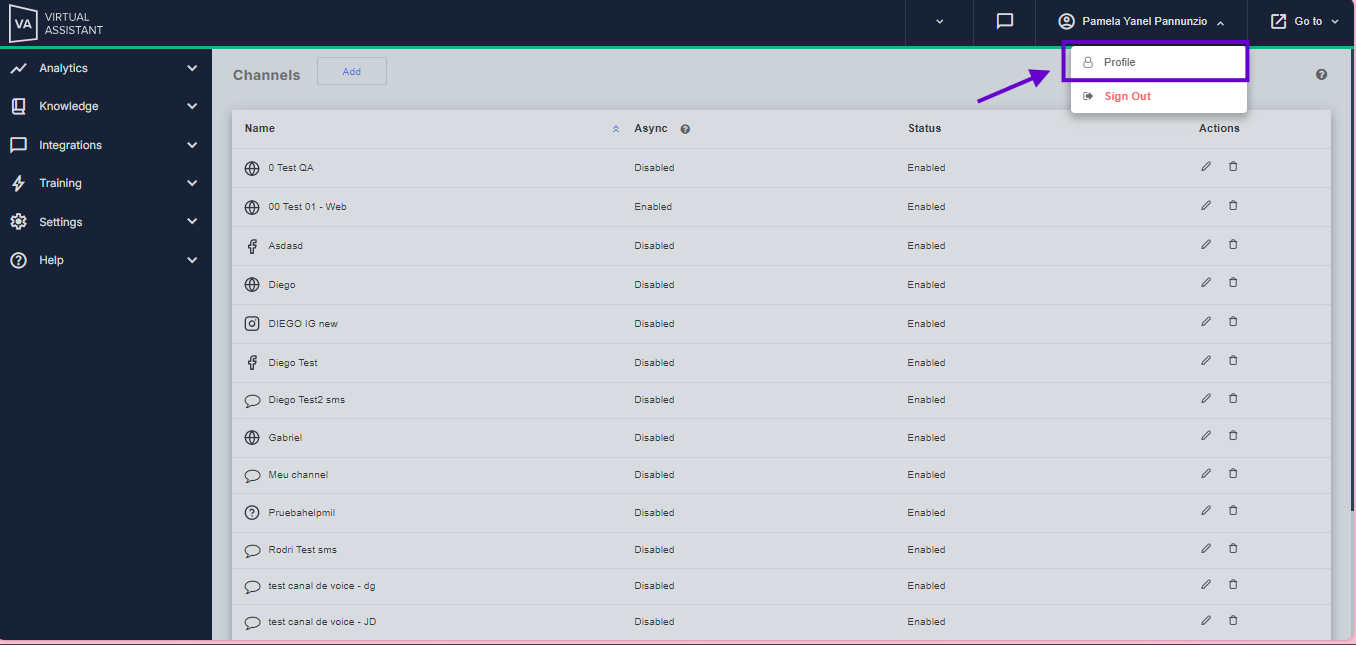
Go to Profile. Enable the Change password option. Click Send email to receive a link and update your password. Below, you can see each step in detail.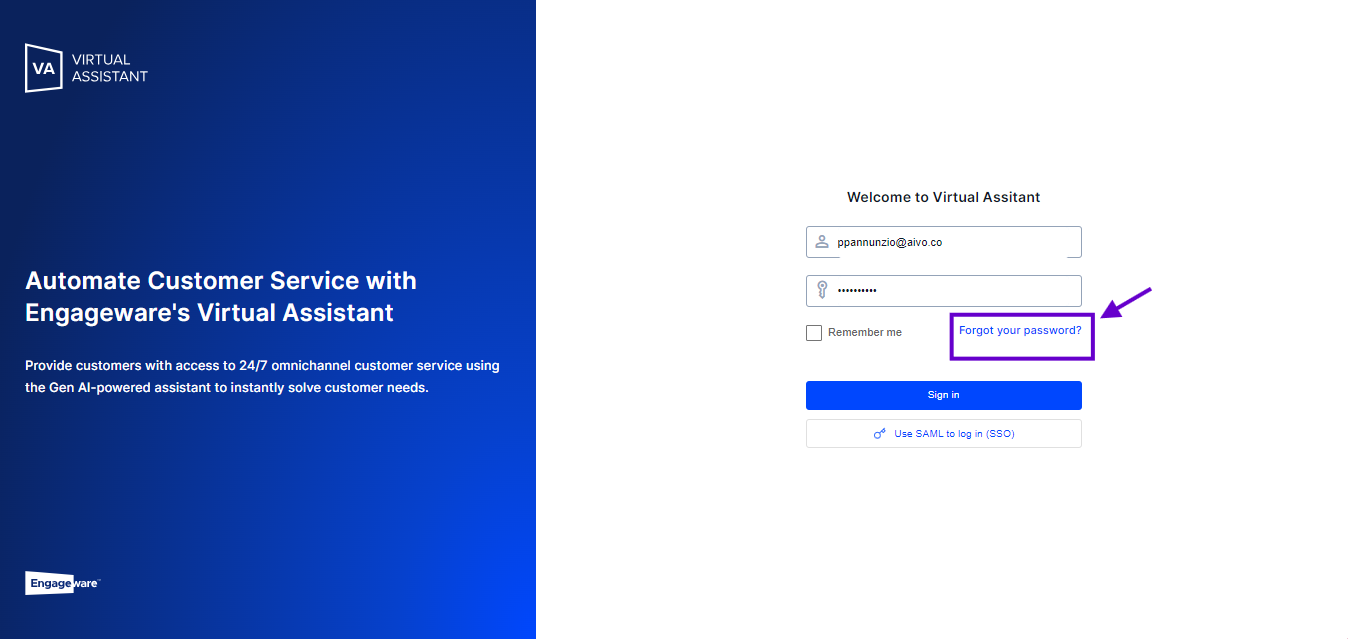
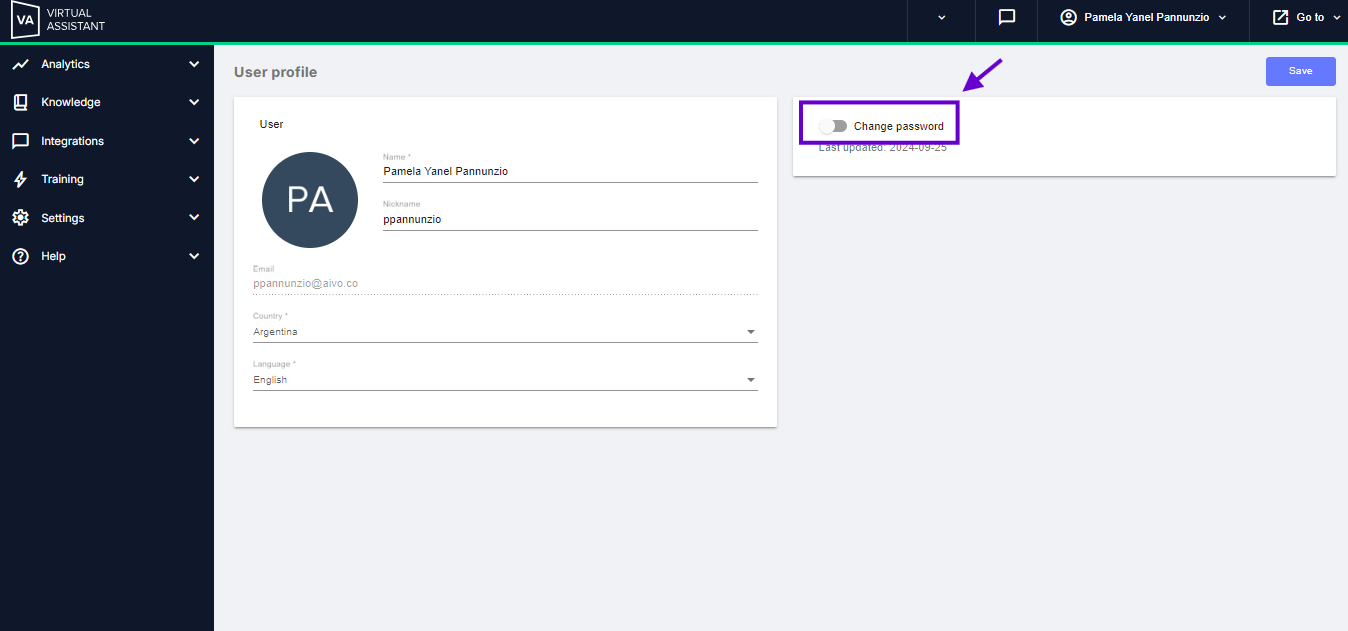
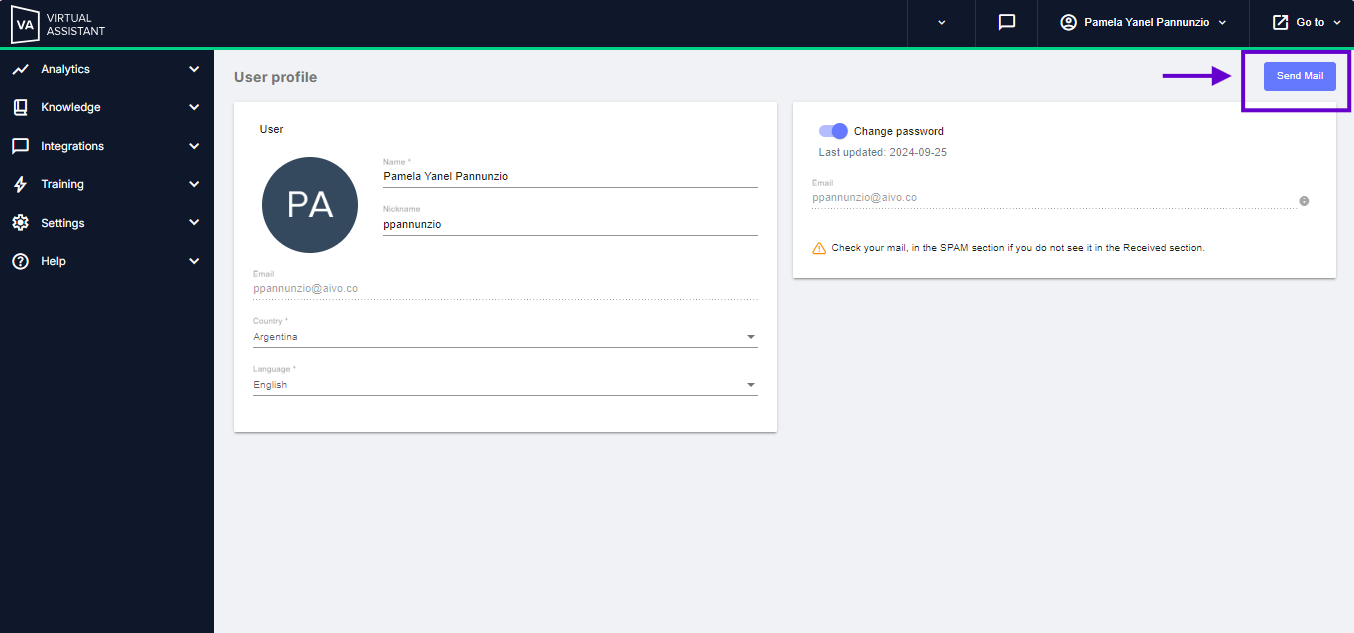
1a. If you are on the login screen, click on Forgot your password