For your content to appear in the virtual assistant’s responses, you need to publish it.
 Keep in mind that after you create and save your intentions and responses, any changes you make in the Knowledge module remain on the platform; however, if they are not published, they will not appear in the online chat window.
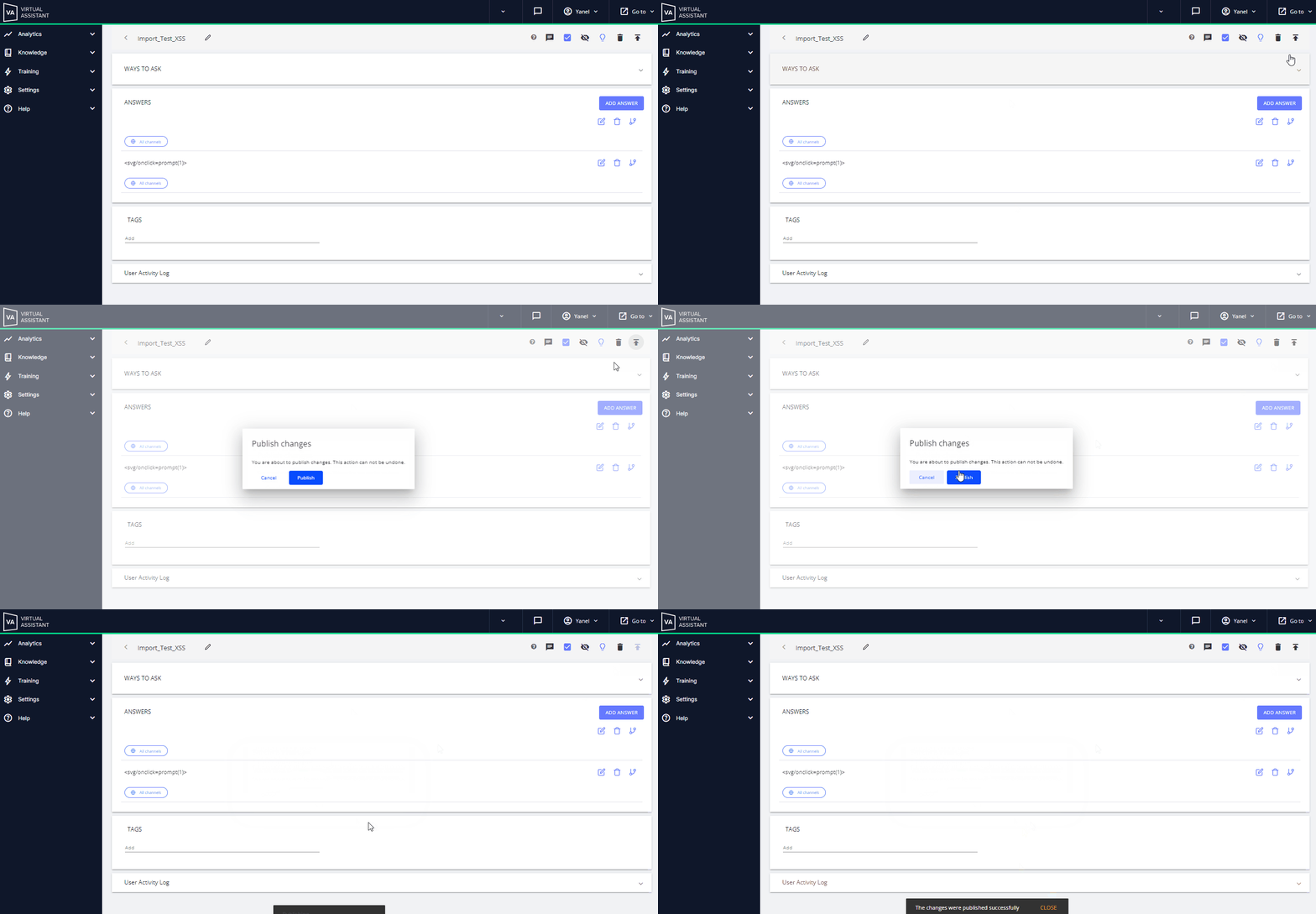
 You can do this by clicking the arrow in the upper-right corner of each intention.
 Or from the Publish button in the top panel of the Knowledge section.
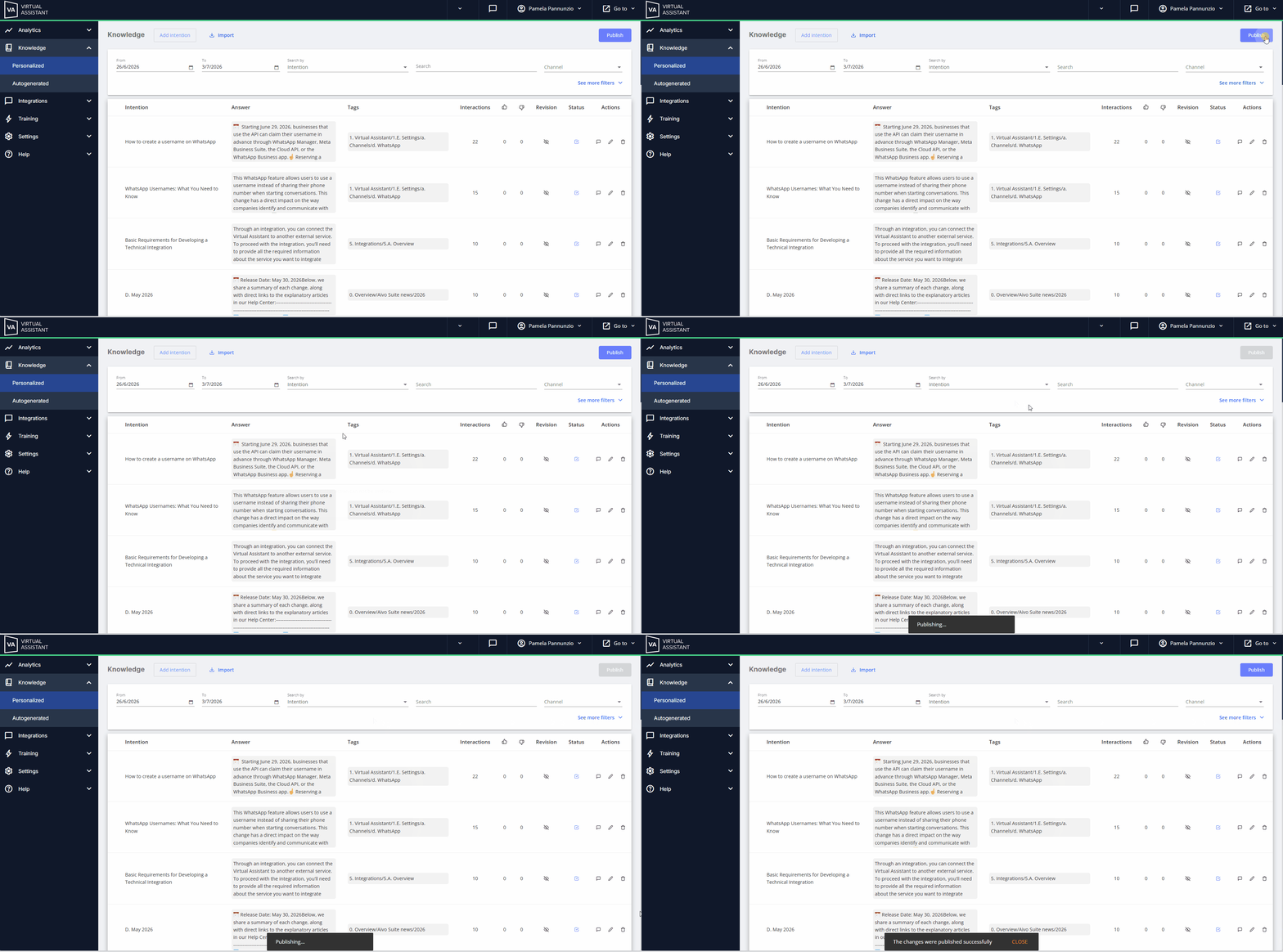
 In both cases, when you’re done, a success or error message will appear, as appropriate.
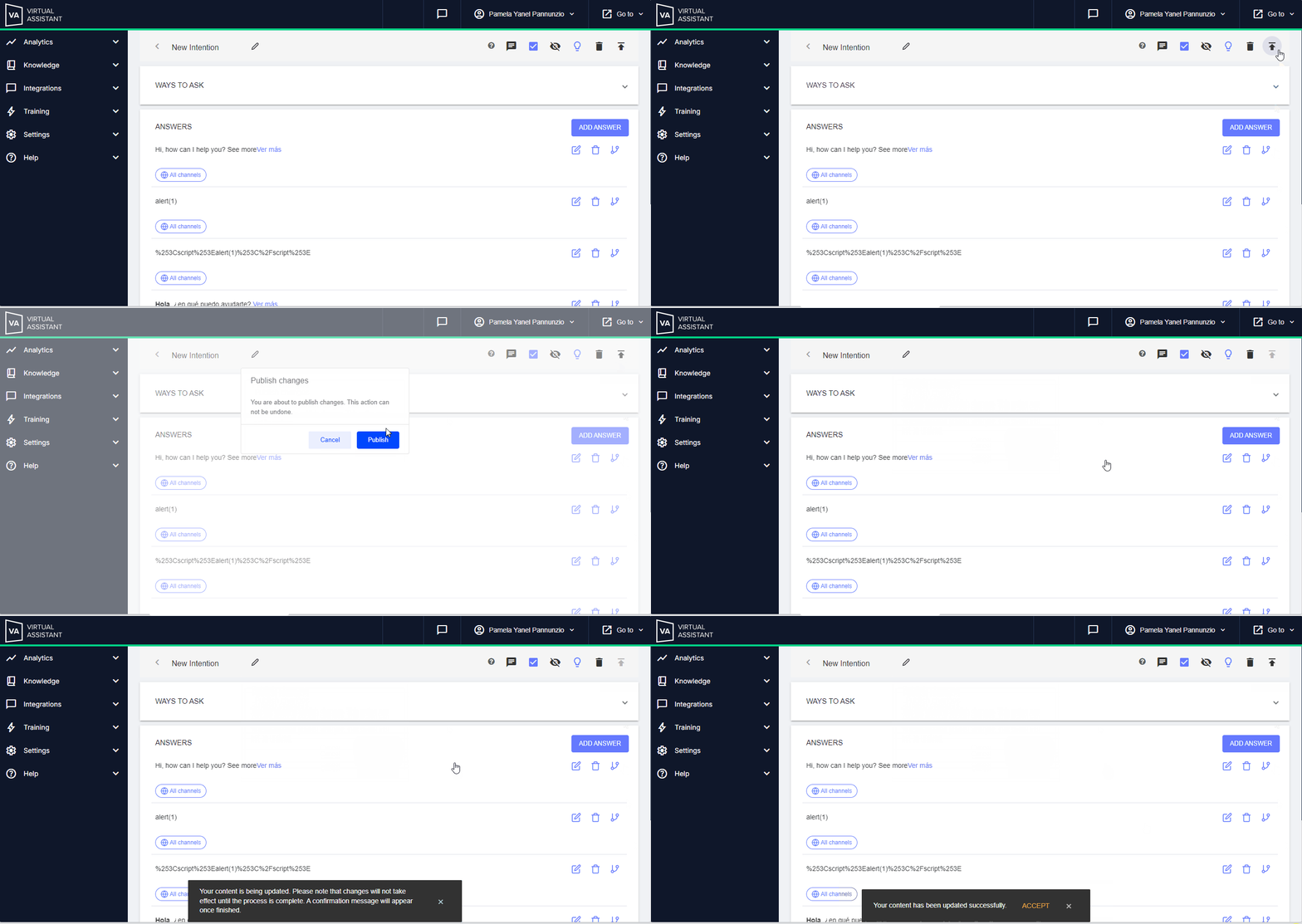
 For bots using the new engine, the process is identical, except that you'll see a different message when you post using the arrow in the intention management panel.
 Key points:
✓ Both options will publish all available content en masse. So, the publication impacts all the bot's content, not just the intention that was modified.
✓ The Publish button is disabled during the process and cannot be pressed again until it is finished.
✓ We recommend that you do not click the Publish button or the publish arrow if there are no changes.
✓ To successfully publish your virtual assistant’s content:
- Make all necessary changes on the platform.
- Click Publish.
- If you need to publish additional content, wait until the button becomes enabled again.
If you want to have content on the platform but not make it available to users when they chat with the virtual assistant, you can use the “Disable Intention” option, since when you publish, only enabled intentions will be published.
For example, if you’ve created content for a campaign tied to a specific date, and that date hasn’t arrived yet, you can keep the content on the platform in a disabled state. When you publish other content, that material won’t be displayed until you enable and publish it later.
 Learn more about this option at: Learn what intentions are and all the actions you can perform on them.