 To integrate Salesforce with your Aivo platform you must follow these simple steps:
1. Log in to Salesforce.
2. Download the Agentbot app from the AppExchange.
3. Create your lead or case form.
4. Login to the My Aivo platform.
5. In the integrations section, choose Salesforce and fill in your data: username, password, URL (only in cases where you have an account with your own domain), and security token.
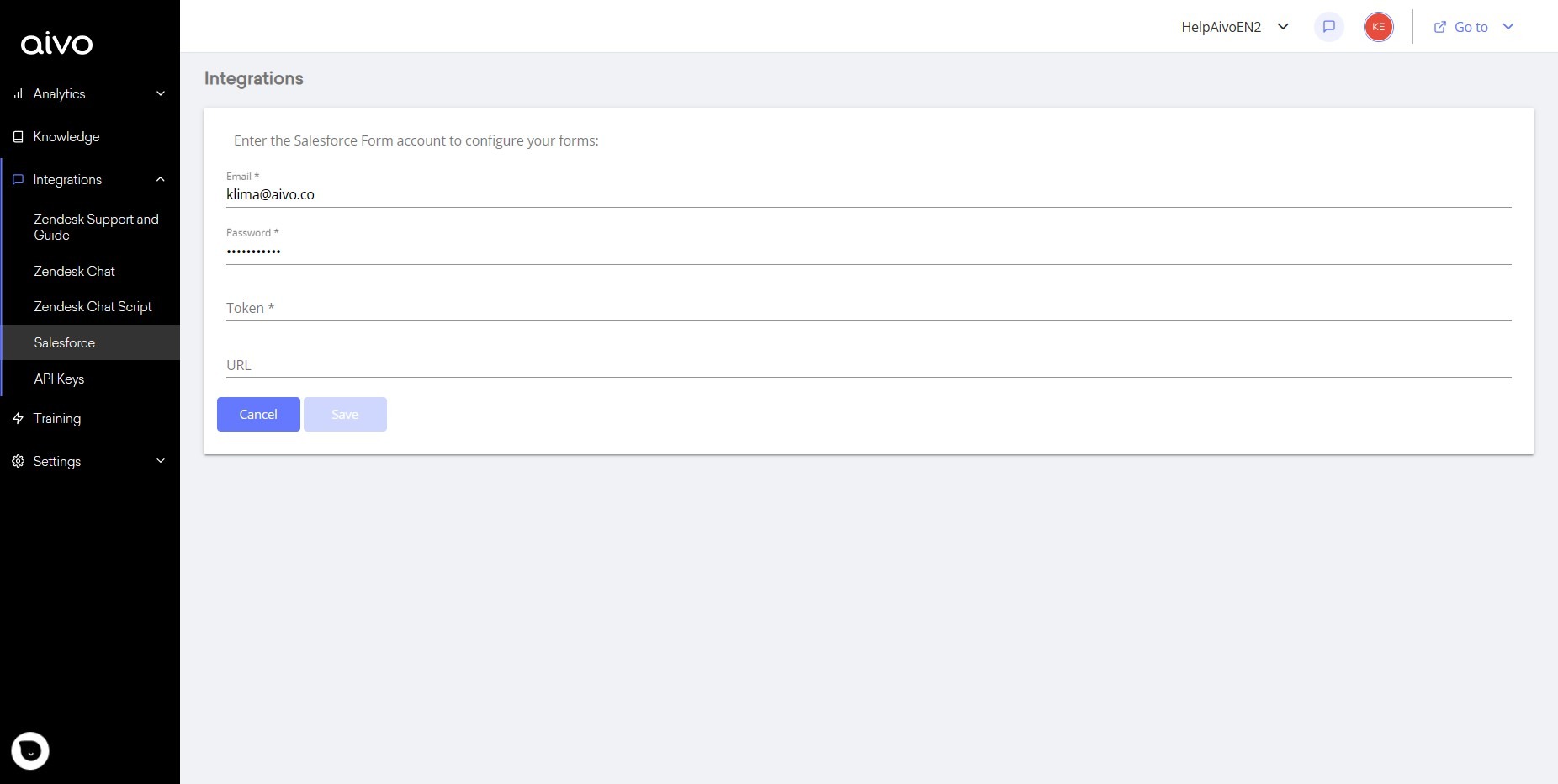
6. In the Knowledge section, select the questions in which you are going to incorporate your form.
7. Edit the answer.
8. Add the SalesforceCase or SalesforceLead add-in you want to incorporate. If you have generated several forms, the list will be displayed for you to select the one you want to use for that question.
9. Save and publish the changes.
That's it, your platforms are now integrated!
The form answers that your users give in the chat window will be displayed in the corresponding Salesforce dashboard (Service for case forms and Sales for lead forms).