Once inside the application, you can develop an integration or deploy an endpoint. In principle, keep these readings in mind;
 Basic considerations for developing a flow on the Studio platform.
Then, the steps are simple:
1. Select and drag each node you require to the canvas (grid), from the node's palette found in the left panel of the interface.
 You will choose the nodes depending on what you are going to develop, and, in most cases, you must configure them. You will access the corresponding configuration space by double clicking on the specific node.
If your integration requires connecting to AgentBot, you will need to use the nodes in the Aivo Steps section. The step-in node creates the entry point to the integration and the step close node returns to the conversational flow with the virtual assistant. Between the step-in node and the step close node, all the nodes that are needed can be placed, to achieve the functionality sought in the integration in development. Between the step-in node and the step close node, all the nodes that are needed can be placed, to achieve the functionality sought in the integration in development. |
| If you want to make an endpoint you will use the “http in/http response” nodes. |

2. Connect your nodes: the nodes connect to each other by clicking on a node port, dragging the destination node and releasing the mouse button.
Alternatively, if you keep the mouse button pressed, you can simply click and release it at the port of a node, then click the destination button.
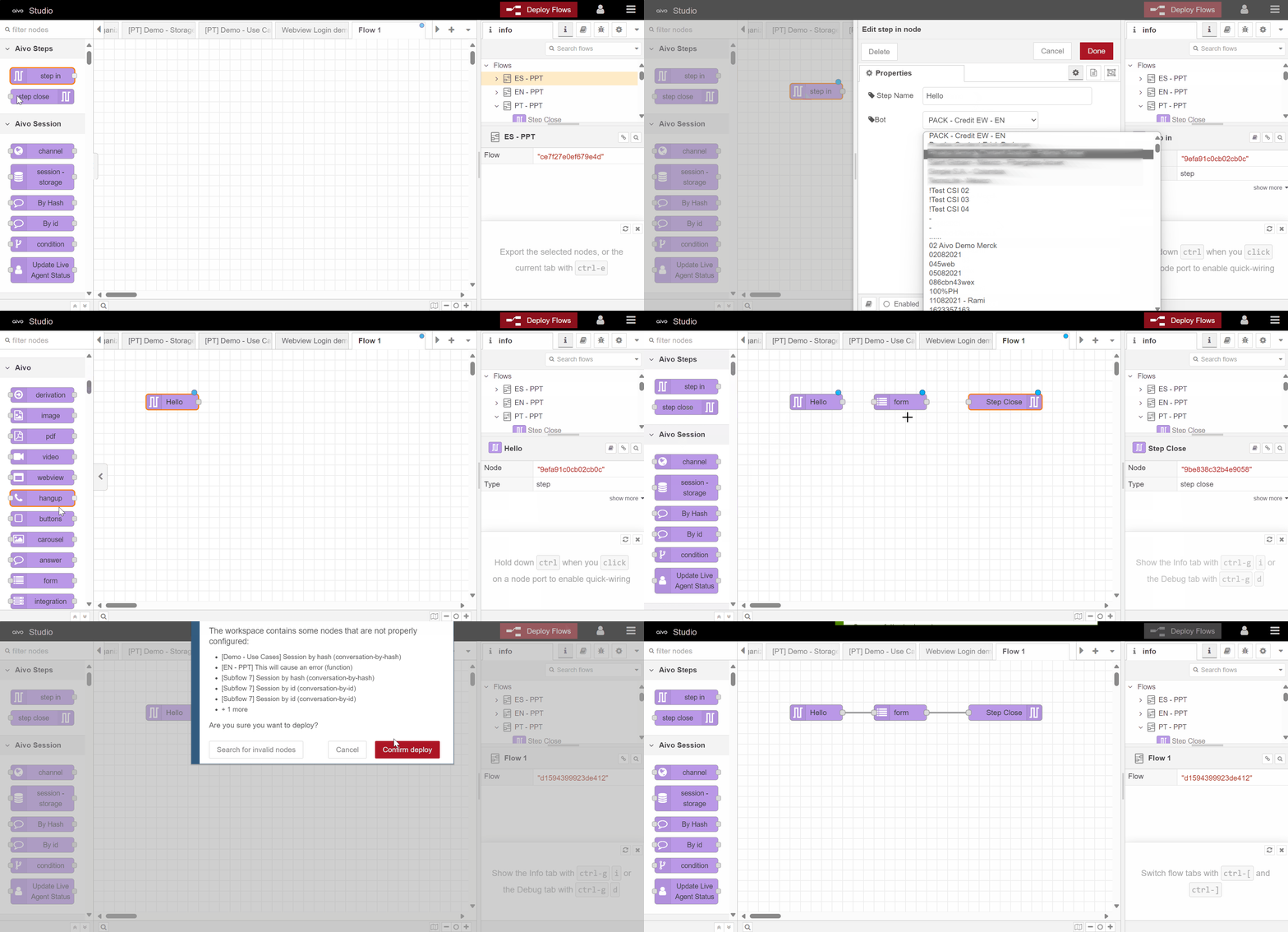
3. Click on the Deploy Flows button to apply the changes, after you have configured and connected all the nodes.
4. When you finish the integration, after clicking on Deploy Flows, it will be available on the My Aivo platform so you can configure it as an integration complement in an intention, so your virtual assistant can respond with the action or content that is executed in the integration that you created.