In order to integrate you must have an Enterprise account in Zendesk Chat.
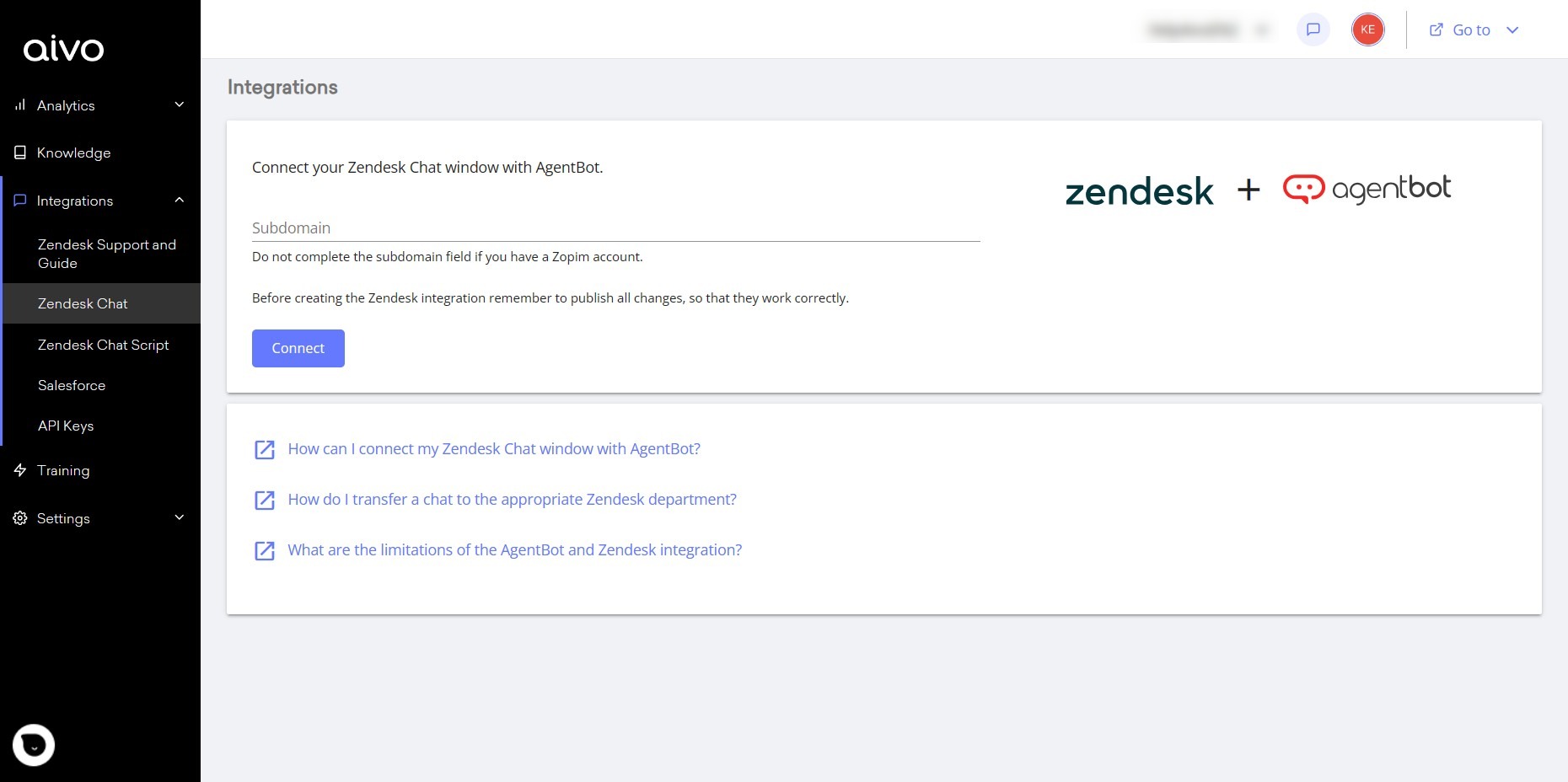
You will connect your Zendesk Chat window with AgentBot by following these simple steps:
- Login to the Aivo platform
- Click on Integrations from the side menu.
- Then click on the Zendesk chat option.
- Click on "Connect".
- In the process, you will be redirected to Zendesk to log in with the user assigned to the bot and grant the permissions required by the application.
- Once the permissions have been granted from Zendesk, you will return to Aivo and that's it, your platforms are linked.
- The Zendesk Bot channel is already created in the platform and the referrals are generated to the different departments configured in your Zendesk Chat account (you can update the departments if they are deleted or new ones are created).
 Key data
- Works only on the Web.
- You must make the connection only once.
- You must have previously assigned a single agent in Zendesk Chat with the role of administrator, who does not have another role to function as a bot.
- If the user does not have a Zopim account, you will need to add the subdomain before connecting. For example, if your Zendesk account domain is tuagentbot.zendesk.com, the subdomain would be "tuagentbot".
- Luego de conectar las plataformas puedes asociar a AgentBot con el servicio de Zendesk que elijas: Zendesk Guide, Zendesk Support o Zendesk Chat.
- Zendesk Guide: you will use it to import the content you use in Zendesk, giving AgentBot all the knowledge it needs to respond to your users, saving efforts and resources. See here how to integrate with Zendesk Guide.
- Zendesk Support is useful to streamline the support you provide to your users, with the option to add forms to your Virtual Assistant responses. See here the steps to Integrate AgentBot with Zendesk Support.
- If you want to use Zendesk's human chat, there are two types of integrations in Aivo's platform, but you can only use one type of Zendesk Chat integration at a time, as they are not compatible. Implementing one of the alternatives in your bot will allow you to solve your users' queries automatically and, when necessary, transfer the session to an agent.
- Zendesk Chat: this integration allows the user to see the Zendesk window when clicking on the CTA and behind it, the Aivo virtual assistant answers the questions.
- Zendesk Chat Script (Zopim): this integration allows you to transfer conversations from AgentBot to Zendesk but in the Aivo window, maintaining the conversation experience with the bot and the available features of the platform, but if you need the attention of a human advisor, the user is transferred to the Zendesk chat environment. Learn here how to integrate Zendesk Chat Script Classic and the scope of the integration with Zendesk Chat Script Classic.