With the Update Live Agent Status node we can change the status of a Live agent from online to a custom pause and vice versa.
This is particularly useful when an agent handles both chat and phone support simultaneously and you want to programmatically set the agent's status to Paused in Live when answering a call, and then return to Online at the end of the call.
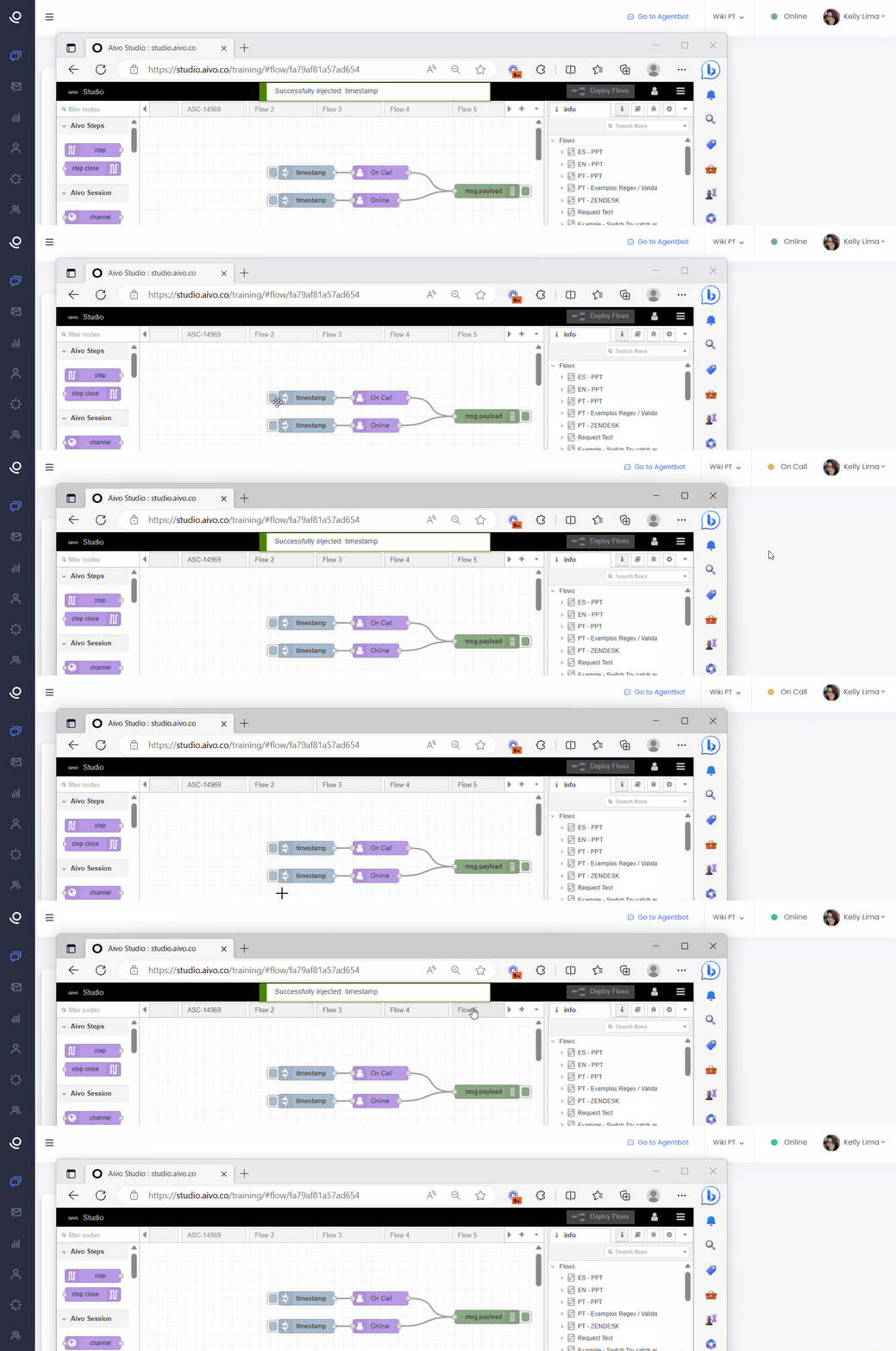
To implement this node in your integrations/flows, in the 'Properties' field of your node, fill in the following fields:
- Name (optional): name of the node to be created.
- Email (required): email of the agent whose status is to be changed.
- Bot (required): select the configured bot through the drop-down menu. In case you do not have a bot configured, it will be necessary to create a configuration using the pencil icon.
- Status: online or paused.
- Description (required): name of the status to be assigned to the agent. This field will only appear when the "Pause" status is selected.
Important:
- If any of the required data is not correct, the flow will be interrupted and the action will not be completed.
- For this action to take place, it is not necessary that the pause has been previously created in the Live platform.
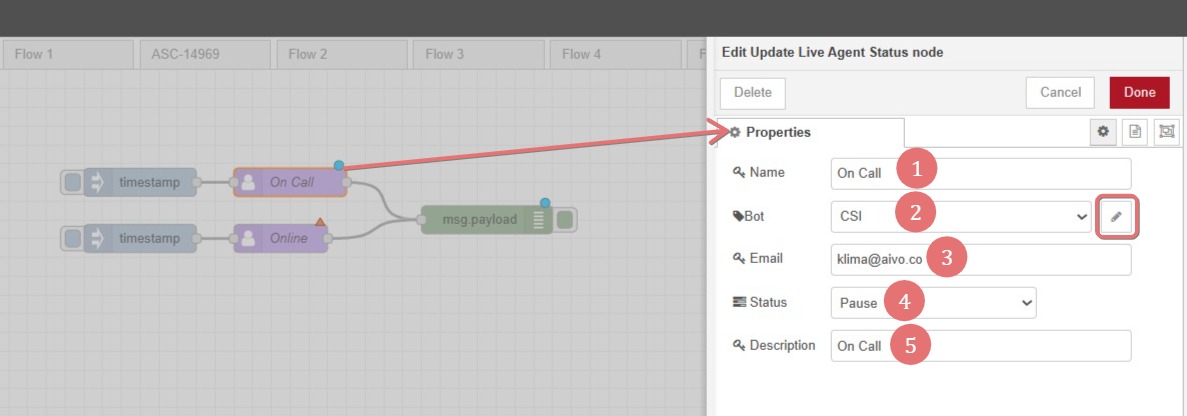
Next, connect the node to the section of the flow where you need the agent's state to change, following these steps, the state will be changed.
Here you can see an example: