You can configure two types of messages, through the WhatsApp channel: separate message bubbles and single bubbles.
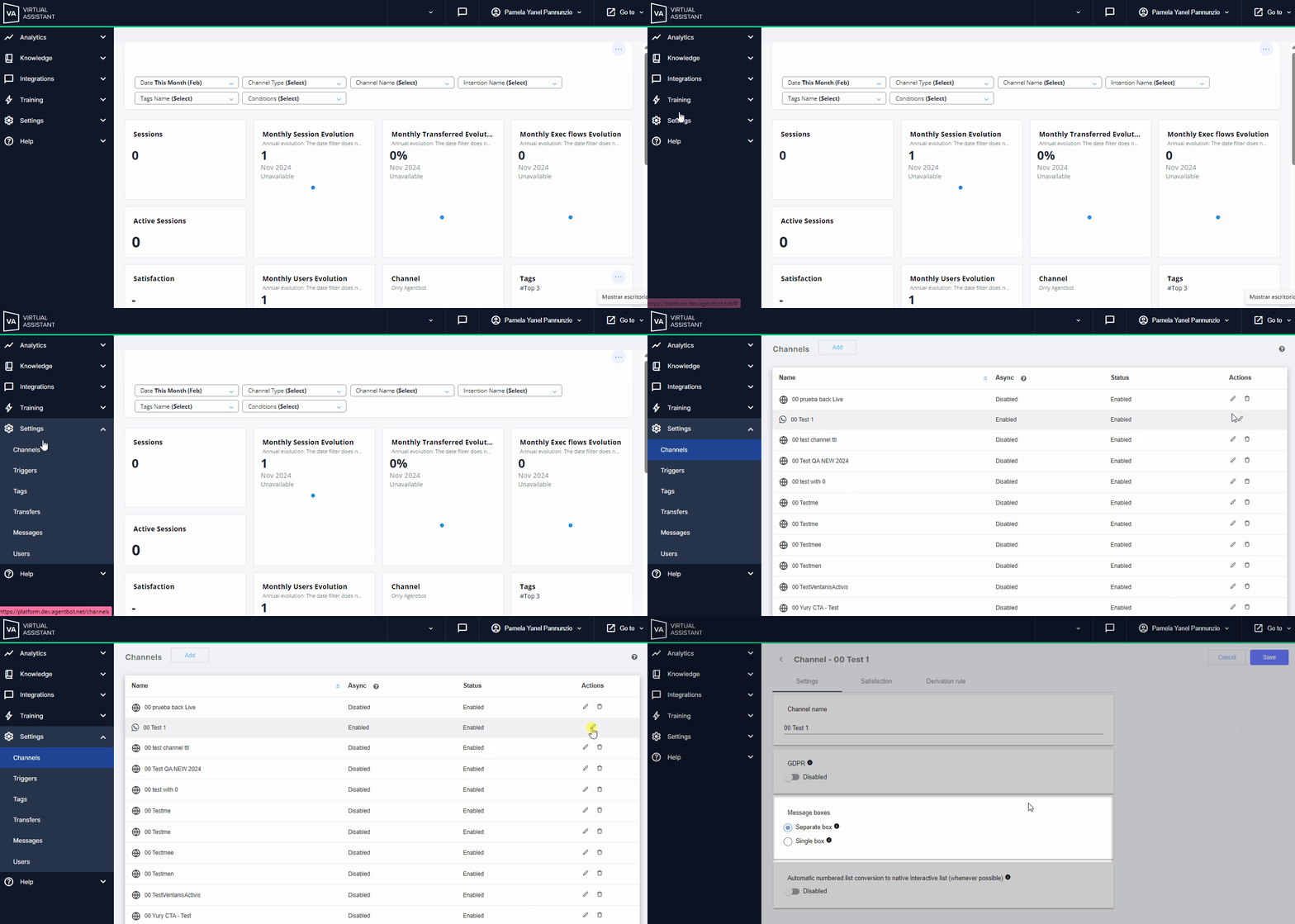
- To do this, access the Virtual Assistant platform, in the settings module, and go to the channels section.
- Then click on the "edit pencil" icon of your WhatsApp channel.
- On the next screen, you will see the options to select.
- Once you choose the one you need, click the "Save" button to complete the action.
 Notes:
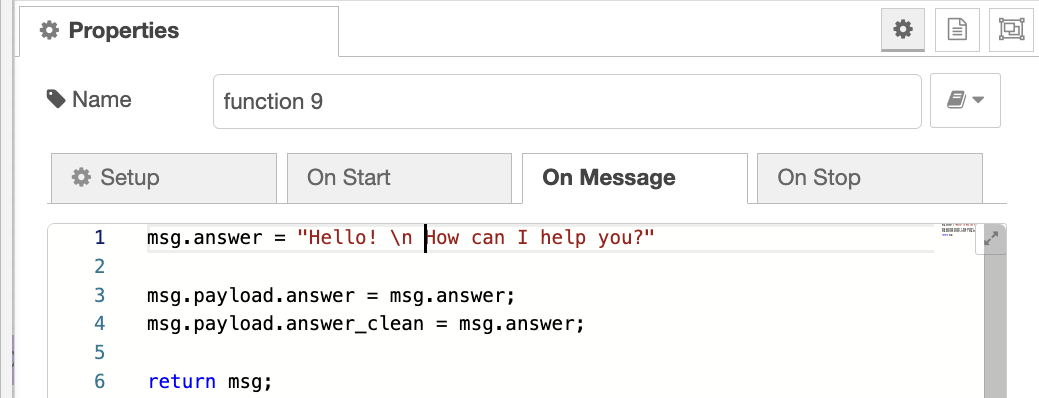
- If you have any integration in your WhatsApp service, the responses will be sent according to the type of message selected for the channel. Keep in mind that you must configure your responses from the Aivo Studio platform, where each \n represents a line break.
- You can adjust this configuration whenever necessary.
- Tooltips are available for each icon referenced with this symbol

Single bubble
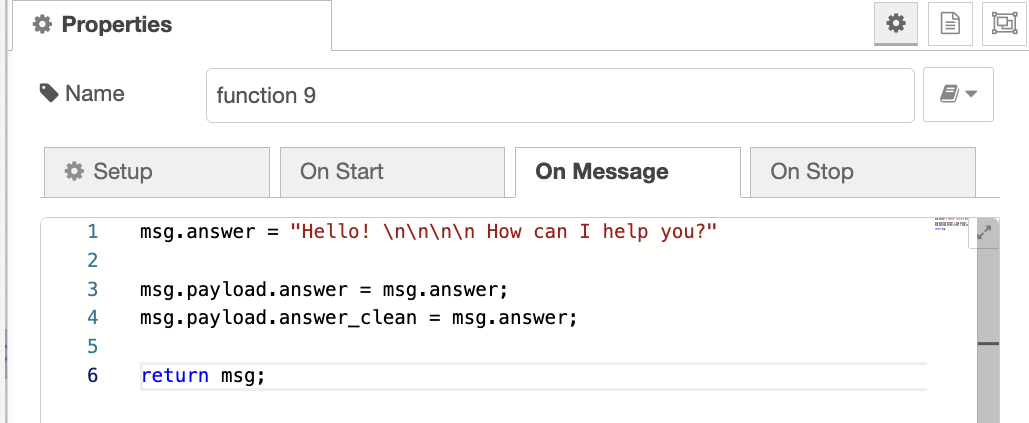
Messages are sent in individual dialogue boxes. This means that the paragraphs of each response will be delivered within a single dialogue box. It is important to note that even with this configuration if 3 or more line breaks are introduced between paragraphs, the information will be displayed in separate dialogue boxes. In the case of integration responses, they will be sent in separate dialogue boxes when 4 or more \n (line breaks) are added.
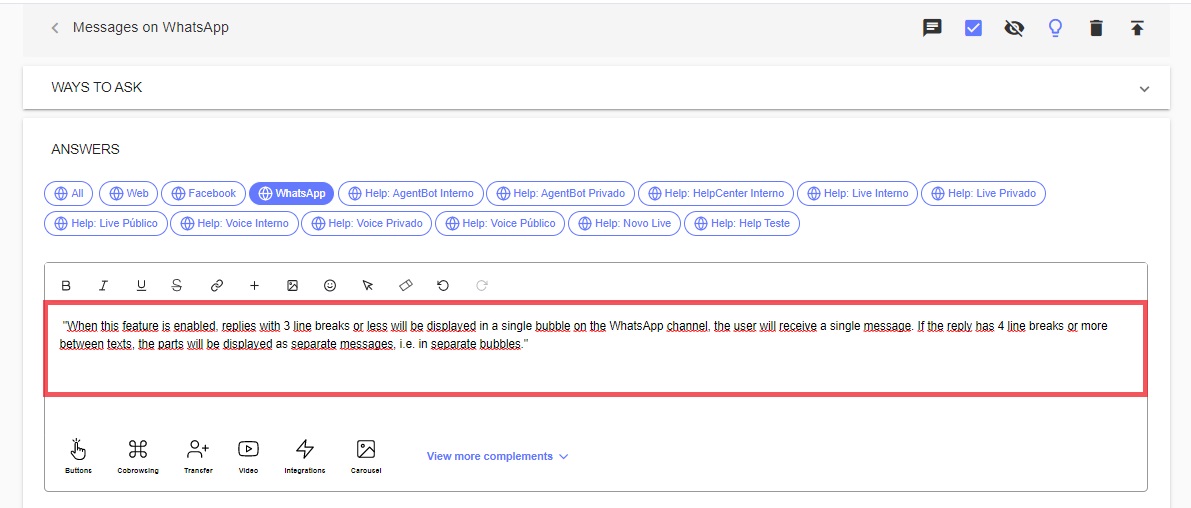
 Example of a response created in Virtual Assistant with Single Bubble settings
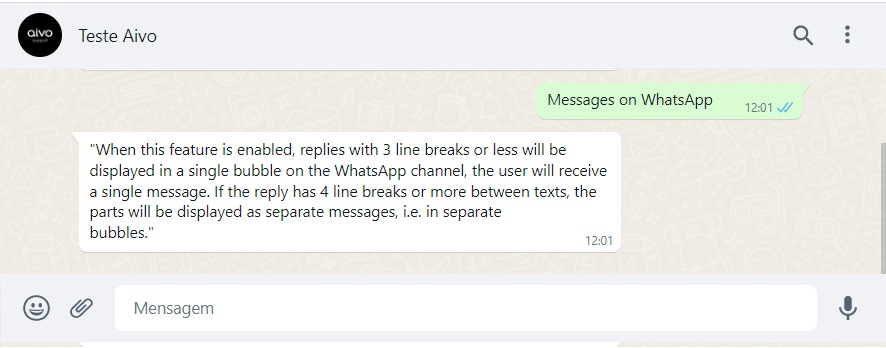
 User view via WhatsApp channel
Single Bubble configuration without line breaks:
Single Bubble configuration with LESS than THREE, line breaks:

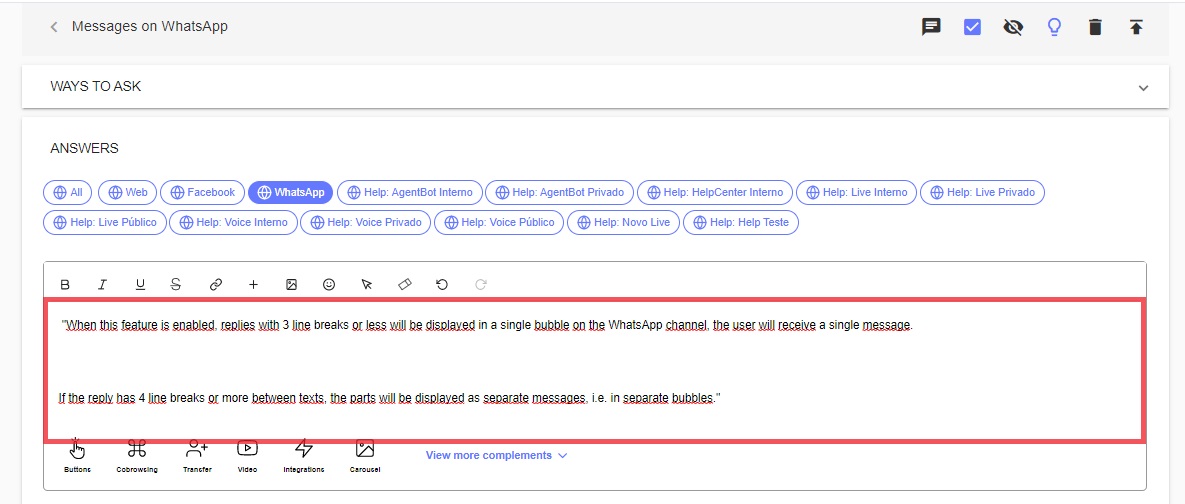
Example of a response configured in Virtual Assistant as a Single Bubble with MORE than THREE line breaks
User view via WhatsApp channel of Single Bubble configuration with MORE than THREE line breaks
Example of an integration response configured in Aivo Studio as a Single Bubble with 4 \n (line breaks)
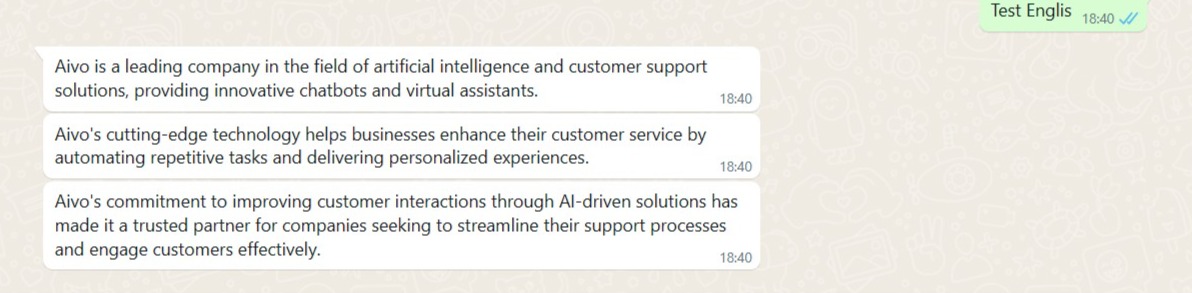
User view via the WhatsApp channel of a Single Bubble with 4 \n (line breaks)

Separate bubbles
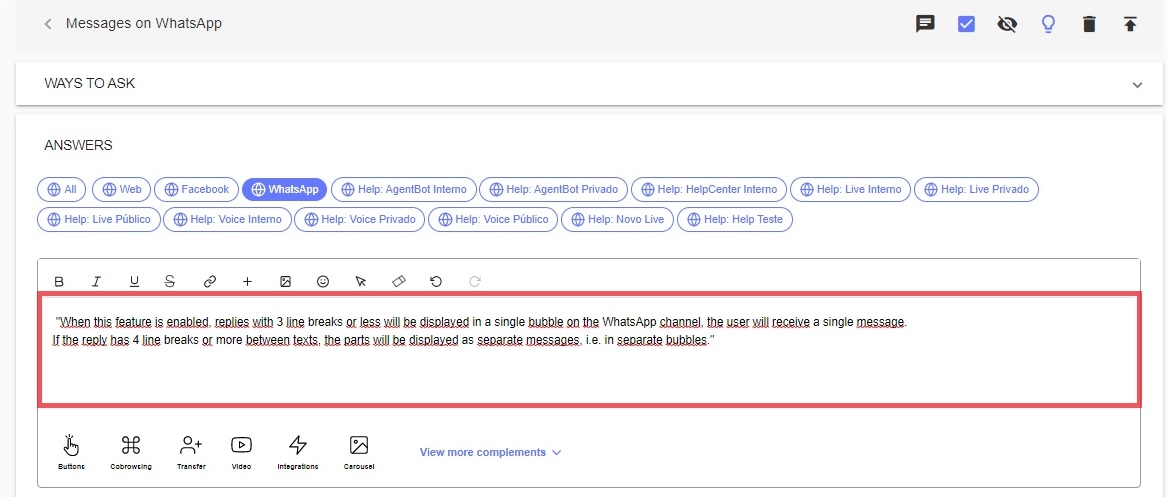
When this option is selected, the texts will be displayed in separate dialog boxes whenever the answer has one or more line breaks.
Example of an answer created in Virtual Assistant with a Separate Bubble setting
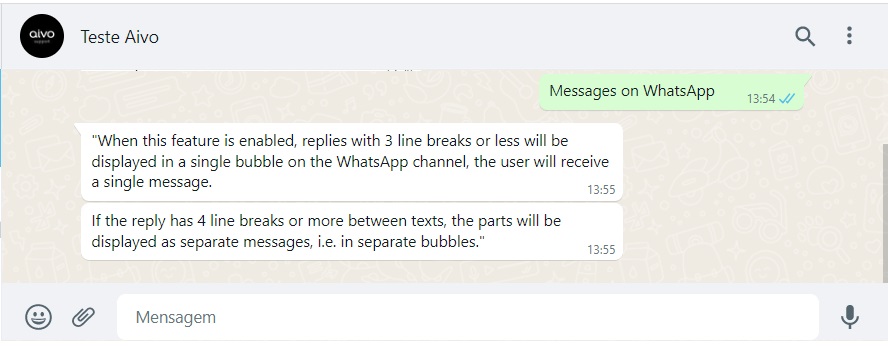
User view through the WhatsApp channel
Example of an integration response configured in Aivo Studio as a Separate Bubble
User view through the WhatsApp channel
