
 How to enable the control
A user with the Administrator role can enable or disable this feature using the corresponding toggle in Settings → General.
If the control is disabled, pauses do not require approval.

 How break requests work
 Note: Break request control only requires approval when changing from Online to a pause status.
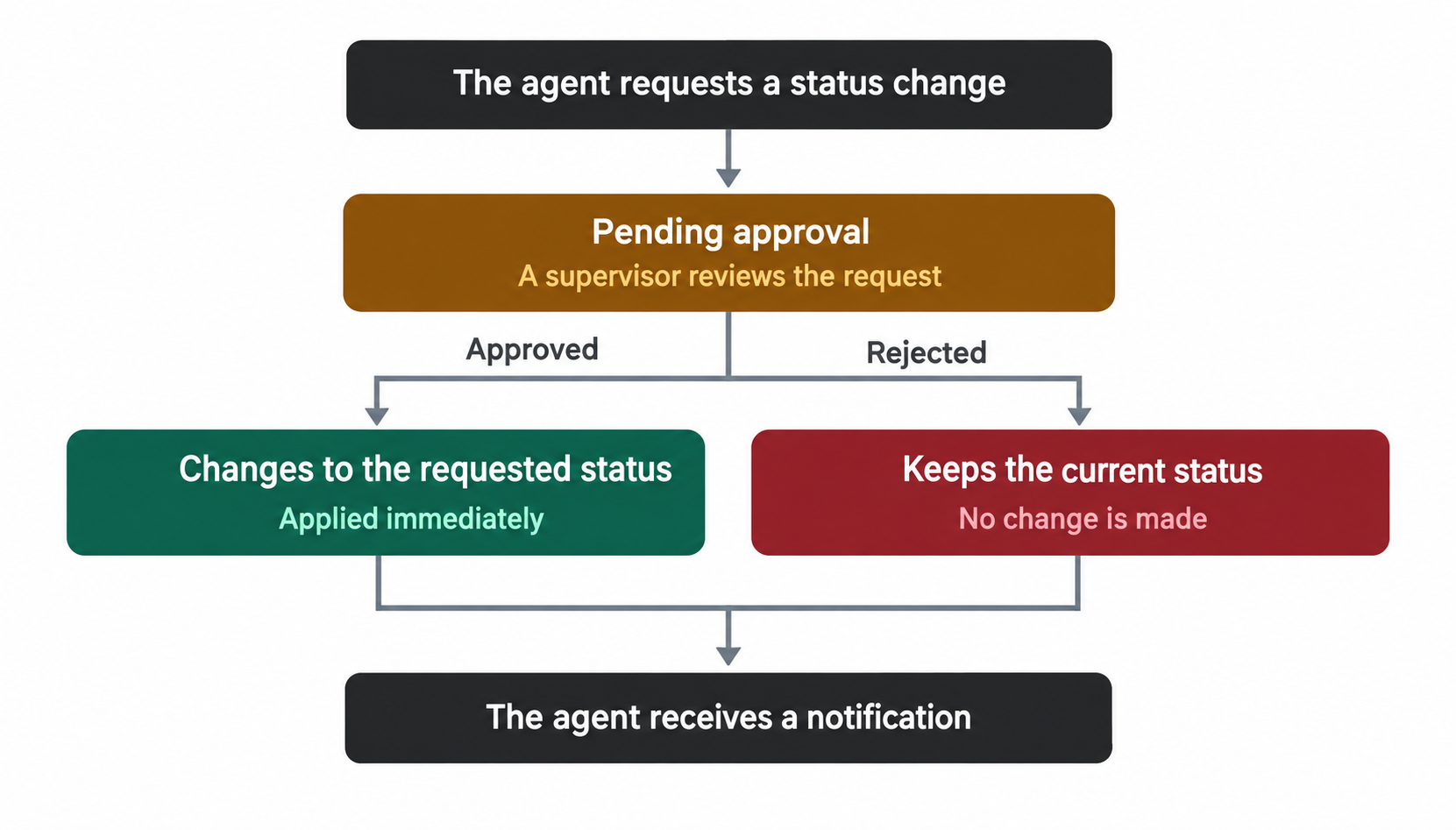
- The agent selects a pause, and a request is sent for review.
- Online Supervisors receive a real-time notification of the request. While waiting for approval, the agent remains Online and can continue receiving new conversations.
- A Supervisor or Supervisor Agent reviews the request from Monitor → Break Requests.
- The agent receives a notification with the decision:
- If rejected, the agent remains Online.
- If approved, the agent’s status immediately changes to the requested pause, whether or not they have active conversations.
 The request is resolved when the first Supervisor approves or rejects it. All other Supervisors see the updated status automatically.

 How it works with Pre-pause
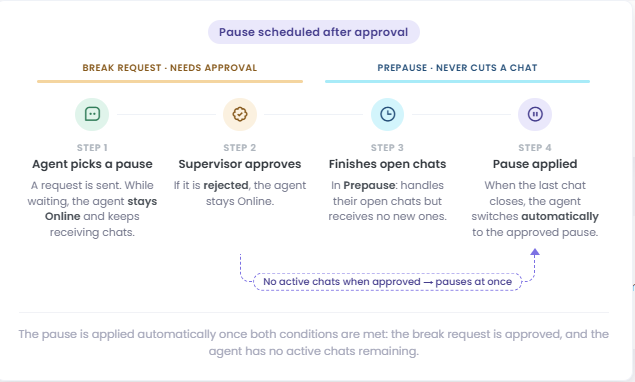
If Pre-pause is enabled along with break request control, the two features work together. In this case, approval does not always start the pause immediately: the request is approved first, and any conversations active at that time are then taken into account.
- If the agent has no active conversations, they move directly to the approved pause.
- If the agent has active conversations, they enter Pre-pause: they can continue handling the conversations already assigned to them but stop receiving new ones. Once they close the last active conversation, their status automatically changes to the approved pause.
 While the request is pending, the agent remains Online and can receive new conversations. Pre-pause begins after approval if the agent still has active conversations.
Learn more in Enable Pre-pause mode for Agents.
 Learn more in Enable Pre-pause mode for Agents.

 Key facts when both features are enabled
- While waiting for approval, the agent cannot select another pause. They can select Online to cancel the request.
- If a Supervisor changes an agent’s Online status to a pause, a request requiring approval is also created.
- Break Request cannot be disabled while agents have pending break requests.
 Comparison of the three modes

 Managing requests
To view requests and approve or reject them individually or in bulk, see Break Requests, Monitor.
To learn how statuses work in general and how they relate to agent availability, see Status and Pauses in Live.

 The following video shows the complete process: