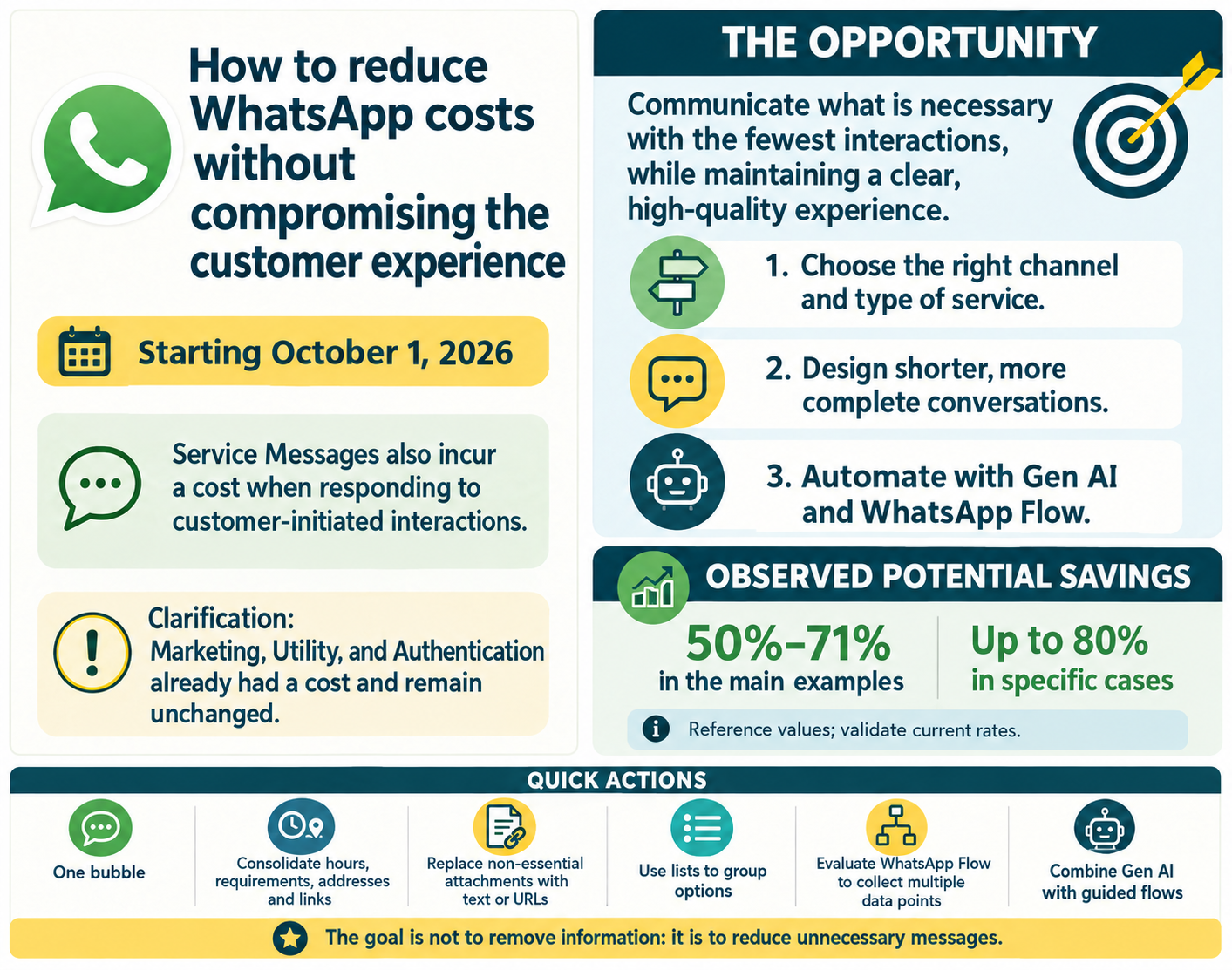
Starting October 1, 2026, service messages sent in response to interactions initiated by customers will be subject to the current WhatsApp Business Platform pricing rules.
 These messages may be automated responses from the Virtual Assistant or messages sent during an agent-assisted interaction.
 Marketing, Utility, and Authentication template messages already have an associated cost and will not change with this update.
 Which category is changing? Of the four message categories, the change affects Service / Free-form messages starting October 1:
| Category |
Example |
Who starts the interaction |
Cost until September 30, 2026 | Cost starting October 1, 2026 |
| Marketing | 20% off your next purchase | Company | Has a cost | No change |
| Utility | Your order #4821 has been shipped | Company | Has a cost | No change |
| Authentication | Your code is 482913 | Company | Has a cost | No change |
| Service / Free-form |
Sure, I can help you with that! |
Customer |
No cost |
Charged per message |
 Meta’s billing is now based on “message turns”: in the WhatsApp Business API, this is the unit of measurement Meta uses to track and bill for conversations between businesses and users.
A message turn is defined as a single message sent by the business to a user, or the business’s response to a message from the user.
 The opportunity is to communicate what is necessary using the fewest possible interactions while maintaining a clear, high-quality experience. The opportunity is to communicate what is necessary using the fewest possible interactions while maintaining a clear, high-quality experience. |
 The three key pillars for optimizing WhatsApp conversations are:
- Choose the right channel and type of support: Web, Voice, mobile app, and other complementary channels.
- Design shorter, more complete conversations.
- Automate with Gen AI and WhatsApp Flow.
 For more details, see the Guide to reducing WhatsApp costs without compromising the customer experience.
Attention windows and special conditions
If a customer starts a conversation by clicking a Click to WhatsApp ad, service messages sent during the first 72 hours do not generate a cost.
This condition applies only to that type of conversation. For other cases, review the standard attention window and the current WhatsApp Business pricing rules before calculating the impact.
 Checklist to get started
- Start your review before October 1, 2026.
- Identify the flows with the highest consumption using monthly volume and the average number of billable messages needed to resolve each conversation.
- Review whether each flow needs to be resolved in WhatsApp or can be routed to another channel.
- Distinguish the standard attention window from the specific conditions for Click to WhatsApp.
- Audit welcome, empathy, courtesy, reminder, confirmation, and redundant-step messages.
- Configure a single bubble when a complete response can be sent in one message.
- Consolidate schedules, requirements, addresses, and links into a single message whenever possible.
- Replace non-essential attachments, images, or videos with text or URLs.
- Group options in lists whenever appropriate for the user experience.
- Create templates for agent responses.
- Evaluate WhatsApp Flow for processes that collect several pieces of information.
- Prioritize Gen AI for frequently asked questions that combine more than one topic.
- Define which cases can be resolved through a hybrid guided-flow and Gen AI strategy.
- Compare the messages in the previous and new scenarios.
- Validate that the user experience remains clear, complete, and easy to navigate.
- Verify which optimizations have already been applied automatically and which ones require configuration in the account.
 Automatic changes and available configurations
• Some optimizations can be configured from the channel settings, such as consolidating responses into a single bubble.
• In addition, specific scenarios involving buttons, lists, line breaks, and files may receive automatic adjustments. See The same content in a single bubble: optimizing WhatsApp conversations to identify which changes apply automatically and which require configuration.
 Priority summary
- Essential before October 1: identify consumption, audit redundancies, decide which cases should remain in WhatsApp, and validate the changes against the current pricing policy.
- Quick adjustments: configure a single bubble, consolidate information, replace non-essential attachments, use lists, and create templates for agents.
- Advanced optimization: evaluate WhatsApp Flow, Gen AI, and hybrid strategies to reduce unnecessary messages without removing information or harming the customer experience.
 The infographic below provides a quick overview of the change, its impact, and ways to optimize conversations on WhatsApp: