The Legacy version of the web chat window ensures correct operation and compatibility with the following versions of older operating systems and web browsers.
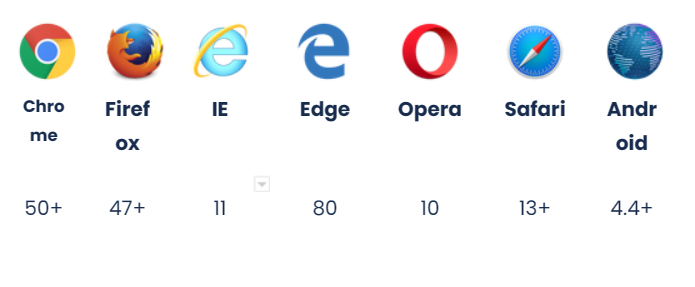
Specific technical support for this version of the window will be provided through our Aivo Support Center service portal.
To implement a Legacy web chat window, the domain must be modified in the SRC of the script obtained by adding "agentcorelegacy".
For example: <script type="text/javascript" src="https://agentcorelegacy.agentbot.net/core/f1712f59aa5fc9bc23e0faef95948ffa.js" charset="UTF-8"></script>
In case of implementing it in an embedded chat window, it is necessary to add a third parameter in the URL: /legacy
https://embed.agentbot.net/[name]/[token]/legacy
Example: https://embed.agentbot.net/aivo/f1712f59aa5fc9bc23e0faef95948ffa/legacy
The add-ons available in AgentBot Legacy are:
- Buttons
- Form
- Faqs
- Video
- Audio
- Carousel
- Popup Feedback
- Image
- File
- Webview
- Open_agentlive y derivation (Zendesk, Genesys Pure Cloud, Live y Salesforce)
Note: since this release is specifically intended to maintain the stated compatibility, there are no new features or add-ons planned to be added.