You can configure your chat window to open with a default message, as a different alternative to the Call to Action and welcome message, giving you the possibility to start the conversation with a default message without modifying anything in your window or content.
This can be useful for a mailing campaign (sharing a link with your users), or to place on a landing page that promotes a product or service of your company.
 It is configured from the URL and as a result, the window will open with the message you have selected.
- You must set up your link in the following way: url?send_message=
- Followed by the equals (=) you will write the intent of your knowledge base that will be activated when the user initiates the conversation through the URL. Remember that the intent must be pre-loaded in your content.
- If the intention consists of a single word, you only have to write it. For example "=message".
- If there are more words, write "%20" between each one. For example "=message%20with%20more%20words".
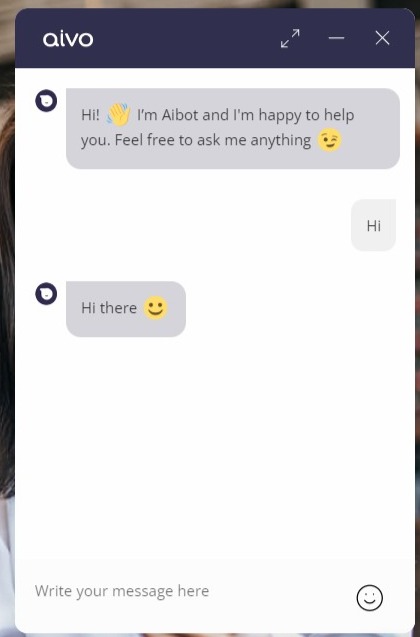
Example of single-word intent:
- Link format: url?send_message=hello
- Full URL: https://www.aivo.co/?send_message=hello
- Results
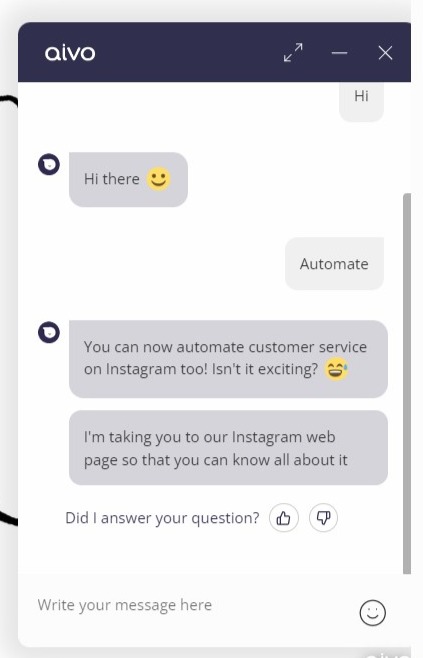
Example of intention with several words:
- Link format: url?send_message=word%20word%20word%20word
- Full URL: https://www.aivo.co/?send_message=Automate%20mi%20servicio%20al%20customer
- Results
Important: In case you need to use special characters, we recommend this site: https://www.url-encode-decode.com/