From the Live platform you can send an e-mail conversation to:
- The client, for this it is necessary that the mail is loaded in the client data.
- The supervisor, agent supervisor and administrator roles.
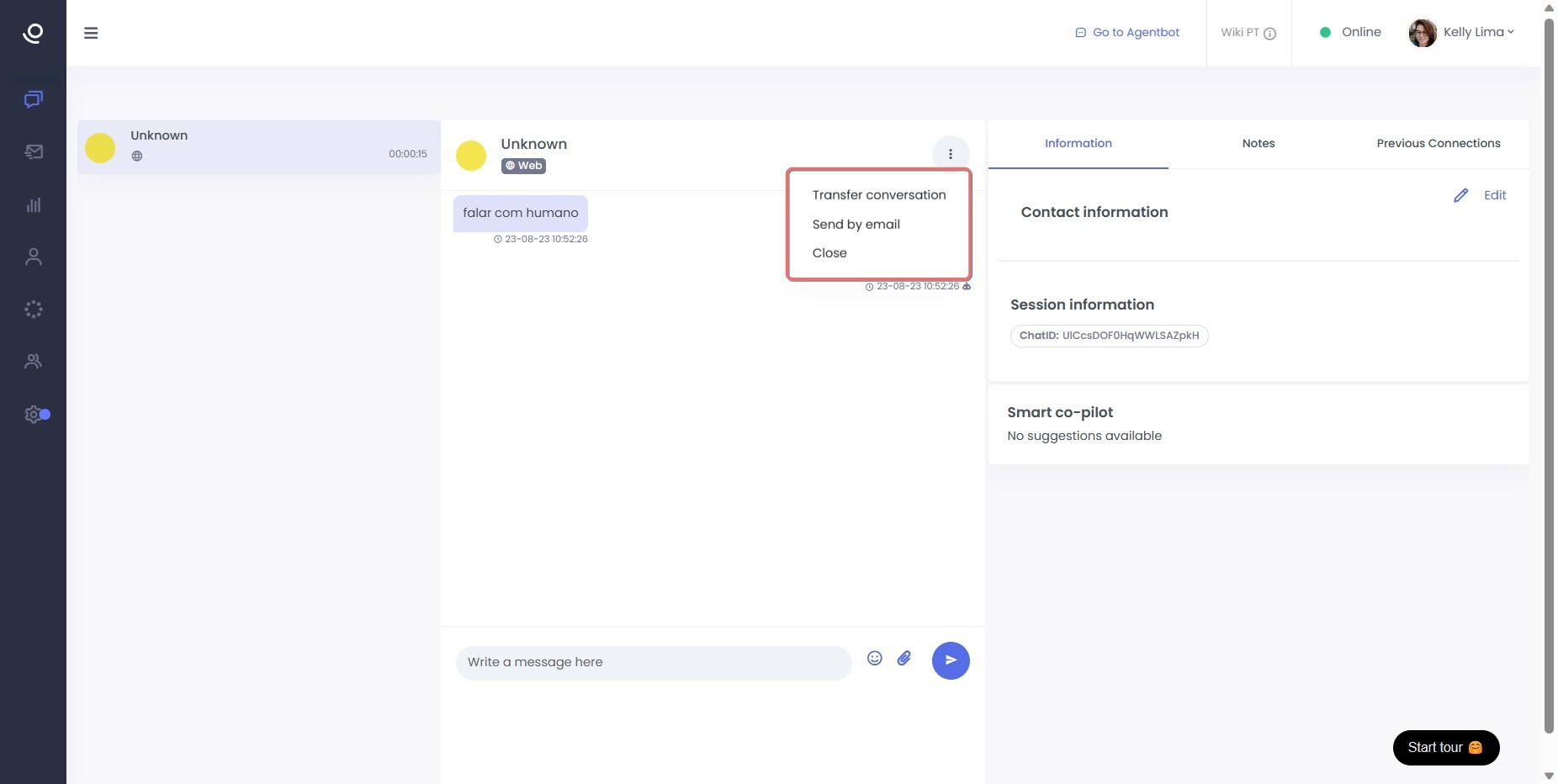
From the agent role the sending can be done during the conversation, by clicking on the three side points of the chat window and selecting this option in the drop-down list that is enabled.
Please note that the alternative of sending a conversation by email during a video call in progress will not be applicable.
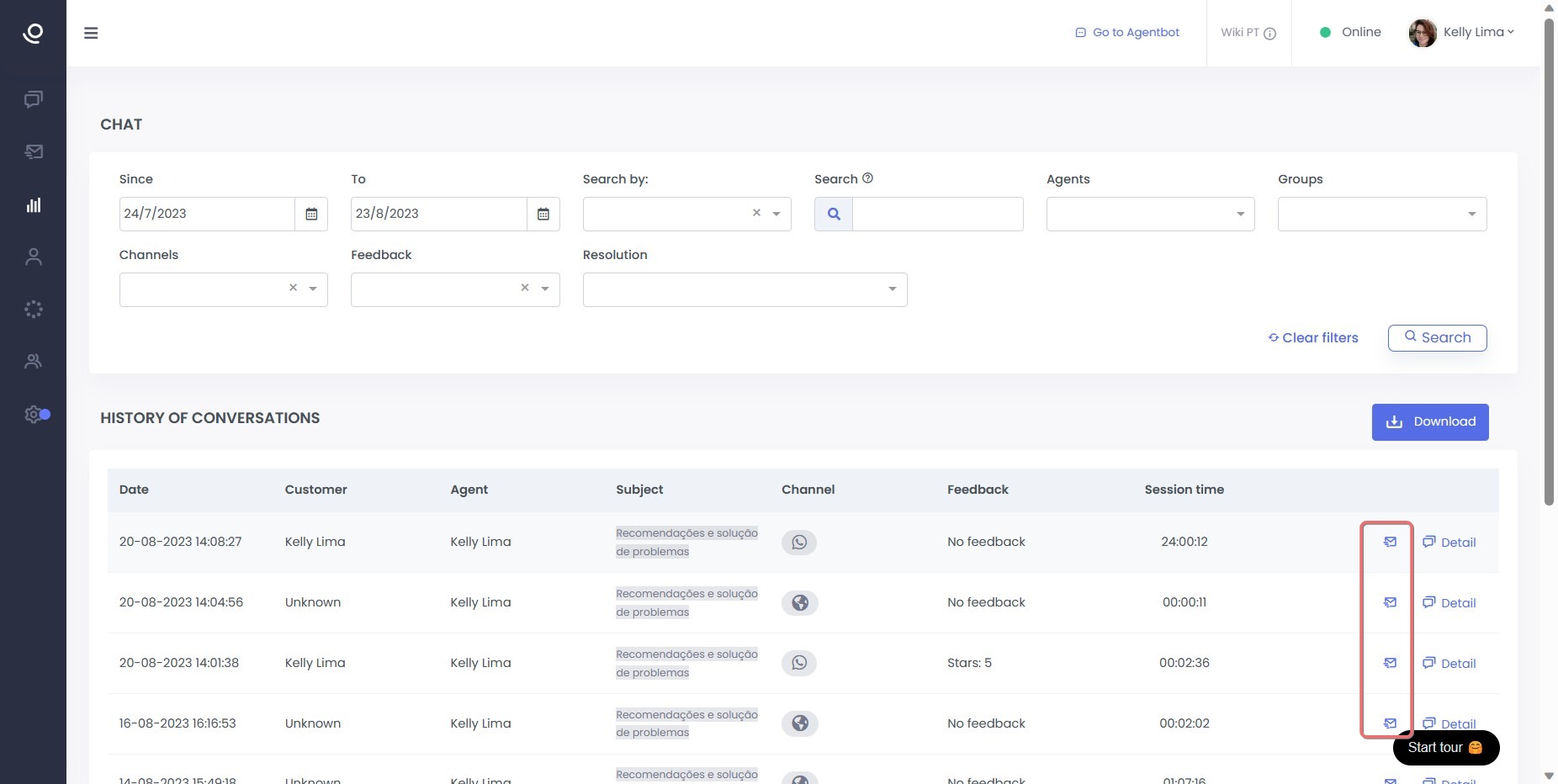
From the supervisor, agent supervisor and administrator roles, when accessing the Chat Report section, by clicking on the icon, send by mail.
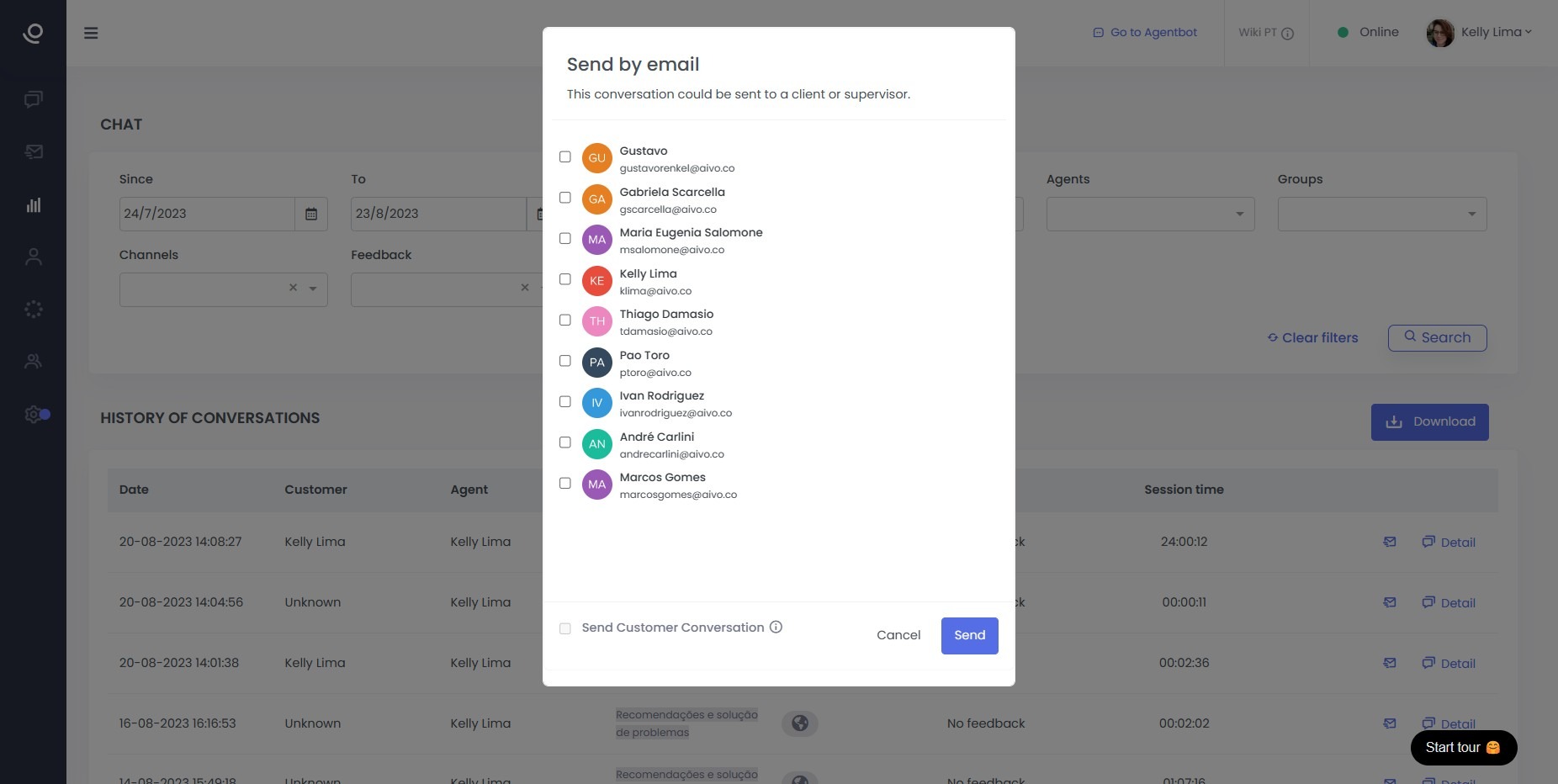
In both cases, it will enable a drop-down list with all the emails we have scheduled in Live to select who we want to send the message to.
We will be able to check the option to send to the client and for this it is essential that their email address is listed in the contact information.
After selecting the user, click on send.
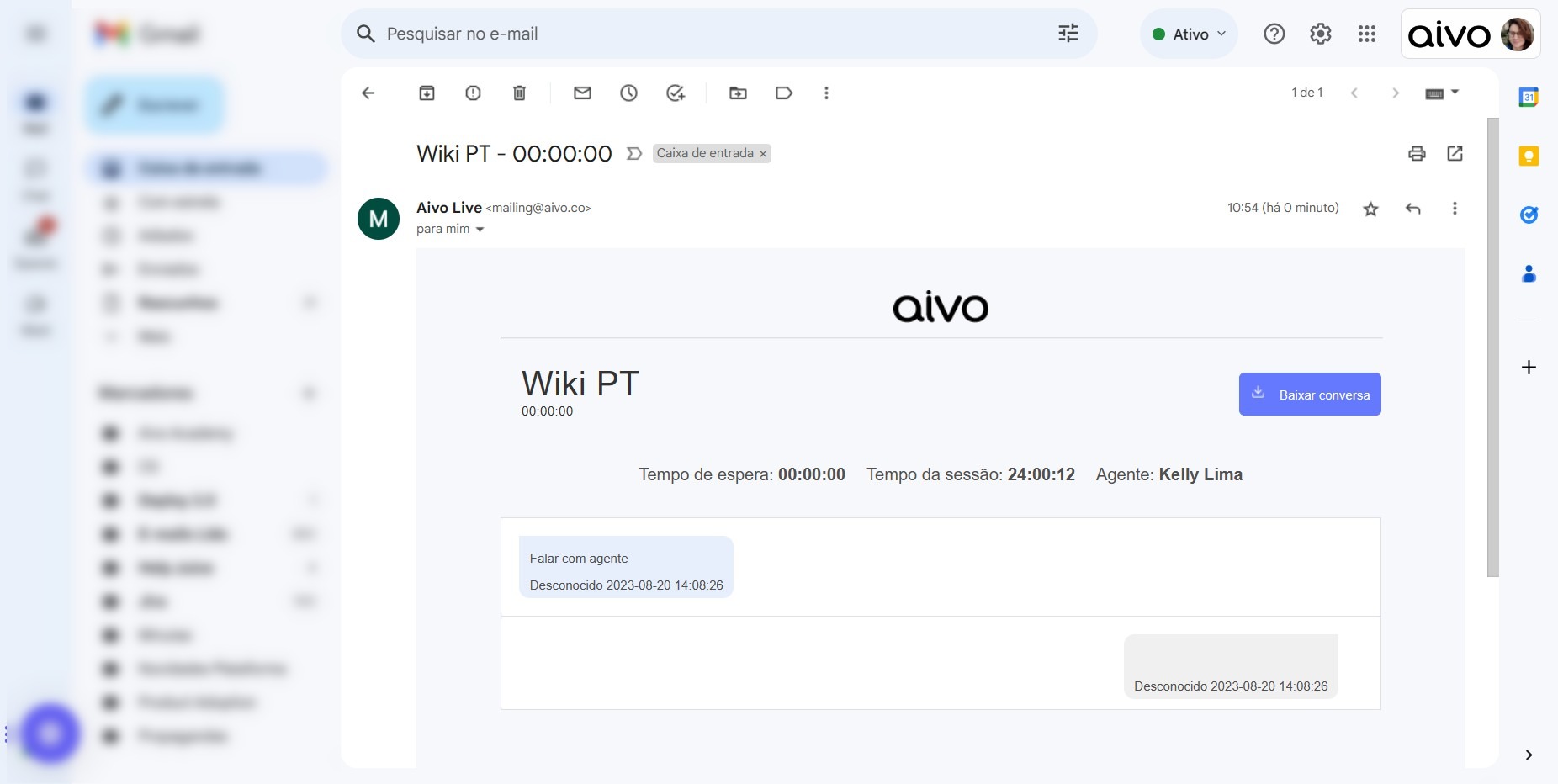
Whoever you send the conversation to will receive an email with the details.