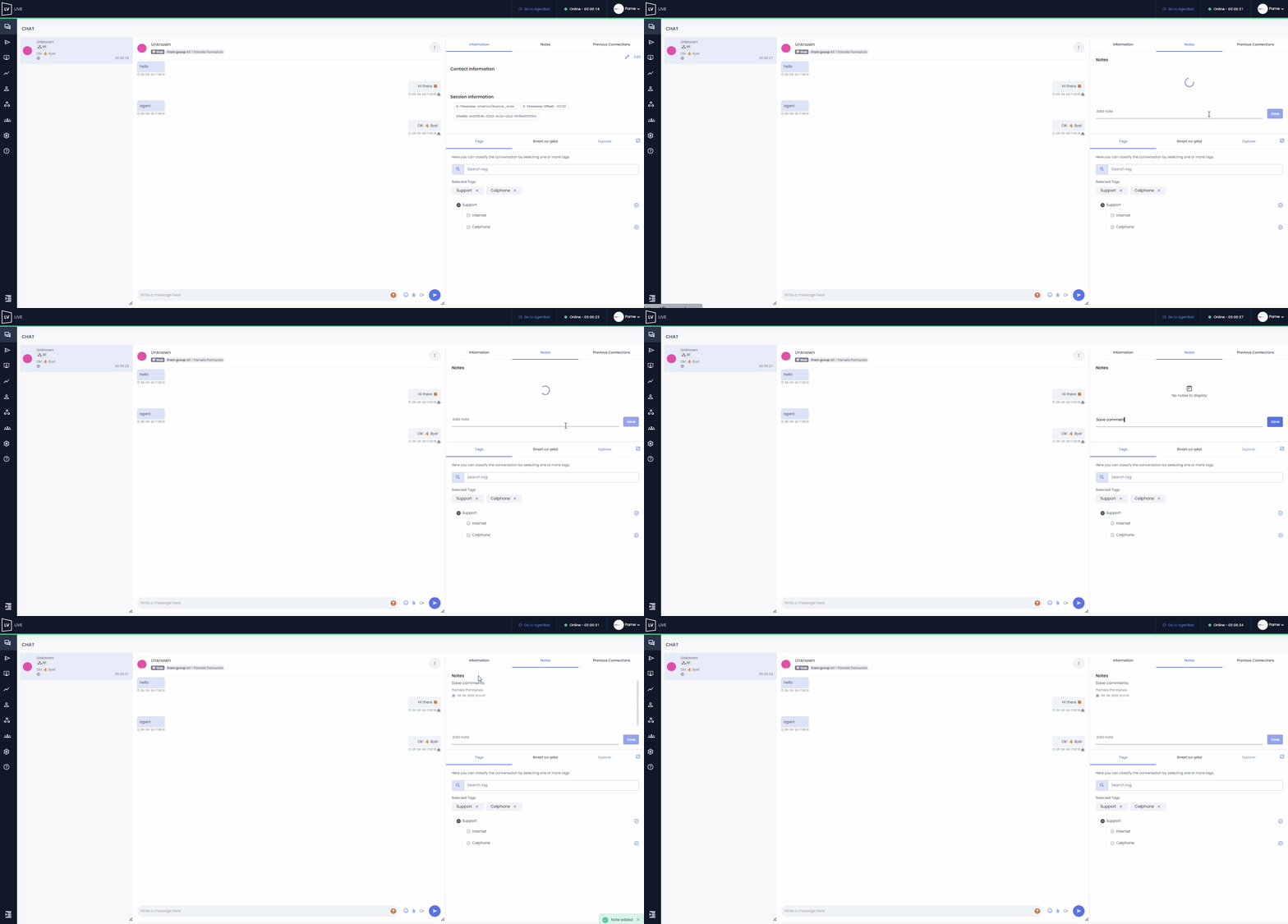
Notes are internal comments that can be recorded during a conversation with a user on the Live platform.
• Each note records the name of the agent who created it, along with the date and time.
• Notes cannot be deleted once they have been saved.
• They are for internal use only; therefore, the customer does not have access to them.
If the customer has had Previous connections and notes were left in those conversations, they will be visible when you access that section.
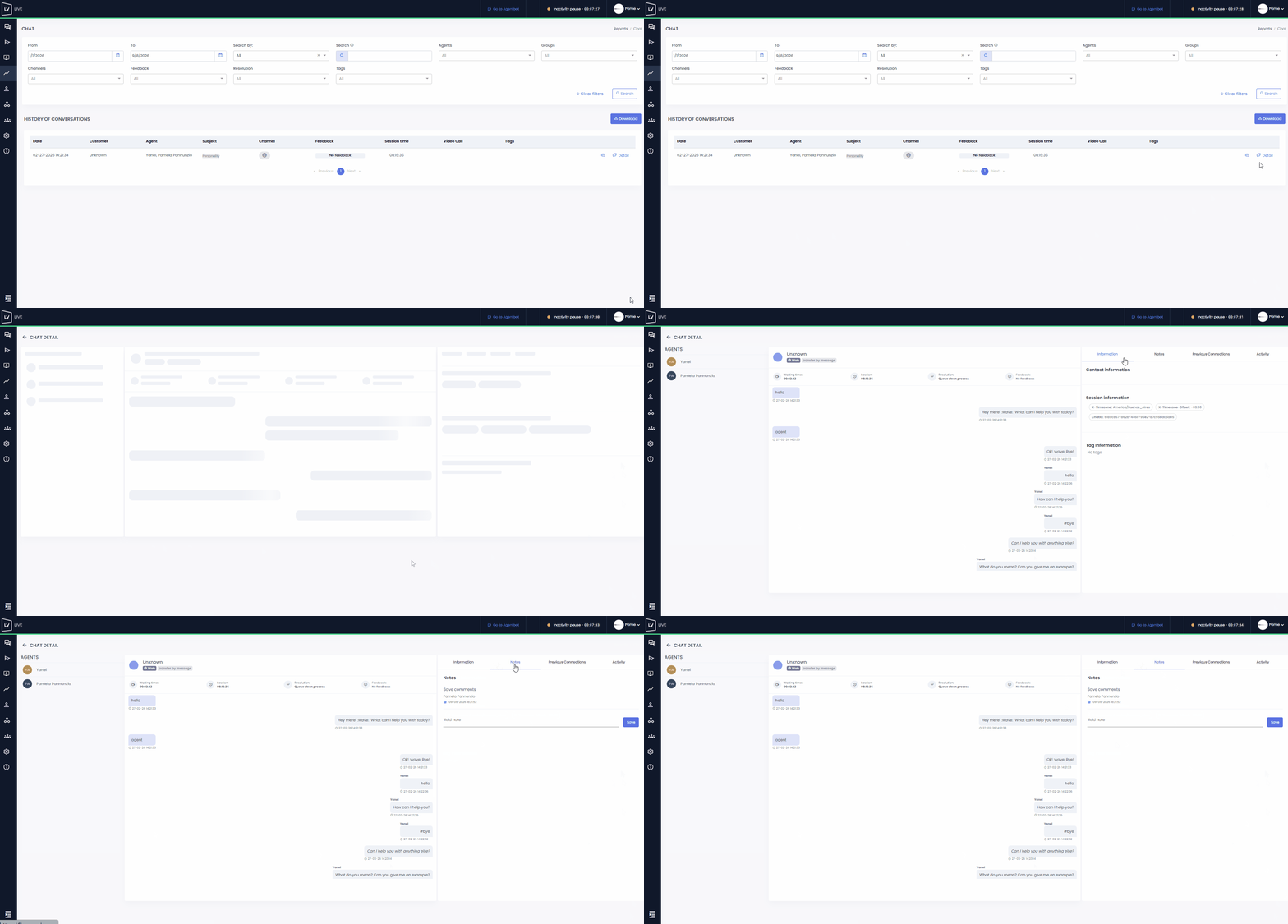
 If you have a role with access to the Reports section, you can view the notes created by agents from the > Chat module.
In the Conversation History table, click on Details to access the full view of the conversation. If there are any notes on file, you’ll be able to view them in the corresponding section.
Notes will also be available when you download the conversation history.
☝ Keep in mind that the information included in the file will depend on the filters applied in the top header.
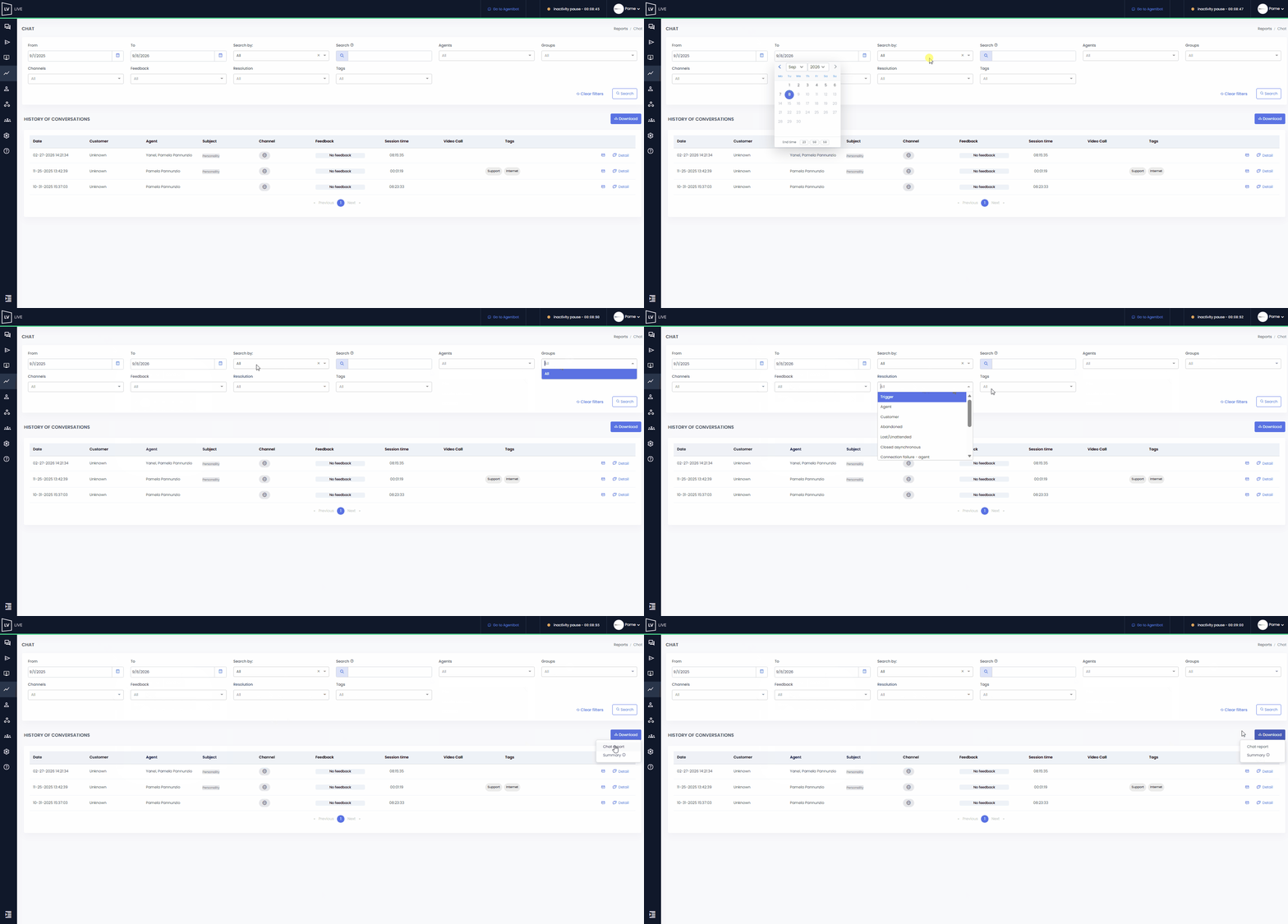
 When you download the file, an email will automatically be sent to the address associated with your user account on the platform, containing a link to access the file.
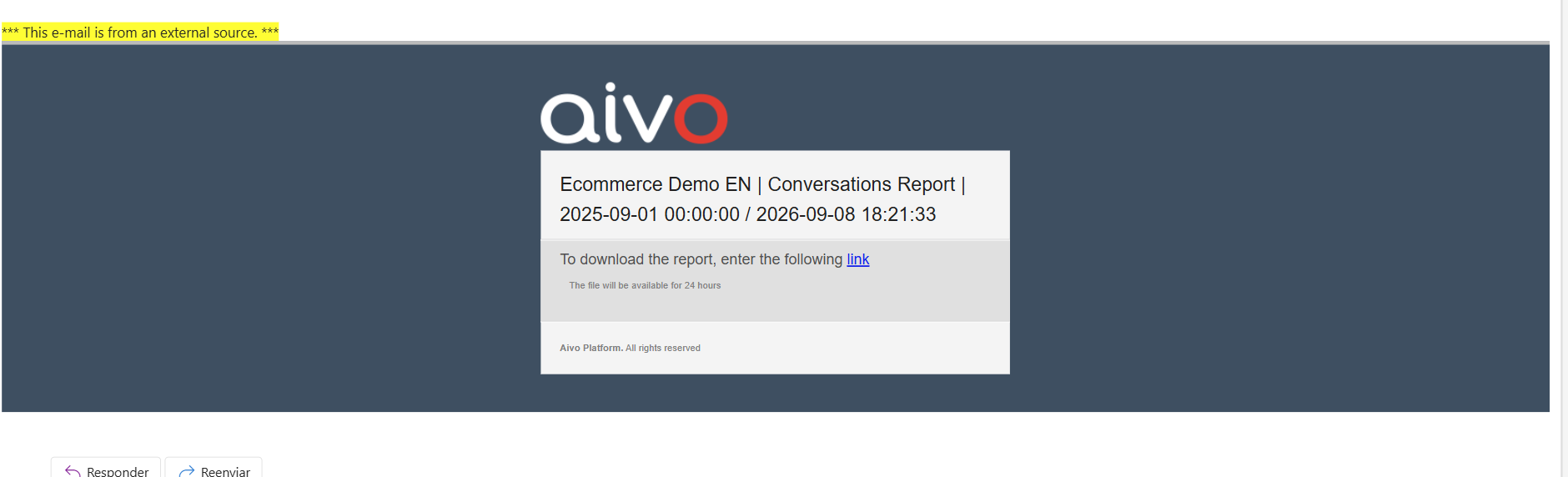
You’ll receive a .zip file containing the information in .csv format, which is compatible with Excel.
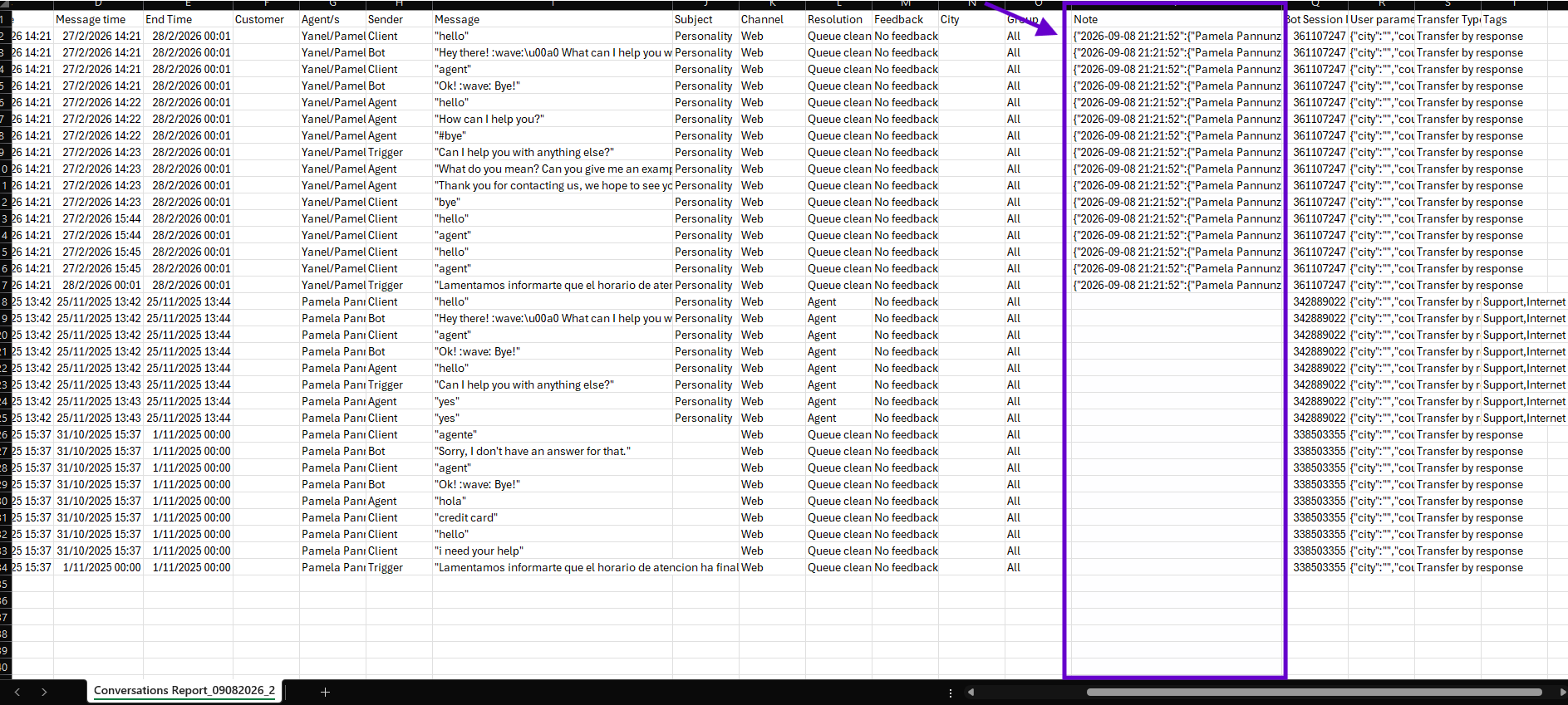
In this spreadsheet, you’ll be able to view the notes created by agents in column “P,” along with additional contact and session data.