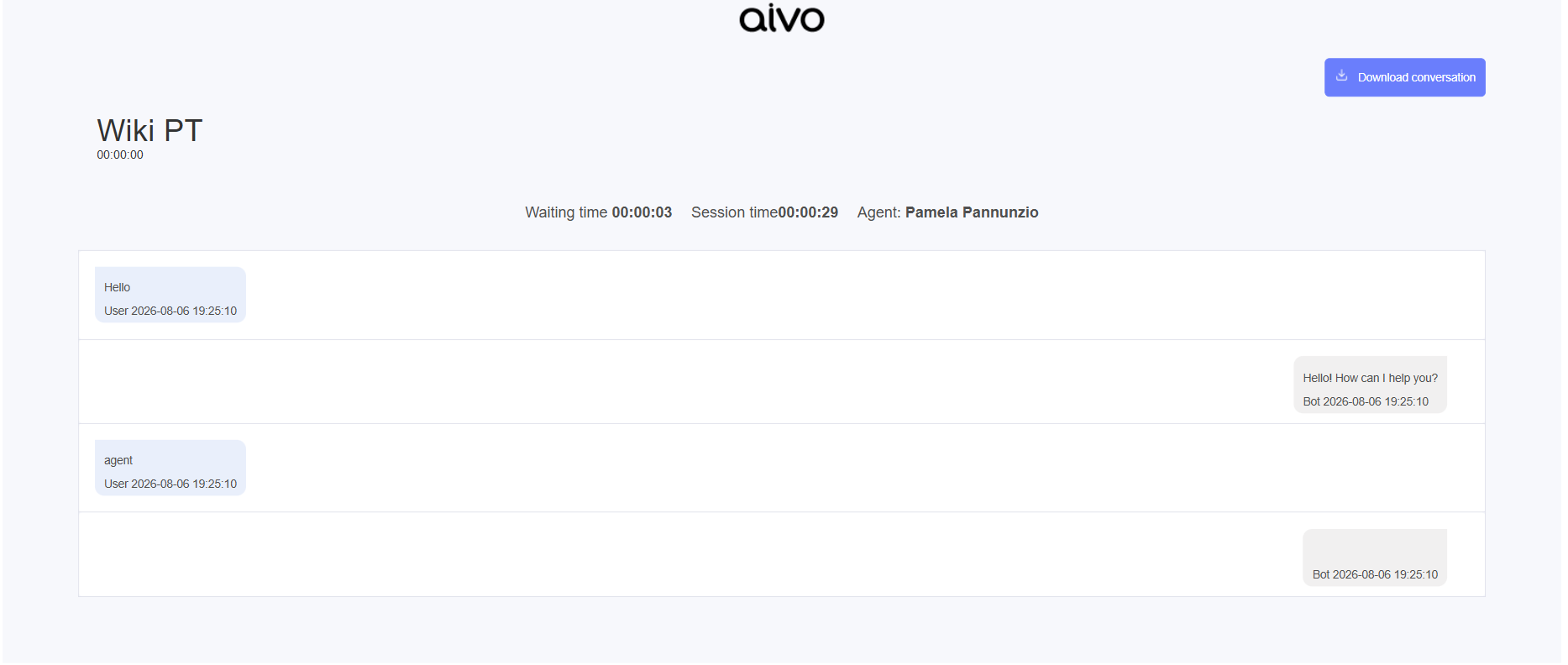
From the Live platform, you can send a conversation via email to:
- The customer: In this case, the email address must be in the customer’s profile information.
- The roles: Agent Dashboard, Coordinator, Agent Supervisor, Supervisor, and Administrator.
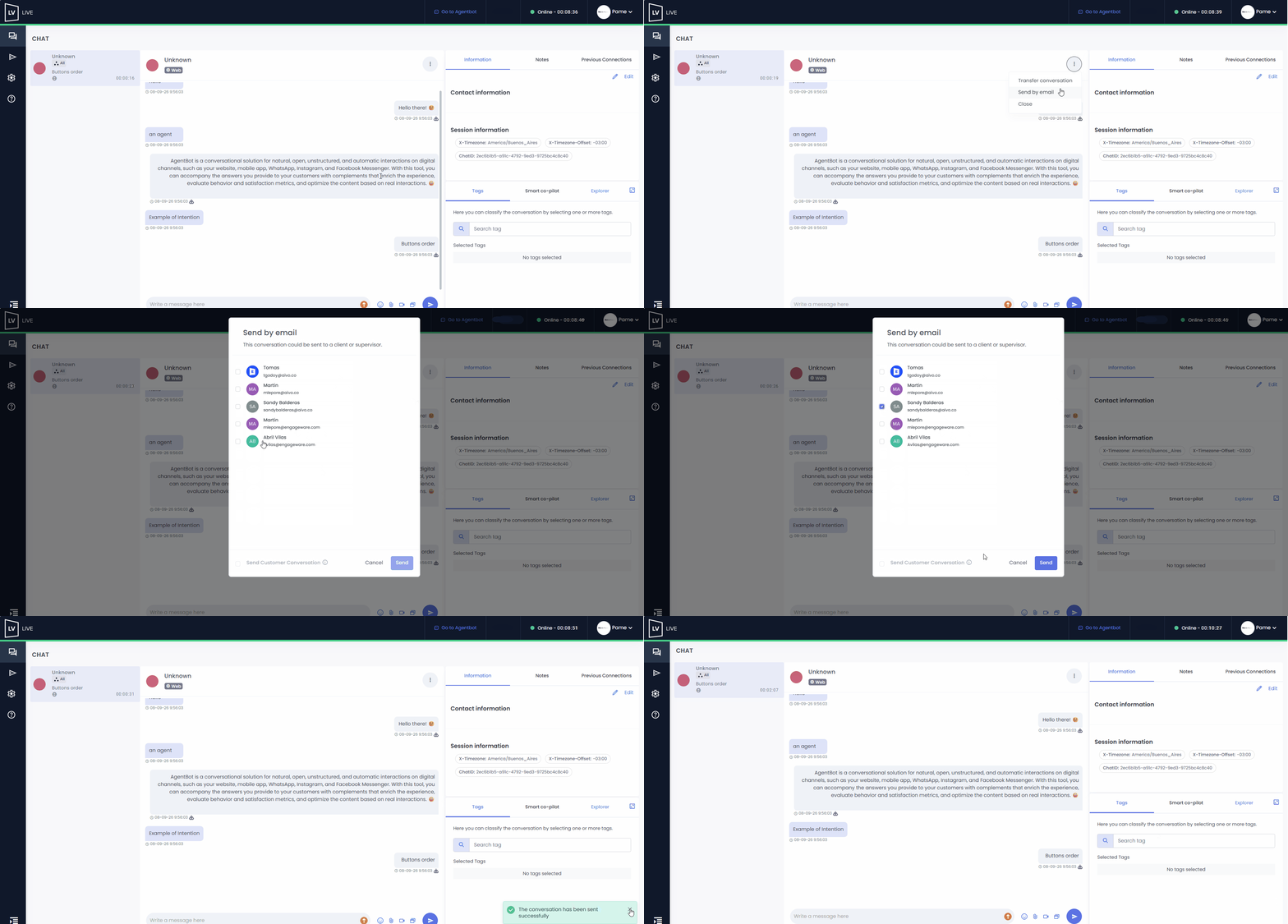
 From the Agent, Agent Dashboard, Coordinator, and Agent Supervisor roles: you can send the conversation during the chat by clicking the three dots on the side of the chat window and selecting this option from the dropdown menu that appears.
 Please note that the option to send a conversation via email is not available during an ongoing video call. Please note that the option to send a conversation via email is not available during an ongoing video call.
|
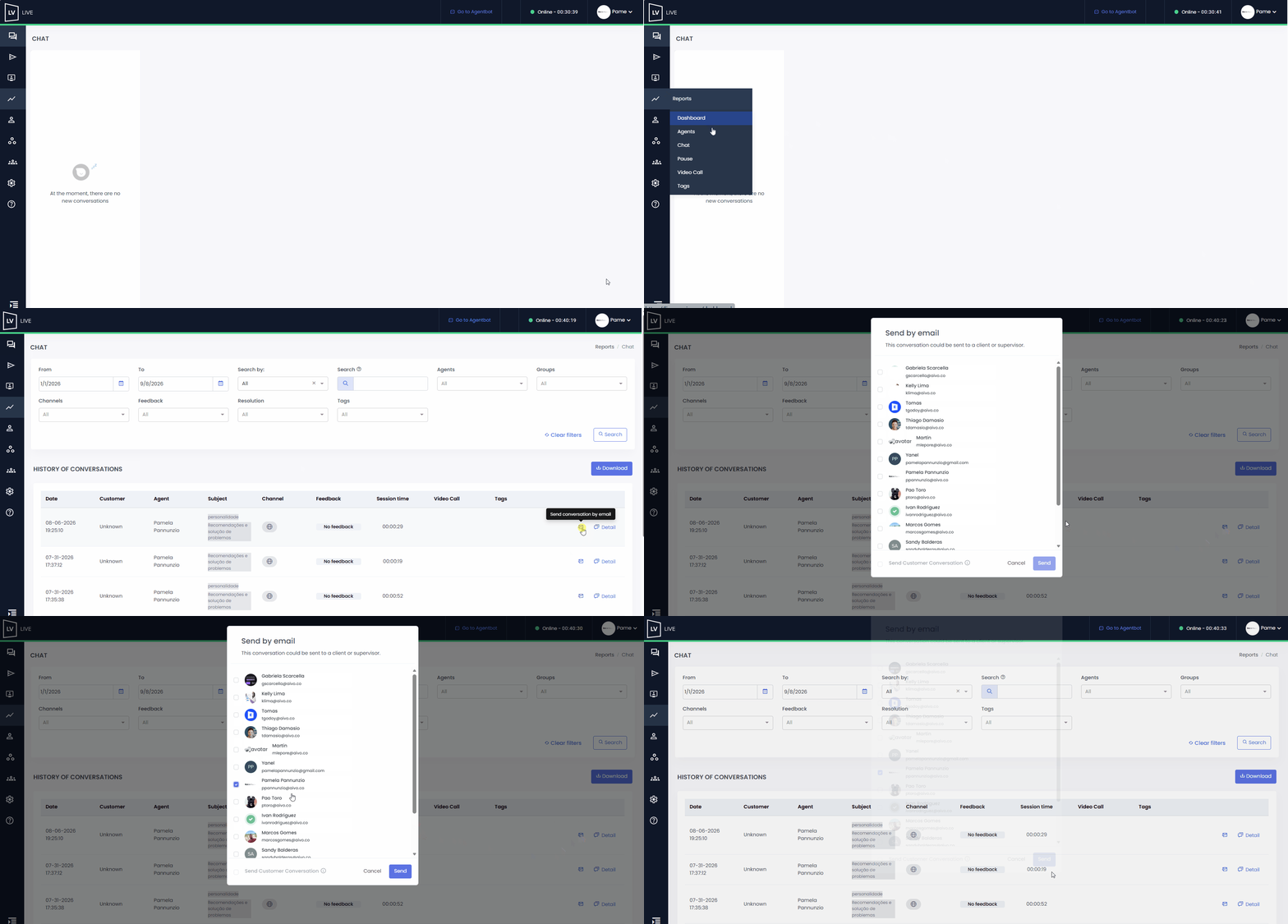
From the Coordinator, Supervisor, Agent Supervisor, and Administrator roles, access the Reports > Chat section and click the “Send conversation by email” icon.
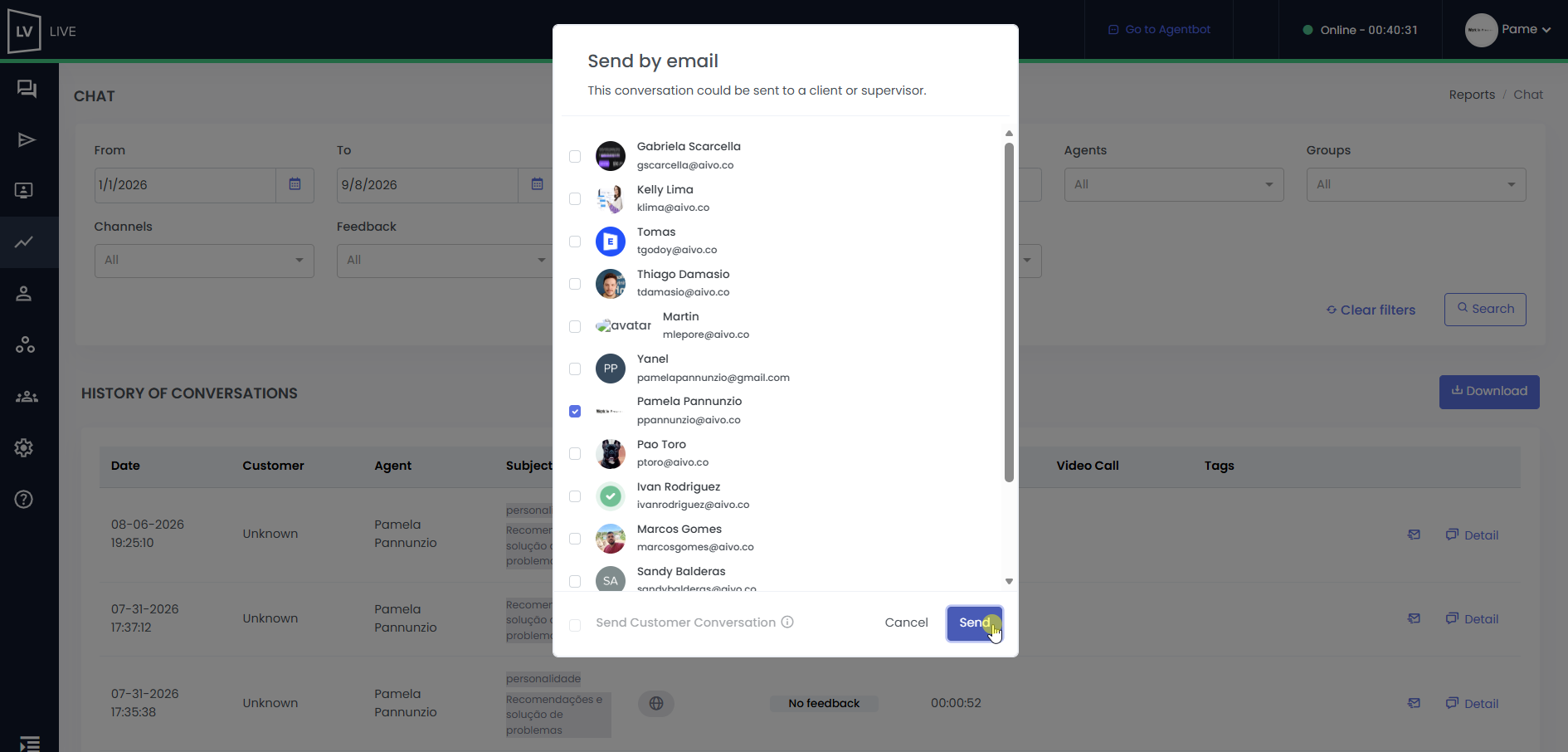
 In both cases, a dropdown menu will appear listing all email addresses saved in Live, allowing you to select the recipient.
- You can check the option to send to the customer, but for this to work, their email address must be saved in their contact information.
- After selecting the recipient, click “Send.”
 The contact you send the conversation to will receive an email with the details.