If the agent uses Google Chrome as a browser and has downtime on the Live platform, the web registers as if it wasn't active, due to the natural functioning of the browser itself, which demands a lot of computer resources.
Google has implemented that, after a certain period of inactivity in a tab, the browser itself discards it, resulting in the page having to be refreshed or reloaded, as well as affecting chat notifications.
For the same reason, online status changes can also occur automatically. For example, if an agent is on a break and returns to the Live tab, the page will reload with the online status.

There is a solution that allows you to disable this functionality for specific tabs, according to your choice. To do this, in a new tab, type in the browser: chrome://discards/
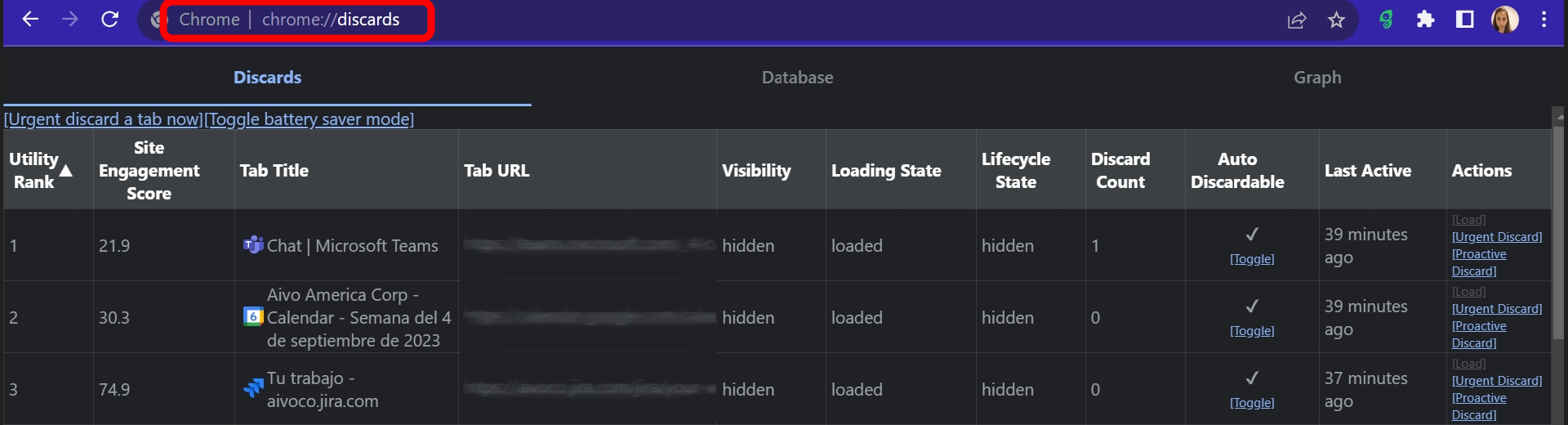
In the Tab Title column, you should locate the Live tab and, in the Auto Discardable column, click Toggle so that the Live tab doesn't reload the page due to inactivity.
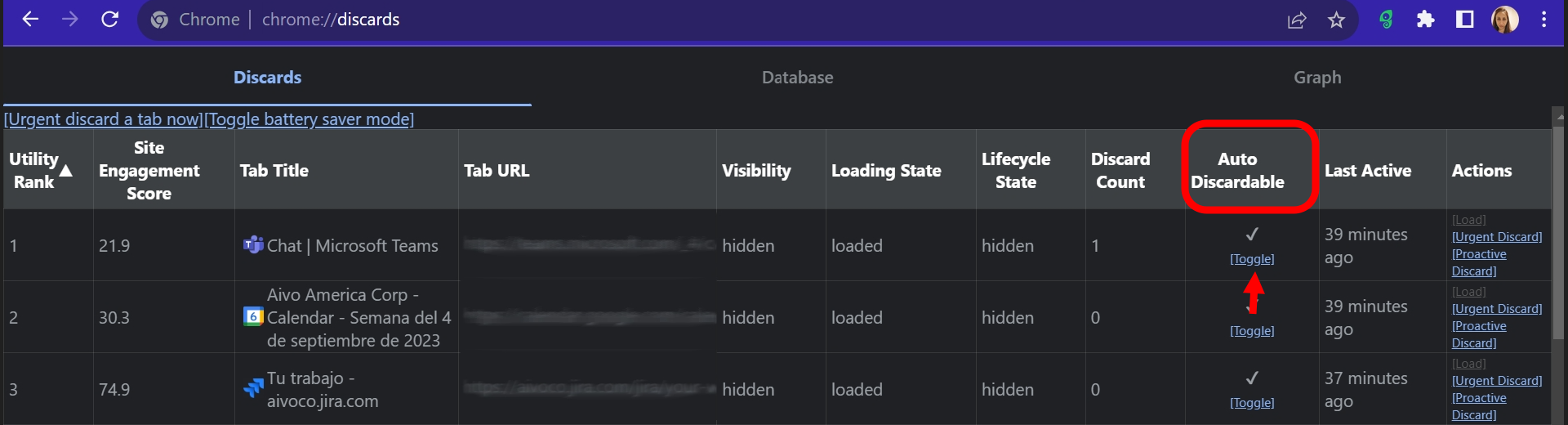
Important: this procedure must be carried out every time the agent opens a Live tab, as these settings are not saved. In other words, if the tab is closed, if the computer is turned off or if the browser is closed, the settings will revert to the default.
In addition, there is an extension that allows tabs to be opened automatically: disable automatic tab discarding. However, if the computer using the agent doesn't have enough RAM or if your computer's resources are scarce, this could be counterproductive as it could slow it down.