If the agent uses Google Chrome as their browser and has idle time on the Live platform, the page will register it as inactive due to the natural behavior of the browser itself, which requires significant computer resources.
Google implemented a feature where, after a certain period of inactivity in a tab, the browser itself discards it, causing the page to refresh or reload, and also affecting chat notifications.
For this same reason, the switch to online status can also happen automatically. For example, if an agent is on a break and returns to the Live tab, the page reloads with the online status.

 There is a solution that allows you to disable this feature for specific tabs, based on your preference. To do this, open a new tab and type the following into the browser: chrome://discards/
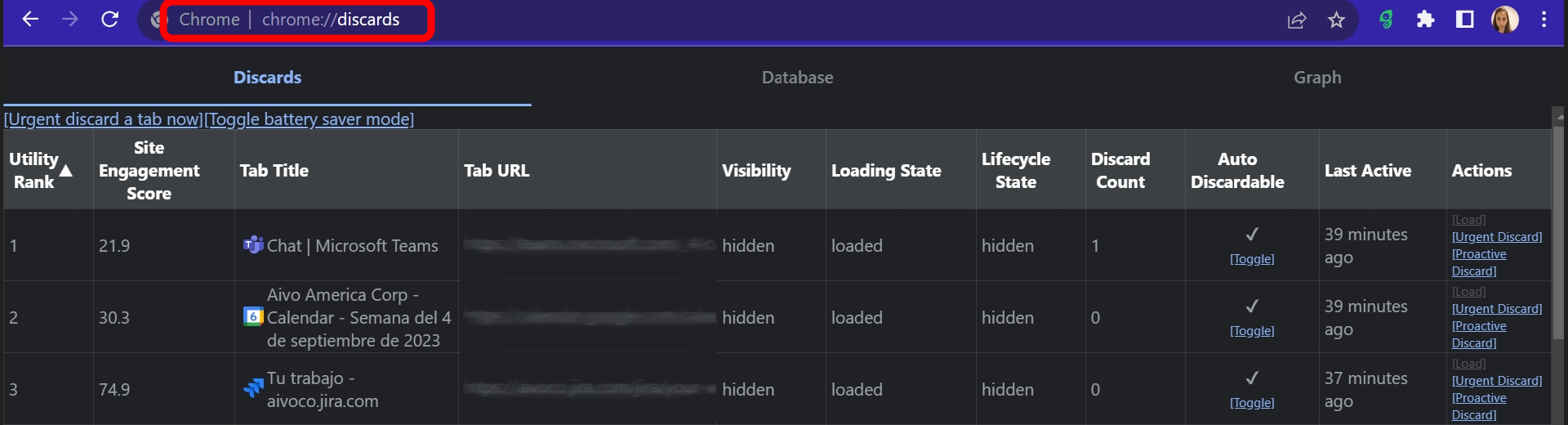
In the Tab Title column, look for the tab that corresponds to Live, and in the Auto Discardable column, click Toggle so that the Live tab does not reload the page due to inactivity.
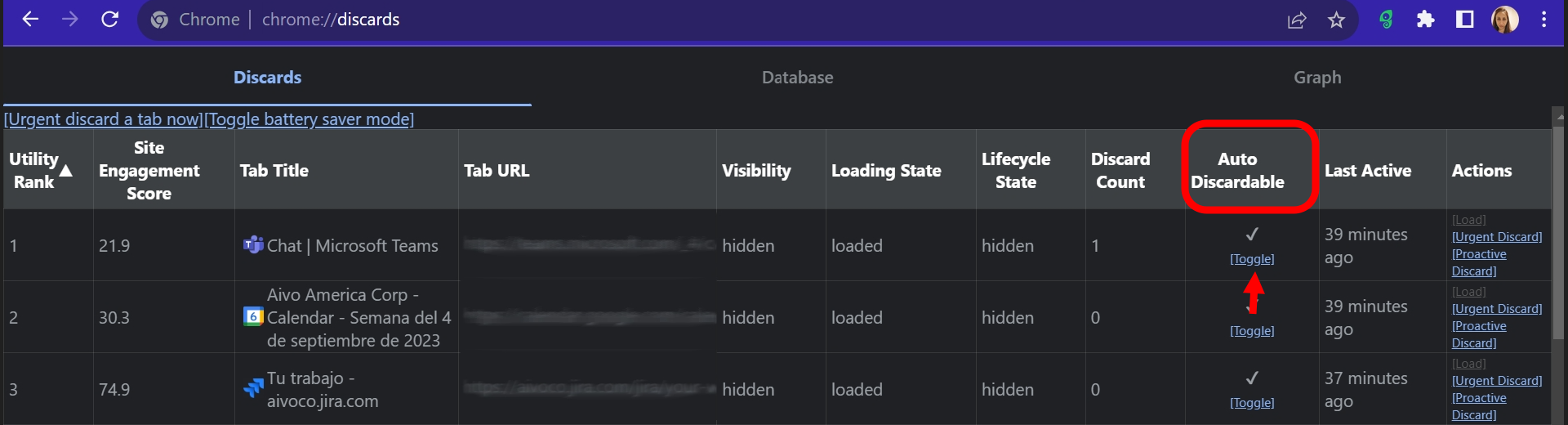
 Important: This procedure must be repeated every time the agent opens a Live tab, since this setting is not saved. In other words, if the tab is closed, the computer is shut down, or the browser is closed, the setting will revert to its default.
Additionally, there is a browser extension that prevents automatic tab discarding. However, if the agent's computer doesn't have enough RAM or has limited resources, this can be counterproductive, as it may slow the machine down.