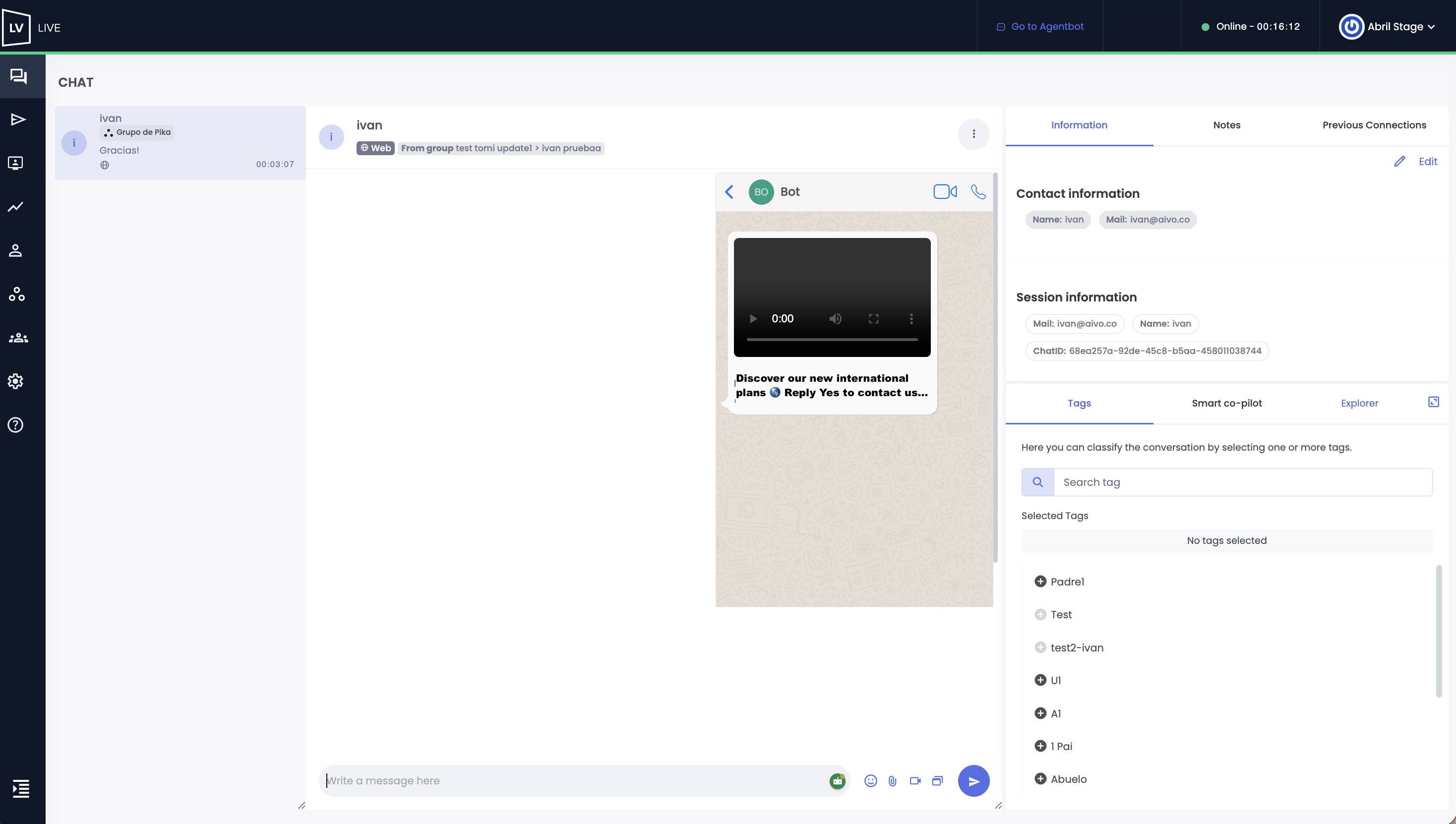
Live Agents can view the complete template message that initiated a WhatsApp conversation, whether it was sent from an Engage campaign or through a recontact message.
The information will be available directly in the chat history and in conversation reports, allowing the Agent to have immediate context about the reason for the contact, while Supervisors and Coordinators can review this information for auditing, traceability, and campaign analysis purposes.
 Live will display the message exactly as it was received by the end user, along with all WhatsApp template components, including:
- Header: text with resolved variables, images, videos, or documents.
- Body: main message text with variables replaced by the actual values sent to the user.
- Footer: complementary text displayed at the bottom of the template.
- Buttons / CTA: Quick Reply buttons and call-to-action buttons.
- Media files: images, videos, or documents attached to the template.
☝ Additionally, this information will also be available in the conversation’s Chat Report.
 The feature is compatible with the following WhatsApp template types:
- Marketing: Personalized messages and carousel templates.
- Utility: Personalized messages with the same structure as Marketing templates.
- Authentication: One-Time Password (OTP).
Below, you can see an example of a template with multimedia content within a conversation