The Live platform provides various notifications to help agents promptly identify new conversations.
 Available Notifications:
- Agents are alerted to new messages through a sound notification.
- A desktop notification appears if the Live platform is open but the agent is viewing another screen.
- The browser tab displays the count of unread messages.
 Agent View Includes:
- The name under which the customer was registered in the user data is displayed, provided it has been saved.
- The customer's profile picture is displayed if one has been assigned.
- Group name where the conversation was routed.
- Time elapsed since derivation.
- A preview of part of the text received in the message.
- An icon identifying the channel from which the communication originated.
- If multiple conversations are ongoing, they are displayed in a list for easier management.
 Clicking on a notification directs the agent to the specific chat.
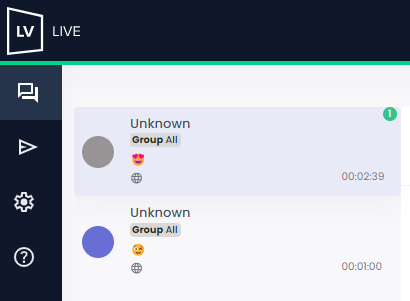
 Check out the example below:
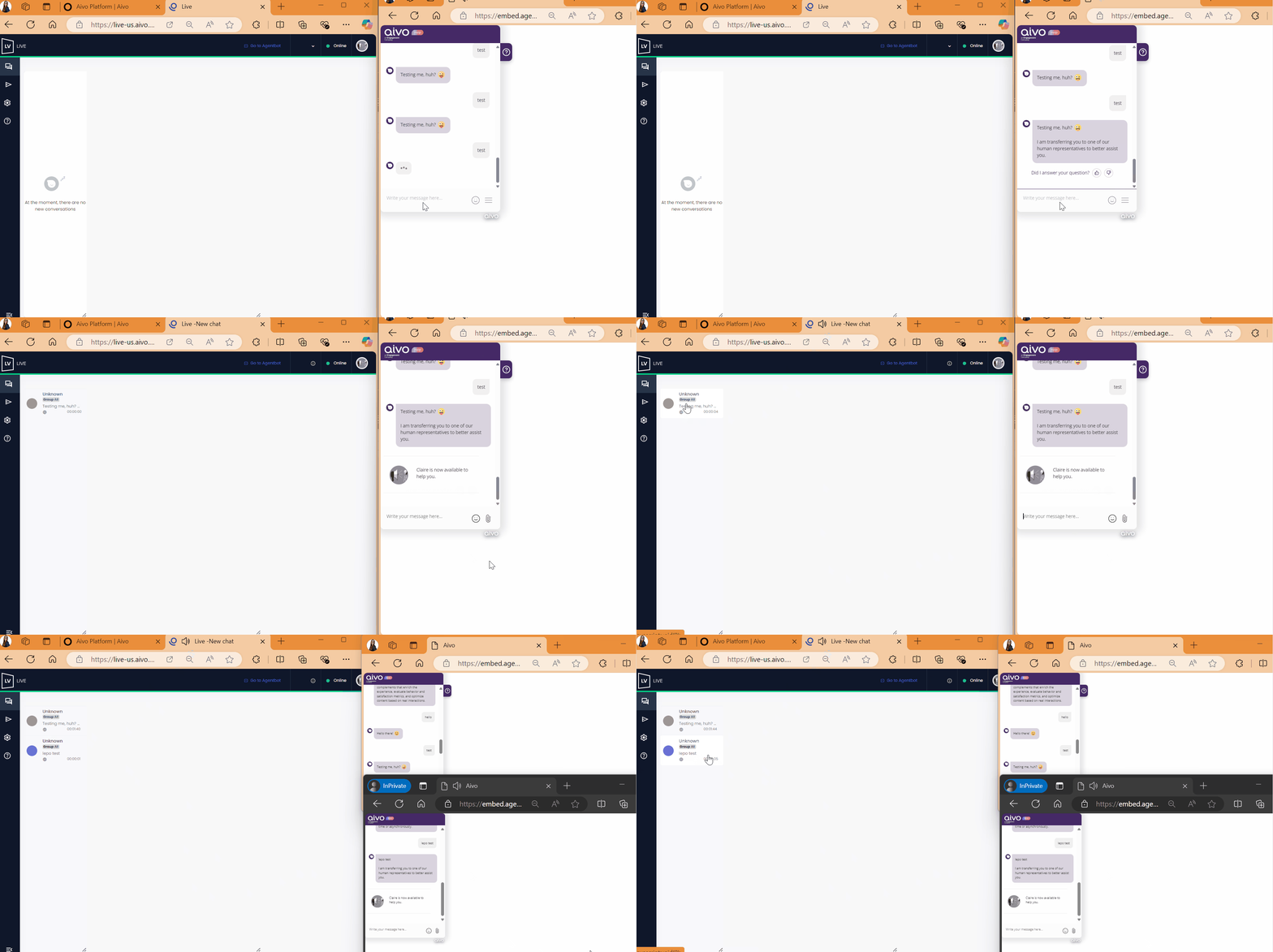
Desktop notifications: To enable or disable desktop notifications, you need to edit the notification settings in your browser.
In all cases, the URL to add is Live
 Connection Issues:
If the agent experiences connection problems, messages will be displayed to alert both the client and the agent.
If the client experiences connection issues due to Wi-Fi problems or browser closure, a disconnection icon and a pop-up notification will appear in the agent’s chat window.
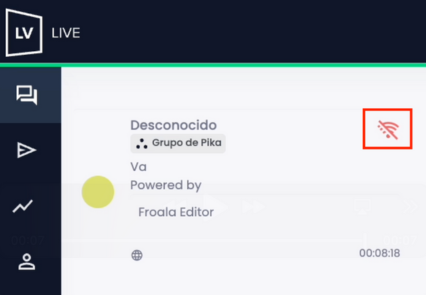
 In both cases, once the connection is restored, a notification will appear, and the conversation can continue.